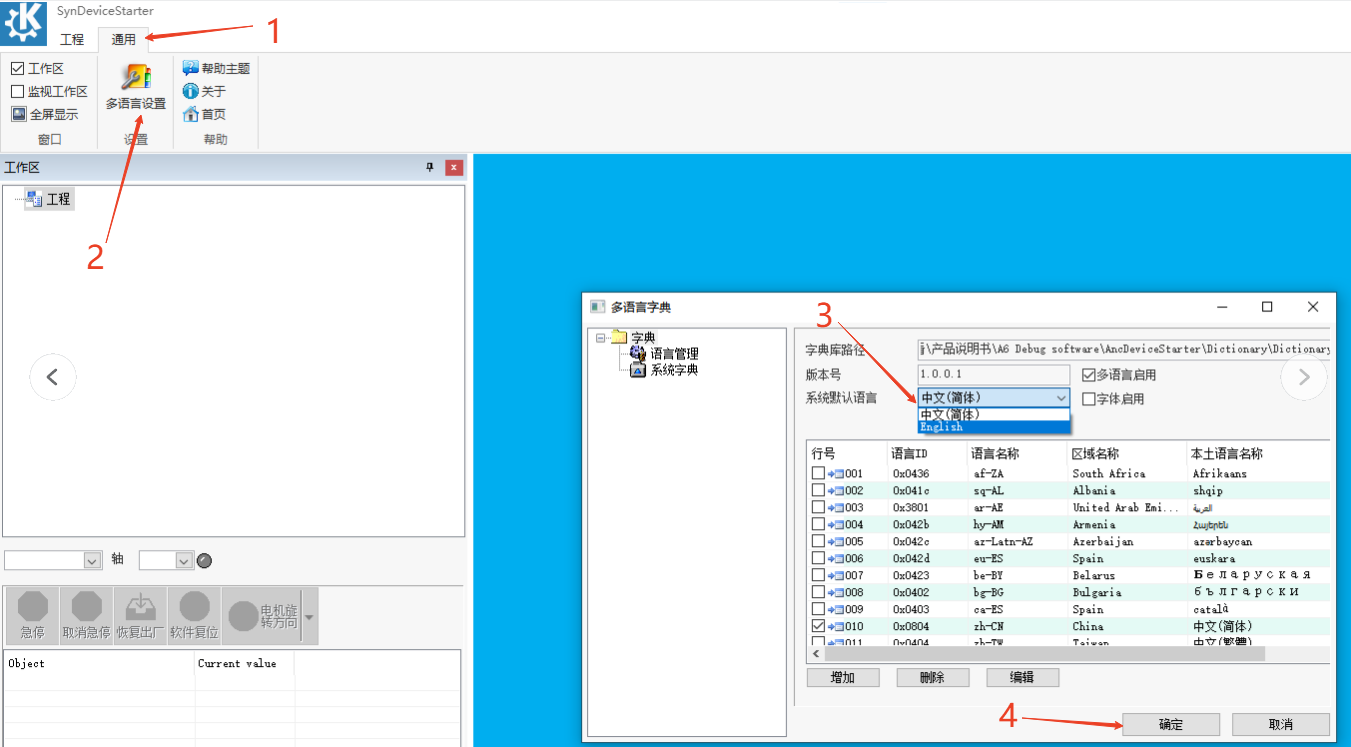
The default language of the software is Chinese. To switch the display language to English, follow these steps:
- Click General > Multi-language Settings.
- From the System Default Language drop-down list, select English.
- Click OK.
Restart the software for the changes to take effect.