Stepper motors and their driver systems are widely used in automation control, precise positioning, and other industrial applications. However, various factors can cause stepper drives to encounter faults during operation. This article summarizes common stepper drive fault types and their corresponding solutions.
If the stepper motor does not rotate after connecting to the driver, refer to this article: Stepper Motor Does Not Rotate After Connecting to the Driver
If cross-testing confirms that the issue lies with the driver, refer to the common faults and solutions below.
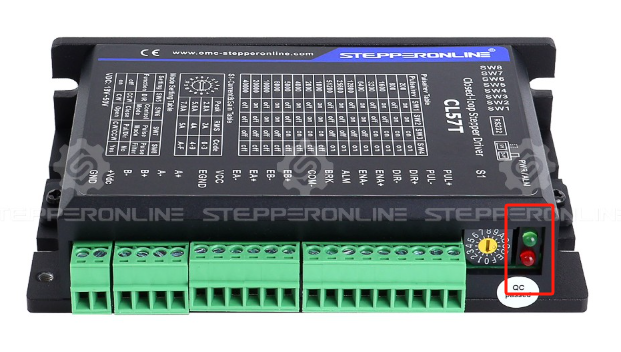
The Driver Indicator Light Is Off
Solution:
- Check whether the power supply is functioning properly. Use a multimeter to verify that the power output is within specification.
- Check whether the driver power port is damaged. Use a multimeter to measure the input voltage at the driver power terminals and confirm it is within the rated range.
- Check whether the power wiring is correct.
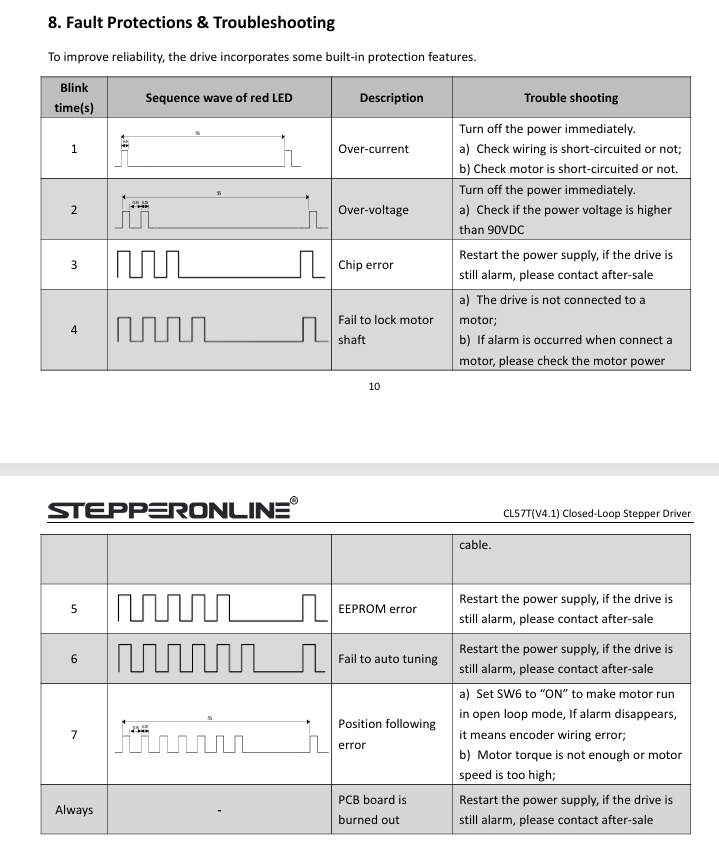
Driver Fault (Alarm)
Solution:
- Count the number of red LED blinks (blink code), then refer to the user manual to determine the cause and solution for the fault.
No Driver Fault, but the Motor Does Not Rotate
Solution:
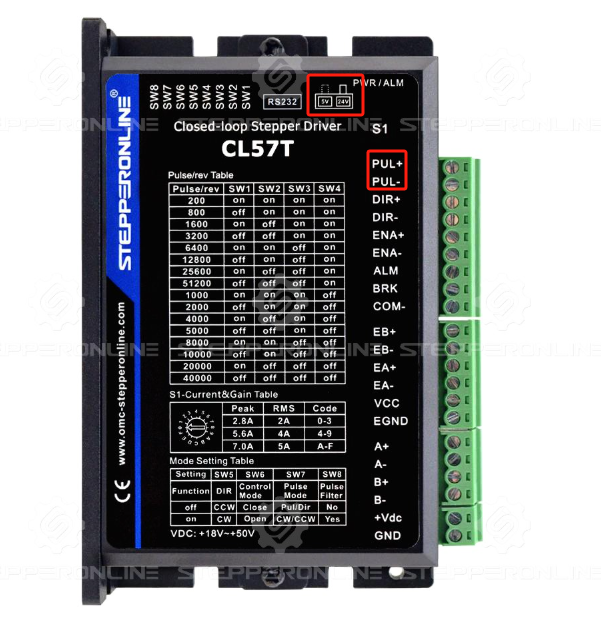
- Check whether the 5V/24V DIP switch is set correctly.
- Check whether the motor shaft is locked. After powering on, try rotating the motor shaft by hand. If the shaft is locked (cannot rotate), the motor is energized and holding torque is active. If the shaft rotates freely, check whether the ENA (enable) signal is active. Disconnect the ENA signal to verify.
- Check whether the pulse signal input is normal.
- Check whether the PUL+/PUL- terminals are damaged.
The Motor Rotates in Only One Direction
Solution:
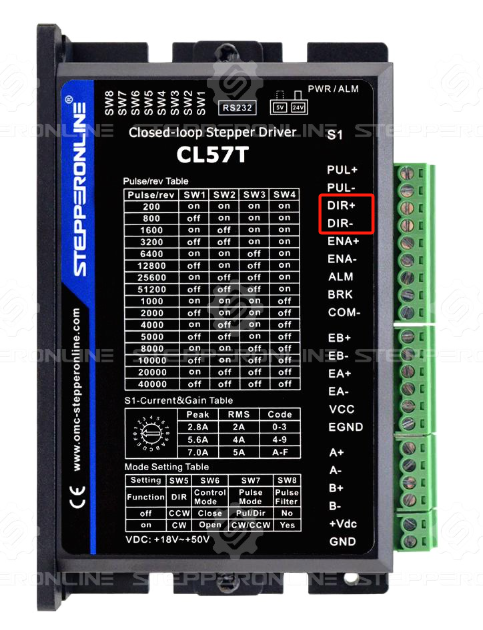
- Check whether the direction signal is normal. Use a multimeter to measure the voltage between "DIR+" and "DIR-". The voltage should toggle between 0 V and 5 V when switching directions manually. If there is no change, check the controller wiring.
- Check whether the DIR input is damaged. Connect "DIR+" to the positive terminal of a 5 V power supply through a suitable current-limiting resistor, and connect "DIR-" to the negative terminal. Observe whether the motor changes direction. Ensure the voltage matches the driver's DIR input specifications. If the motor does not reverse, the driver's direction control circuit may be damaged.
Summary
Stepper drive faults are typically related to the power supply, signal wiring, mechanical load, or overheating. A systematic, step-by-step troubleshooting approach can effectively resolve most issues. If the problem persists after trying the methods above, please contact our technical support team.