Brushless motors can be divided into two types: those with Hall sensors and those without Hall sensors.
By default, our brushless drives support motors with Hall sensors, and the Hall sensor cables must be properly connected during use; otherwise, the drive will trigger an alarm.
However, some models of brushless drives support switching to sensorless mode, making them compatible with brushless motors without Hall sensors. Below are detailed instructions on how to configure the brushless drive for sensorless mode.
Note: Sensorless mode has limitations, including reduced low-speed torque, potentially rough startup, and may not be suitable for high-inertia loads or applications requiring precise low-speed control. Please evaluate your application requirements before switching to sensorless mode.
For the differences between brushless motors with Hall sensors and those without Hall sensors, please refer to this article: https://help.stepperonline.com/en/article/the-difference-between-a-sensed-brushless-motor-and-a-senseless-brushless-motor-193ui6k/
1. Configuration Tools
To adjust the operating mode of the brushless drive, you need to modify parameters via RS485 communication. Please prepare the following tools for parameter configuration:
- Brushless driver
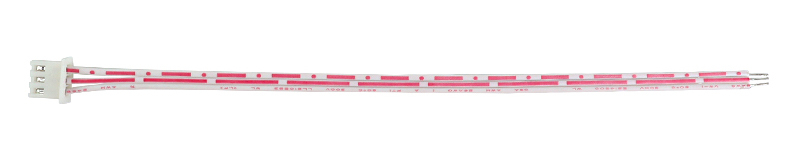
- Communication cable: The white/red cable included with the drive, or an RJ45 cable
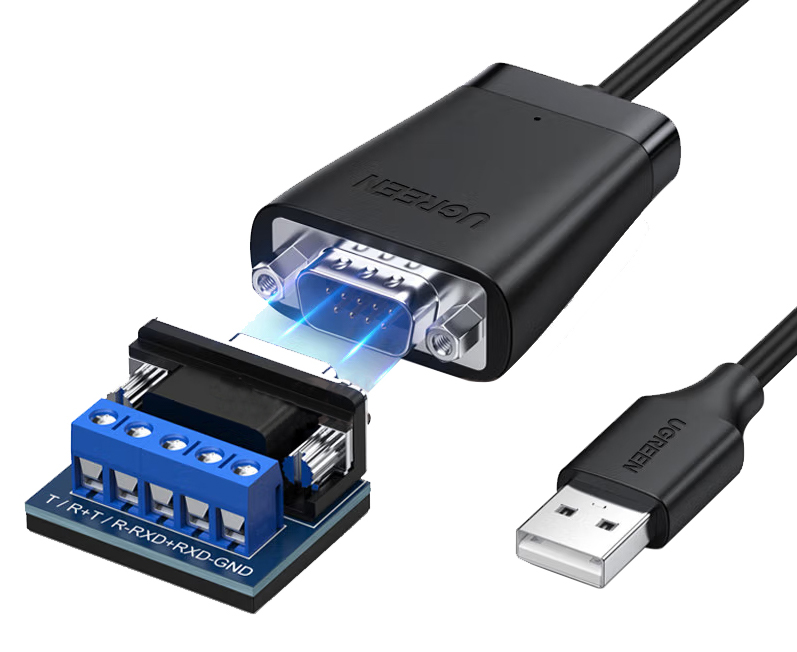
- RS485-to-USB adapter: For example, our RS485-1: https://www.omc-stepperonline.com/usb-to-rs422-rs485-serial-port-converter-adapter-cable-rs485-1
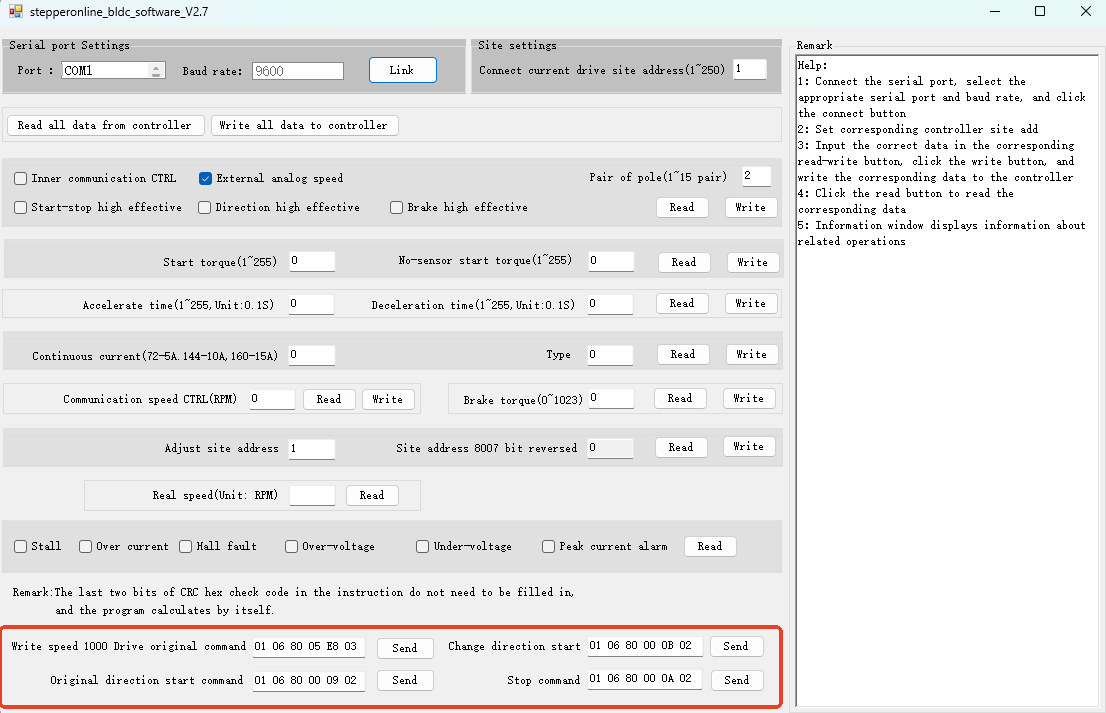
- RS485 serial communication software: If you do not have suitable serial software, you can use the command window in our BLD-510B configuration software. Download link: https://www.omc-stepperonline.com/index.php?route=product/product/get_file&file=3446/stepperonline_bldc_software_V2.7.zip
2. Changing the Drive Mode
After powering on the drive and connecting to the RS485 serial communication software, you can modify the operating mode of the brushless drive. Please note that some brushless drives do not support sensorless mode, and the register parameters and corresponding RS485 commands required for modification vary by model.
Note on RS485 commands: The commands listed below are Modbus RTU frames in hexadecimal format. Send them via your RS485 serial communication software. The frame structure is: [Slave Address] [Function Code] [Register Address] [Data] [CRC].
Below is a detailed summary of sensorless mode support for all currently available brushless drives, along with the RS485 commands needed to switch modes:
| Model | Supported Modes | Setting Method |
|---|---|---|
| BLD-305S | Hall sensor mode only | Mode switching is not supported. We recommend using the BLD-405S instead. |
| BLD-405S | Hall sensor mode and sensorless mode | Command to send: 01 06 80 04 90 10 8C 07 |
| BLD-510B / 510S | Hall sensor mode and sensorless mode | Configuration software setting: Set "Type" to 16 and click "Write", or send the command directly. 510B: 01 06 80 04 AA 10 9E A7; 510S: 01 06 80 04 90 10 8C 07 |
| BLD-515C | Hall sensor mode and sensorless mode | Command to send: 01 06 81 06 00 00 41 F7; Parameter save command: 01 06 81 FF FF FF 90 76 |
| BLD-530S / 550S | Hall sensor mode only | Mode switching is not supported. |
| BLD-AC400S / BLD-AC750S / BLD-AC1000S | Hall sensor mode and sensorless mode | Adjust parameter via the drive panel: Set P008 = 00 |
3. Adjusting Startup Speed and Torque
After modifying the control mode of the brushless drive, it is necessary to set the motor's startup speed and torque according to the actual operating conditions of the brushless motor to ensure smooth operation. For the register addresses corresponding to each drive model, please refer to the communication register address table in the drive's user manual.
For example, to set the startup torque of the BLD-510B to 20 (0x14 in hexadecimal) and the sensorless startup speed to 10 (0x0A in hexadecimal), where the corresponding register address is 0x8002, the command to send is:
01 06 80 02 14 0A 8E CD
If you still have questions about the above, please contact our technical support team.