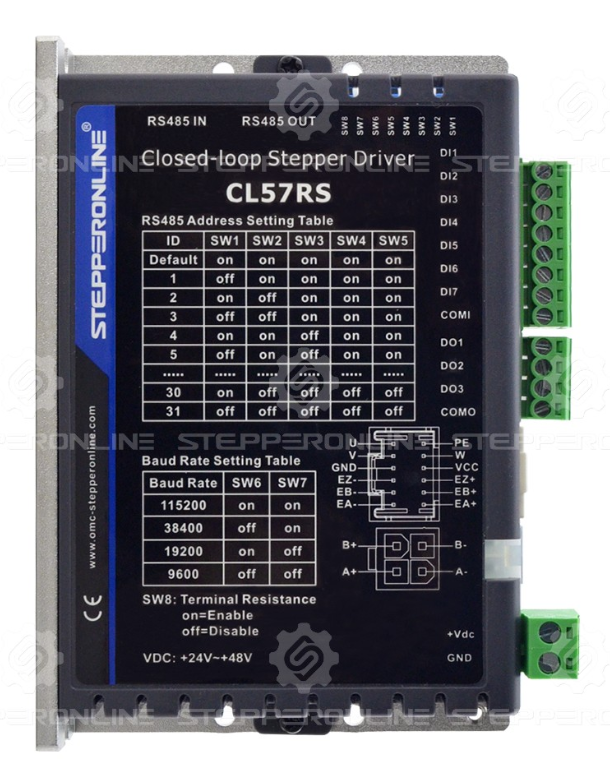
Before using a driver for the first time, you typically need to configure the DIP switches to set the driver parameters for proper motor operation. In addition, the DIP switches on some drivers control special functions. This article explains the function of each DIP switch on our drivers and how to configure them.
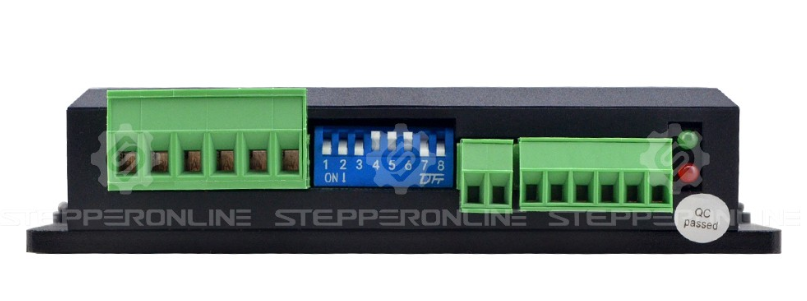
1. 5V/24V Selector Switch
To accommodate pulse signals of different voltage levels, our newer drivers include a 5V/24V selector switch that configures the input signal voltage for the PUL and DIR ports. This switch is usually located on the top of the driver.
⚠️ WARNING: Setting this switch incorrectly may prevent the driver from receiving pulse signals or cause permanent damage to the driver. Always verify that this switch matches your controller's signal voltage before connecting power.
2. Open-Loop Driver (DMxxxT)
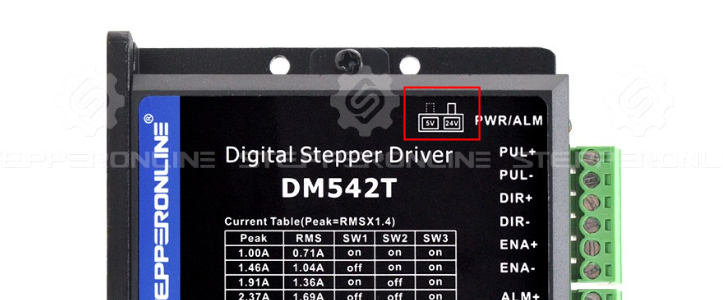
The DIP switch settings of the open-loop driver are divided into two main parts: current setting and microstep setting. For the corresponding switch position table, please refer to the driver manual.
a. Current Setting
When setting the output current of the driver, configure it according to the rated phase current of the connected motor. We recommend setting the driver's peak current to match the motor's rated phase current for optimal performance and minimal heat generation.
b. Microstep Setting
The microstep setting is generally chosen based on the actual application requirements. If there are no special requirements, we recommend setting it between 1600 and 6400 microsteps per revolution for better motor performance.
c. Half-Current Hold Function (SW4)
Some drivers allow you to configure the half-current hold function via SW4. When enabled, this function automatically reduces the output current to half of the set current when the motor is stationary, reducing heat generation during idle periods. However, the motor's holding torque will also be reduced accordingly. Choose whether to enable this function based on your application requirements.
- SW4 = OFF: Half-current hold is enabled.
- SW4 = ON: Half-current hold is disabled.
If the holding torque requirement is not high, we recommend enabling this function.
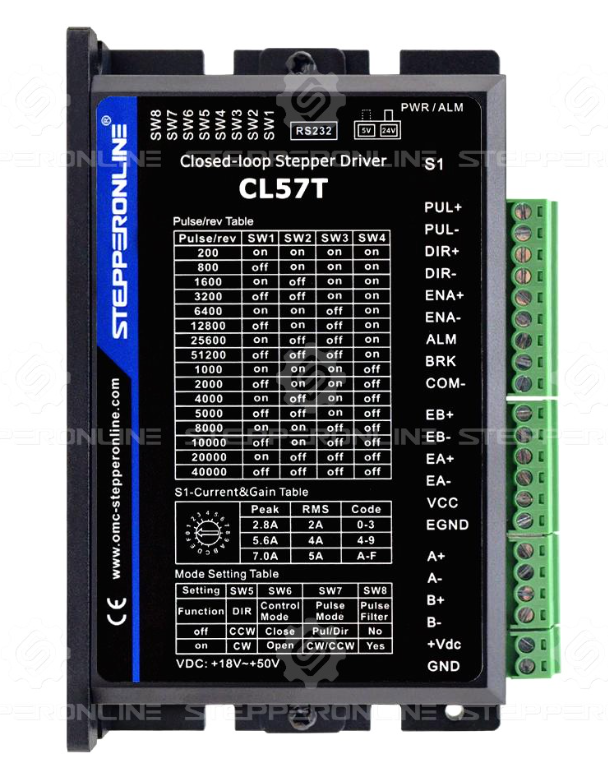
3. Closed-Loop Driver (CLxxT)
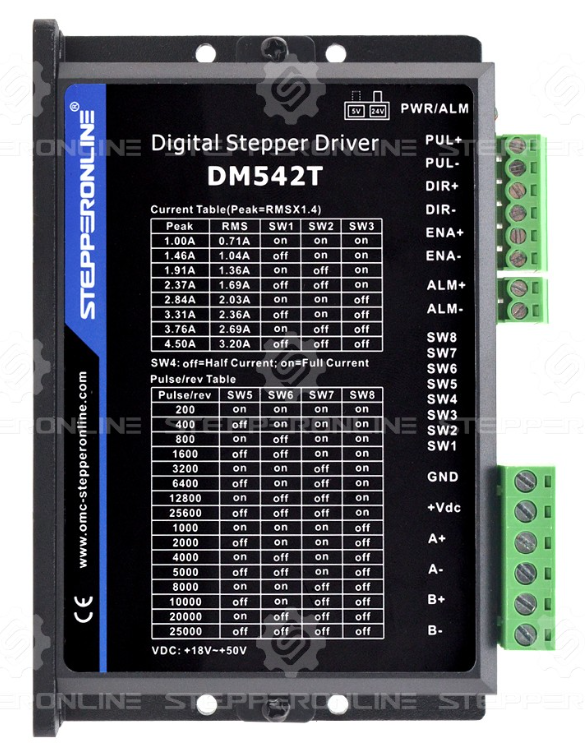
Closed-loop drivers offer additional features compared to open-loop drivers, with more advanced settings configured via DIP switches.
a. S1: Current Setting
The output current of the closed-loop driver can be set via the S1 rotary switch, which has three positions. Set S1 to the appropriate position to select the desired current level.
b. SW1–SW4: Microstep Setting
The microstep setting is generally chosen based on the actual application requirements. If there are no special requirements, we recommend setting it between 1600 and 6400 microsteps per revolution for better motor performance.
c. SW5: Direction Setting
The SW5 DIP switch sets the default running direction of the motor. If you only need the motor to run in one direction, you can adjust the direction using this switch.
d. SW6: Control Mode
The SW6 DIP switch selects whether the driver operates the motor in open-loop mode or closed-loop mode.
- Open-loop mode: The encoder port is disabled, and the driver does not receive encoder feedback.
- Closed-loop mode: The driver reads the encoder signal and uses it to adjust motor operation.
Note: Closed-loop drivers are not designed for use with open-loop motors. We do not recommend using the closed-loop driver in open-loop mode for extended periods.
e. SW7: Pulse Mode
The SW7 DIP switch selects the type of pulse signal supported by the driver. Our drivers currently support two pulse signal types: PUL/DIR and CW/CCW. Set this switch according to the pulse signal type used by your controller.
f. SW8: Pulse Filter
The SW8 DIP switch enables or disables the pulse filter function. We recommend leaving this switch at its default setting.
4. RS Series Driver
RS series drivers are primarily configured through RS485 communication and debugging software. The DIP switches on RS series drivers are mainly used to set RS485-related parameters.
a. SW1–SW5: RS485 Address
Our RS series drivers support networks of up to 31 drivers. The address of each driver on the network can be set using the combination of SW1–SW5.
When SW1–SW5 are all set to their default positions, the driver address can be configured through software.
b. SW6–SW7: Baud Rate
SW6–SW7 set the baud rate of the driver's RS485 communication to match the requirements of the host controller.
When both SW6 and SW7 are set to OFF, you can use software to adjust the baud rate for additional options. For details, please refer to the driver manual.
c. SW8: Termination Resistor
SW8 enables or disables the 120Ω termination resistor. We recommend keeping this switch at its default setting (OFF).
Note: The last slave device on the RS485 network must have the 120Ω termination resistor enabled, which means SW8 should be set to ON.