Preparations
Note: The brushless drive configuration software is currently only compatible with the BLD-510S and BLD-510B. It is not compatible with other brushless drives.
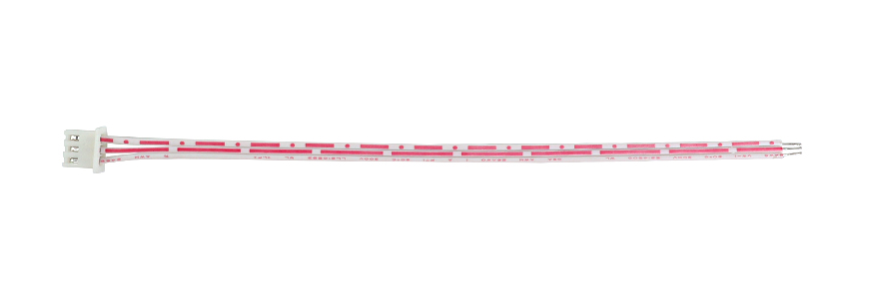
- The communication cable included with the drive.
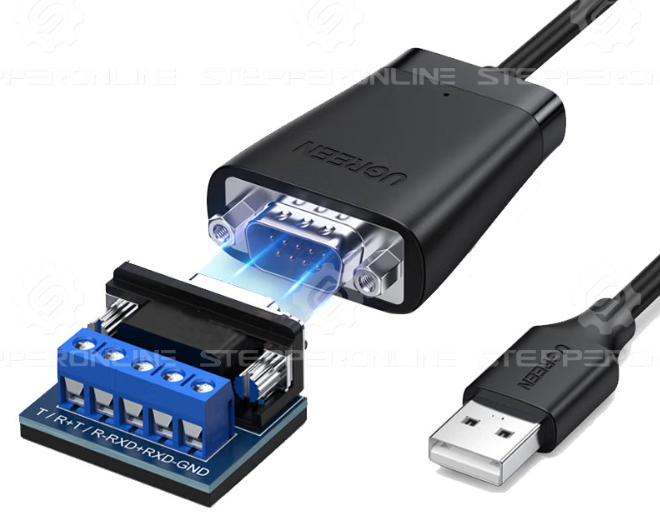
- An RS485-to-USB adapter, such as model: RS485-1.
- A PC running Windows.
- Brushless drive configuration software
stepperonline_bldc_software_V2.7.
Download link: https://www.omc-stepperonline.com/index.php?route=product/product/get_file&file=3446/stepperonline_bldc_software_V2.7.zip
- A 24VDC–48VDC power supply.
Connecting the Software
- Connect the brushless drive to the power supply and turn it on.
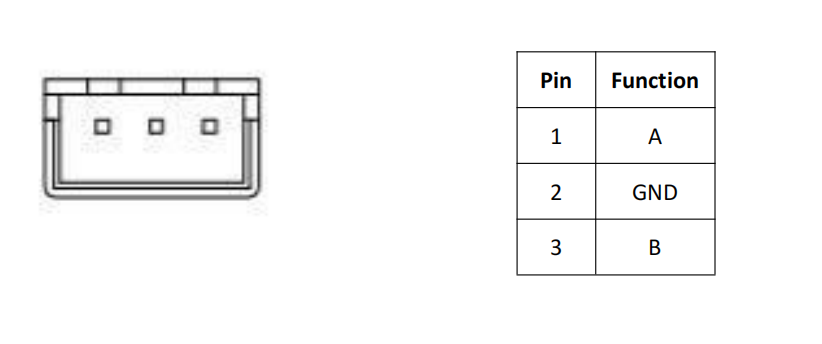
- Connect the communication cable to the RS485-to-USB adapter. Then plug the cable into the drive's RS485 port and the adapter into the PC's USB port. Below is the pinout of the drive's communication port:
- Download and open the brushless drive configuration software.
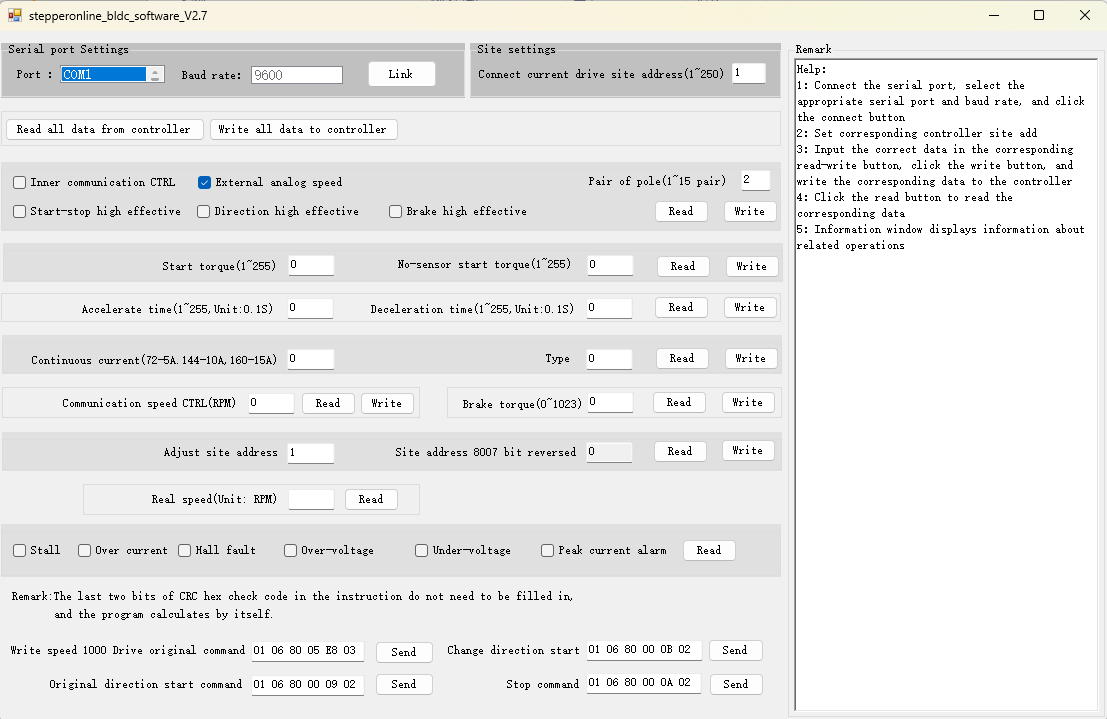
- Select the correct Port (it will turn blue when selected), set the correct Current Drive Slave Address, and click Link.
- If the software connects successfully, the Link button will change to Close, and the Status Log panel on the right side of the software will display the message: "Serial port opened successfully."
Note: At this stage, this only indicates that the serial port has been opened successfully, not that communication with the drive has been established. To verify communication, click any Read button and check whether data is returned correctly in the Status Log panel. If data is returned correctly, communication with the drive is successful. If the Status Log panel shows "No response data," it indicates a communication failure. Please check the communication wiring and connections.
Software Section Descriptions
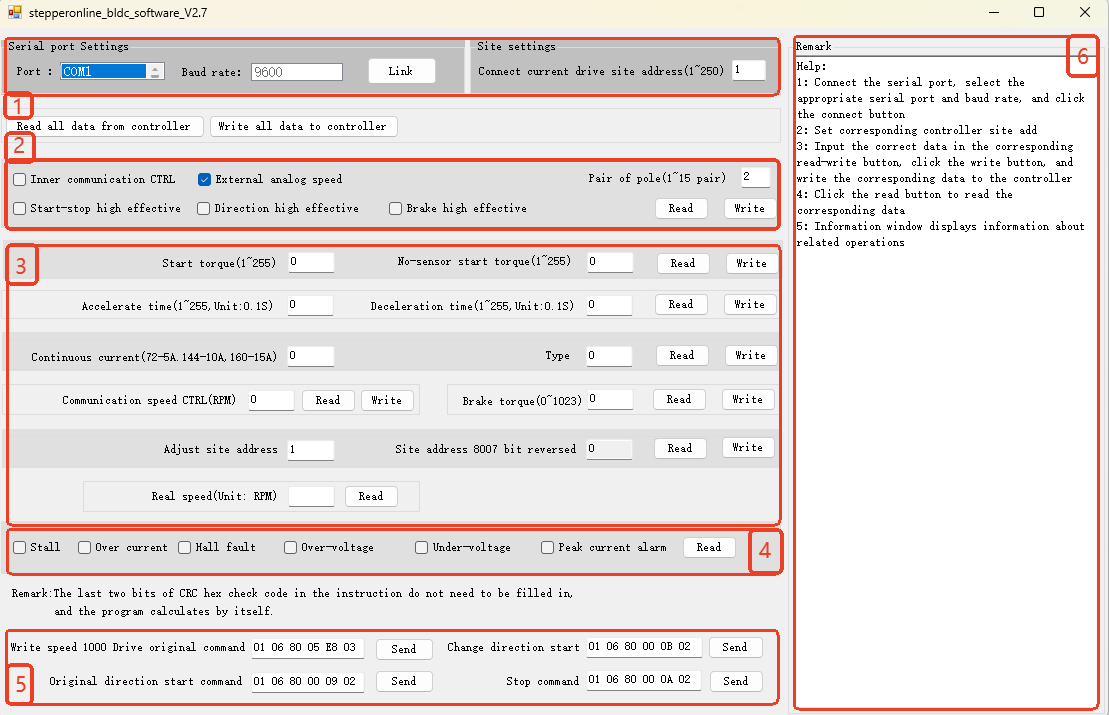
1. Communication Parameter Settings

This section is used to configure the communication parameters between the configuration software and the drive.
| Name | Description |
|---|---|
| Port | Selects the COM port on the PC to which the brushless drive is connected. The correct COM port can be identified in the PC's Device Manager. |
| Baud Rate | Sets the baud rate for communication between the software and the drive. The BLD-510S and BLD-510B only support 9600 baud and this value cannot be modified, so this field is fixed at 9600 and is not selectable. |
| Slave Address | Sets the Modbus slave address of the connected brushless drive. If not modified via Modbus, the drive's default address is 1. |
2. Control Parameter Settings

This section is used to configure the control mode, control port logic, and the number of motor pole pairs for the brushless drive.
| Name | Description |
|---|---|
| Internal Control (Modbus) | Internal Control Mode. When selected, the brushless drive will no longer accept signals from the control signal ports and is controlled via Modbus communication. |
| External Control (I/O Ports) | External Control Mode. When selected, the brushless drive is controlled based on signals input from the control signal ports. |
| EN Pin Active High (Start/Stop) | When selected, the drive's EN pin must receive a high-level signal to enable motor operation via external control signals. |
| F/R Pin Active High (Direction) | When selected, the drive's F/R pin must receive a high-level signal for the motor to run in the forward direction. |
| BK Pin Active High (Brake) | When selected, the drive's BK pin must receive a high-level signal to initiate a braking stop. |
Note: Internal Control Mode and External Control Mode are mutually exclusive and cannot be selected simultaneously. After using the software or Modbus communication to set parameters, the drive will automatically switch to Internal Control Mode. If you need to use the external ports to run the motor afterward, select External Control (I/O Ports) and click Write.
3. Common Parameter Settings
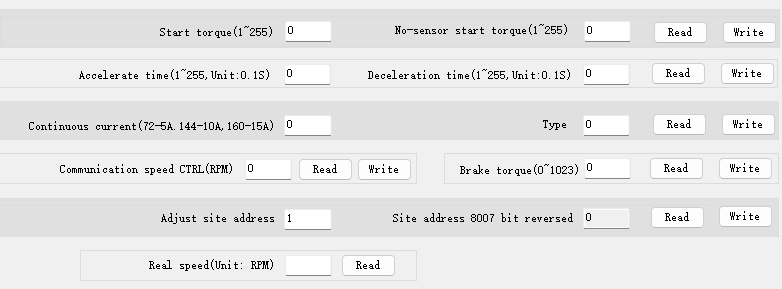
This section is used to configure common parameters for motor operation. Input and displayed values are in decimal format.
| Name | Description |
|---|---|
| Start Torque / Sensorless Start Torque | Sets the starting torque for sensored/sensorless brushless motors. These parameters are unitless. A value of 255 represents 100% starting torque. Adjust them gradually based on motor performance. |
| Acceleration Time / Deceleration Time | Sets the motor acceleration/deceleration time. Unit: 0.1 seconds. |
| Continuous Current | Sets the maximum continuous output current of the drive. Do not modify this value unless you fully understand the motor and drive ratings. Setting this value too high may damage the drive or motor. |
| Type | Sets the type of brushless motor connected to the drive. Set to 15 for a sensored brushless motor and 16 for a sensorless brushless motor. Default is 15. |
| Communication Speed Control | Sets the motor running speed in Internal Control Mode (Unit: RPM). This parameter is not applicable in External Control Mode. |
| Brake Torque | Sets the braking torque during a motor stop. This parameter is unitless. A value of 1023 represents 100% braking torque. Adjust it gradually based on motor performance. |
| Set Slave Address | Sets the Modbus slave address of the connected drive. After writing, the Current Drive Slave Address field must also be updated to continue using the software for parameter configuration. |
| Slave Address 8007 Bit Reversed | This parameter is currently not applicable. |
| Real Speed | Reads the motor's real-time speed. Unit: RPM. |
4. Alarm Information

This section is used to read the current alarm status of the brushless drive. After clicking Read, the current alarm status will be displayed. Troubleshoot based on the alarm content shown.
| Name | Description |
|---|---|
| Stall | Check if the brushless motor is overloaded, if the acceleration time is too short, or if the motor shaft is jammed. |
| Over Current | Check if the brushless motor wiring is correct and if there is a short circuit in the motor. |
| Hall Fault | Check if the Hall sensor wiring is correct and if the Hall sensor is damaged. |
| Over-Voltage | Check if the power supply voltage is too high (above 60VDC). |
| Under-Voltage | Check if the power supply voltage is too low (below 10VDC). |
| Peak Current Alarm | The drive's instantaneous output current is too high. Check the wiring for correctness or potential short circuits. |
5. Modbus Command Sending Panel

This section is used to send Modbus commands. The software automatically performs CRC calculation, so manual entry of the CRC bytes is not required. The command fields are pre-filled with common commands (e.g., set motor speed to 1000 RPM, start motor, start motor in reverse, stop motor) for quick operational testing.
To send a custom Modbus command, enter your command in any command field and click Send.
Notes:
a. The preset commands for starting the motor, starting in reverse, and stopping the motor are configured for a motor with 2 pole pairs. Sending these preset commands will set the drive's pole pair parameter to 2. If you are using a brushless motor with a different number of pole pairs, modify the last digit of the command to match your motor's pole pairs before sending.
b. When setting the motor speed via Modbus, this software requires the data bytes in little-endian order (low byte first). For example, to set the speed to 2000 RPM (0x07D0), enter the data bytes as D0 07. The full command would be: 01 06 80 05 D0 07.
6. Status Log Panel
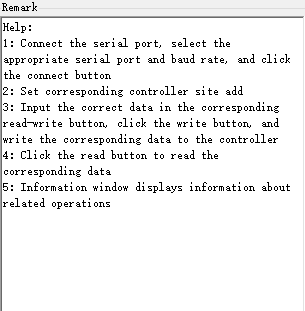
This section displays prompt messages, sent Modbus commands, returned commands, and other information. You can determine whether communication is normal and whether parameters are written correctly based on the content displayed here.
This is a brief guide to using the brushless drive configuration software. This document will be updated as needed. If you have any questions, please feel free to contact us. We are here to help.