Some users may encounter issues such as incomplete rendering or mixed Chinese and English text in the software interface, as shown in the image below.
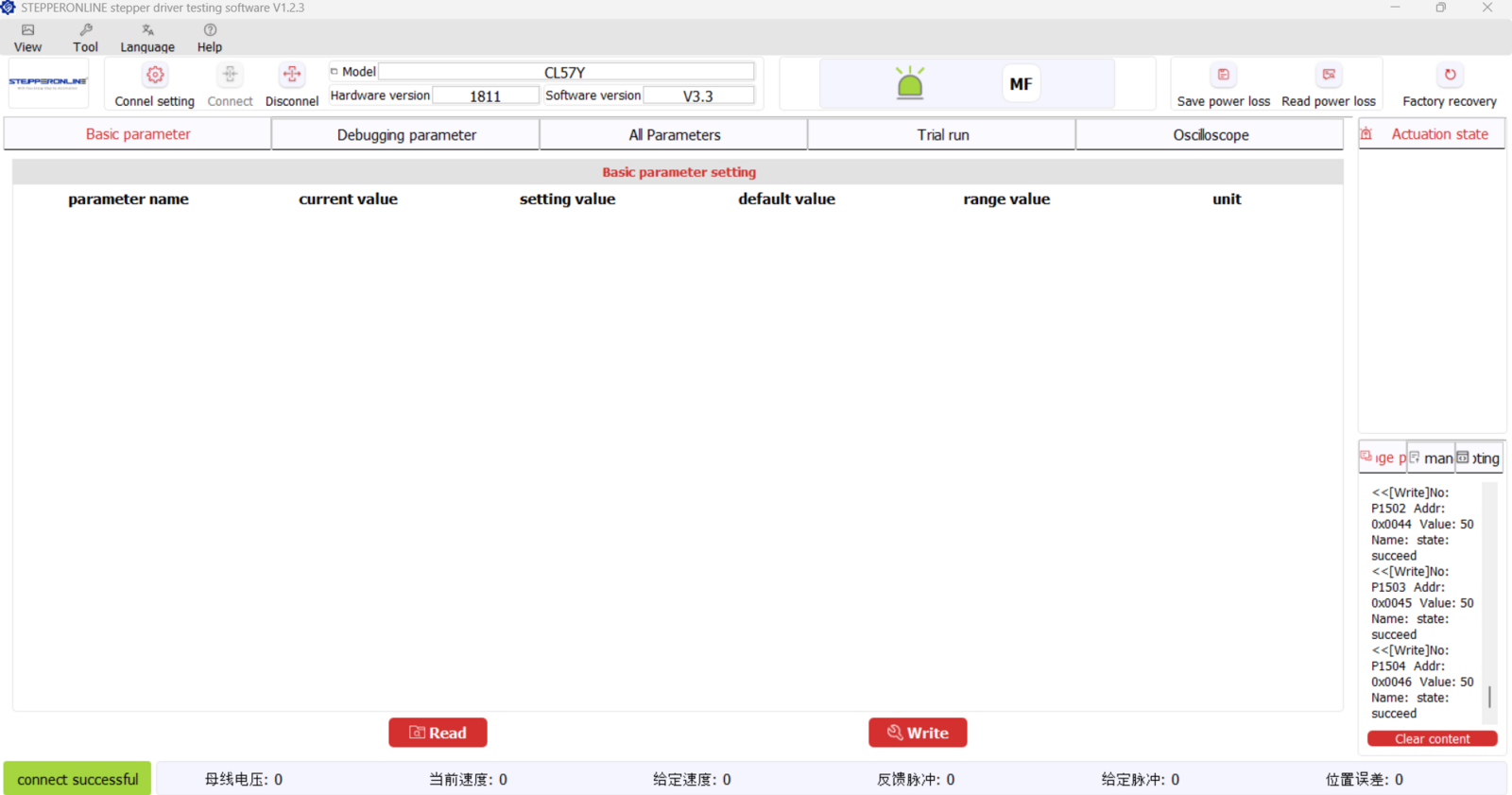
We have identified several possible causes and their corresponding solutions:
- Language Pack Loading Issues
During software startup, the language pack may experience loading delays or cache errors, preventing some interface elements from displaying correctly.
Solution: Toggle the language setting within the software (e.g., switch between Chinese and English) to force-refresh the language cache and ensure all interface elements load properly.
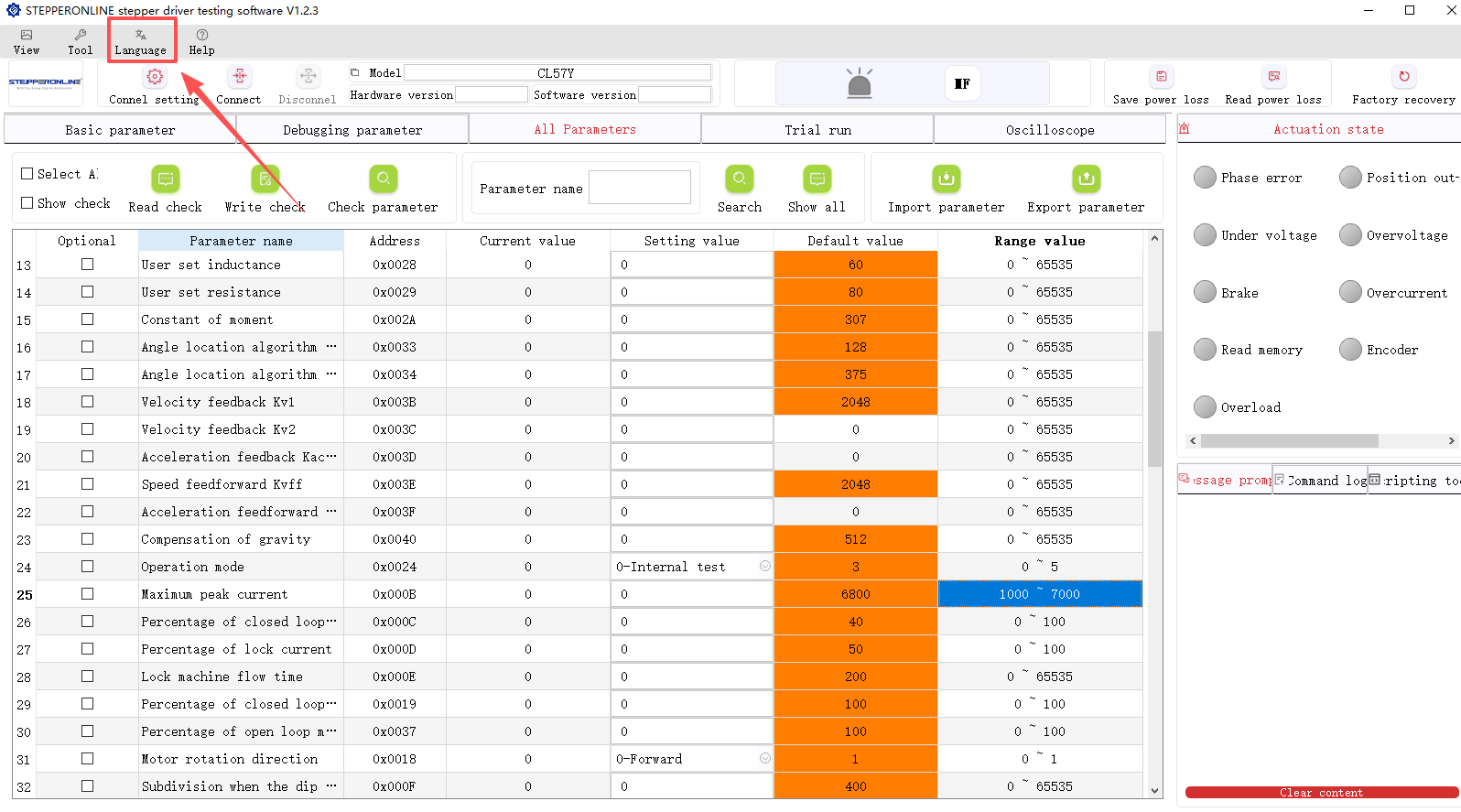
- Language Loading Sequence Issue on English-Only Systems
The current software version is designed to load the Chinese interface first, then switch to English based on the detected system environment. This loading sequence may cause conflicts on English-only operating systems, resulting in mixed-language text or incomplete interface rendering.
Solution: If this occurs, we recommend installing the English-first version of the software. This version is specifically designed for English-only environments, ensuring language consistency from the initial startup.
Download the English-first version (V1.2.7) of the Y-Series Stepper Driver Debug Software:
Y-Series Stepper Driver Debug Software V1.2.7 (English)
Note: If the link is unavailable, please contact technical support for the latest version.
If the issue persists after trying the above solutions, please contact our technical support team.