Our T-Series closed-loop drives, such as the CL42T-V41, CL57T-V41, and CL86T-V41, support current adjustment via an external rotary switch. To simplify setup, each drive model is pre-configured with multiple output current levels:
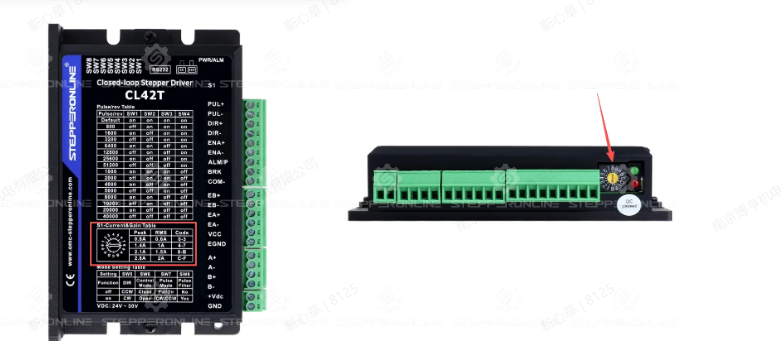
This allows users to select the most suitable output current based on the motor's rated current. For instructions on how to select the current, please refer to How to Set the Current on Stepper Driver, RMS or Peak?.
However, in certain cases where a smaller or larger output current is needed and the rotary switch settings are insufficient, you can make finer adjustments using the MotionStudio configuration software, as shown below:
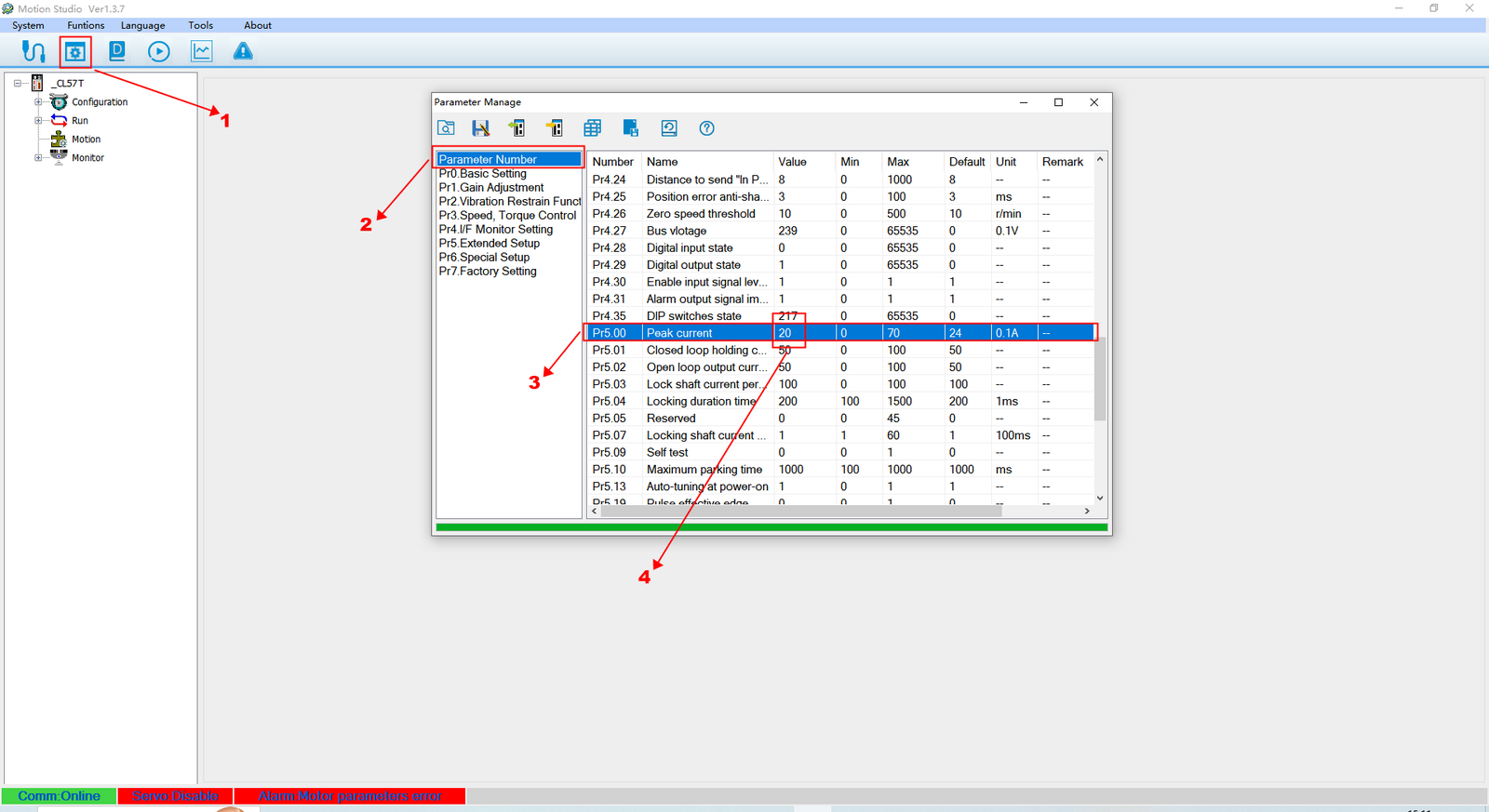
If you are unable to modify the value or receive an "Invalid Parameter" error when making adjustments, please check whether the external yellow rotary switch is set to the default "0" position. If it is not, an error will occur. Only when the rotary switch is at position "0" will the drive's peak current be determined solely by the value set in the software.