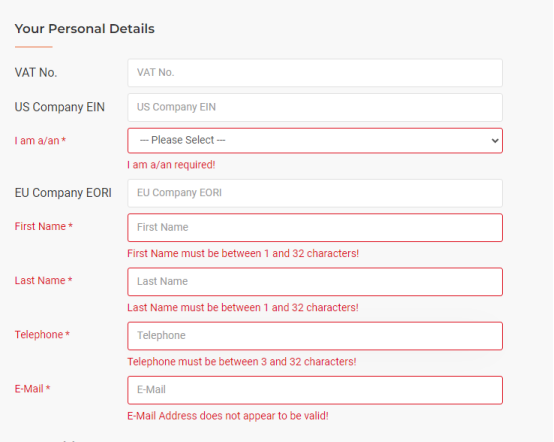
After you enter your registration details on the STEPPERONLINE sign-up page and click Submit, the page simply reloads without creating a new account. All the information you entered is cleared, and you are prompted to start over, as shown in the screenshot below.
Recommended Steps
- Switch to a different browser. Try registering again using a widely supported browser such as Google Chrome or Mozilla Firefox. In most cases, switching browsers resolves this issue.
- Clear your browser cache and cookies. Outdated cached data can sometimes interfere with form submission. Clear the cache, then reload the registration page and try again.
- Disable browser extensions. Ad blockers, privacy tools, or script-blocking extensions may prevent the registration form from submitting correctly. Temporarily disable them and retry.
- Check your network connection. Make sure you have a stable internet connection before submitting the form.
Still Need Help?
If you are still unable to register after trying the steps above, please contact us for further assistance.