The A6 series supports 35 different homing modes. This article focuses specifically on Homing Mode 35.
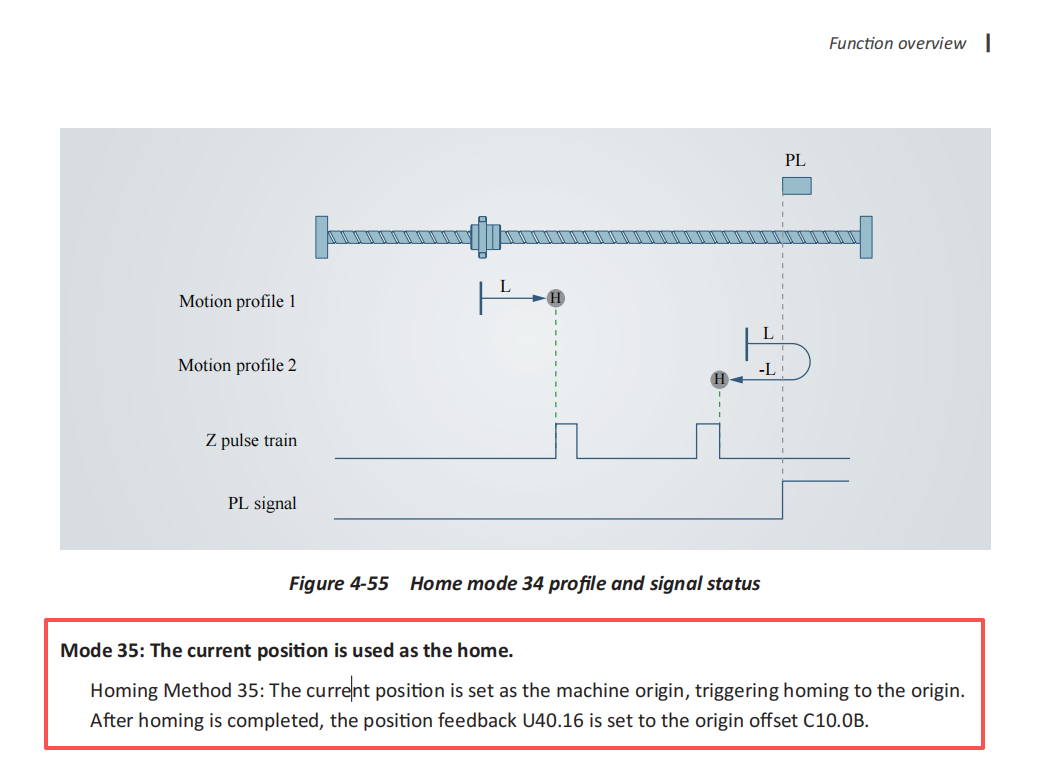
Homing Mode 35 allows you to directly set the motor's current position as the home position (zero position) without requiring the motor to rotate. The motor's current position can be monitored via parameter U40.16. If you have configured Homing Mode 35 but find that the position value in U40.16 remains unchanged, the issue is likely caused by an incorrect or incomplete sequence of operational steps.
The correct procedure is as follows:
- Set C10.01 = 35 to select Homing Mode 35.

- Set C10.00 = 2 to issue the homing start command.

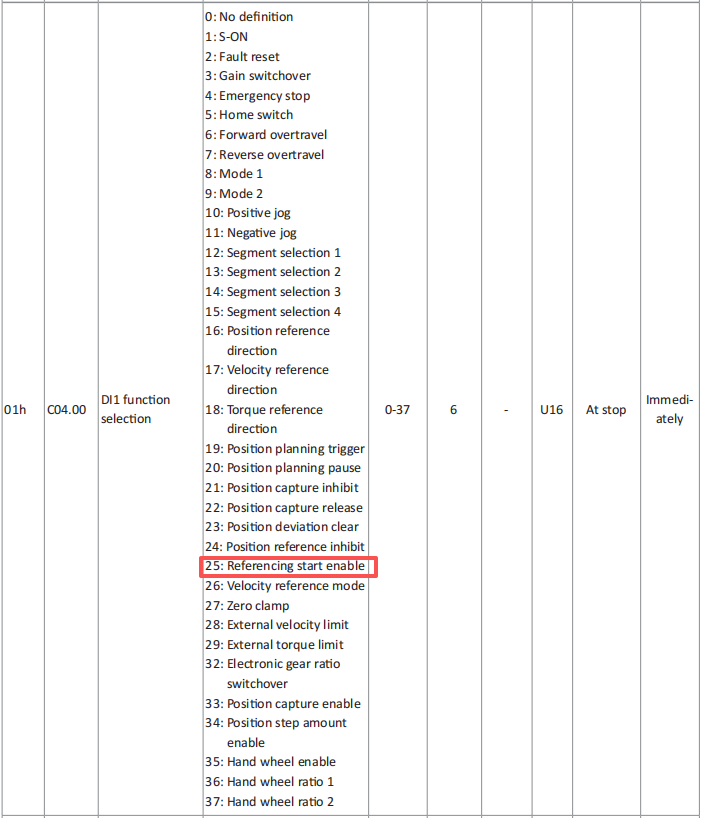
- Assign the homing start function to a Digital Input (DI). For example, set C04.00 = 25 to assign the homing start function to DI1.
- Ensure the servo is enabled. This requires assigning the Servo Enable function to another DI. For example, set C04.11 = 1 to assign the Servo Enable function to DI2, then activate DI2 to enable the motor.

- Trigger the homing function by activating the DI assigned in Step 3. In a software debugging environment, you can simulate this by setting C04.01 = 1 (which forces DI1 active). In an actual application, wire the DI1 terminal and trigger it with an external signal.

After completing these steps, the value of U40.16 should read 0, indicating that the motor's current position has been set as the home position.
Alternative Method
Instead of using Homing Mode 35 with a DI trigger, you can directly clear the current position to zero by setting C10.00 = 3. This command takes effect immediately and does not require any DI configuration (Steps 3–5 are not needed). Note that this is a direct position-clear command, not a homing operation.