This article explains how to control motor speed using the DM556RS stepper driver via Modbus RS485 communication.
Hardware
- Driver: DM556RS
- Motor: 23HE30-2804S
Software
Serial debugging software (e.g., Modbus Poll) or an external controller with RS485 communication capability.
Configuration
Set the baud rate, station address, and termination resistor using the DIP switches on the driver, as shown below.
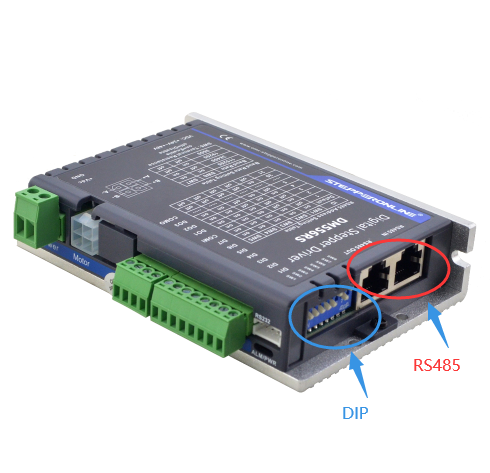
1. JOG Mode
The JOG mode allows the motor to run at a set speed in a chosen direction. The following example sets the JOG speed to 300 RPM.
| Command | Description |
|---|---|
01 06 18 01 40 01 2E AA |
Forward JOG |
01 06 18 01 40 02 6E AB |
Reverse JOG |
01 06 01 E1 01 2C D8 4D |
Set JOG speed (300 RPM) |
01 06 01 E7 01 2C 38 4C |
Set JOG acceleration/deceleration time |
Important: When JOG is triggered via RS485, the motor runs continuously only if trigger commands are sent at intervals shorter than 50 ms. If the interval between commands exceeds 50 ms, the motor performs a single jog movement and then stops.
2. Speed Control — Continuous Operation (PR0)
PR0 can be configured as a speed-mode parameter set for continuous motor operation. The following example sets the PR0 speed to 300 RPM and starts the motor.
| Command | Description |
|---|---|
01 06 62 00 00 02 17 B3 |
Set PR0 to speed mode |
01 06 62 03 01 2C 66 3F |
Set PR0 speed (300 RPM) |
01 06 60 02 00 10 37 C6 |
Trigger PR0 operation (start) |
01 06 60 02 00 40 37 FA |
Emergency stop |
Note: You can change the motor's running speed while it is operating. After modifying the speed value, resend the PR0 trigger command (
01 06 60 02 00 10 37 C6) to apply the new speed.