This document draws from practical field troubleshooting experience. It addresses step loss issues caused by encoder problems (e.g., damaged or misaligned encoder disc) during the operation of T-Series closed-loop stepper drives, providing a systematic troubleshooting process and solutions using the Motion Studio software tool. The detection process requires only a T-Series closed-loop stepper drive, a matching closed-loop stepper motor with encoder cable, and a personal computer, with no complex equipment needed, making it accessible for end users without specialized test equipment.
1. Situation Analysis
- Applicable Products: CL42T-V41, CL57T-V41, CL86T-V41, CL57TE, CL57T, CL86T, and related combinations.
- Problem Overview: When the above closed-loop stepper drives operate with closed-loop stepper motors, unexpected step loss or encoder deviation alarms may occur. In such cases, it is necessary to identify which component is faulty.
2. Test Preparation
Motion Studio software, closed-loop stepper drive, closed-loop stepper motor, and a compatible switching power supply.
3. Standardized Test Procedure
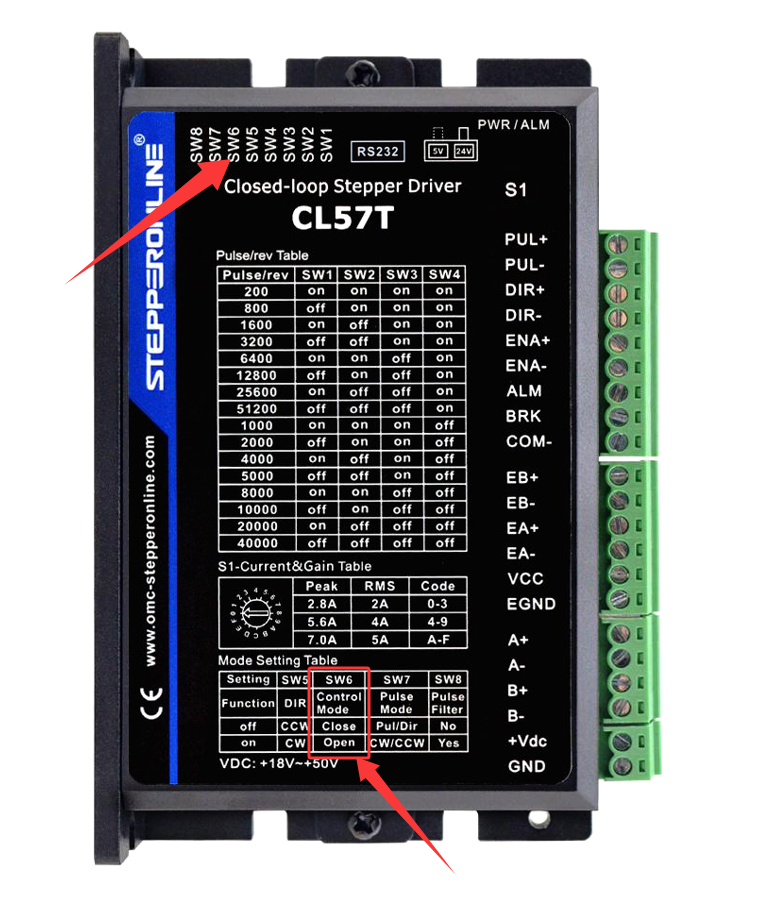
Step 1: Set the drive to open-loop mode (adjust via the SW6 DIP switch).
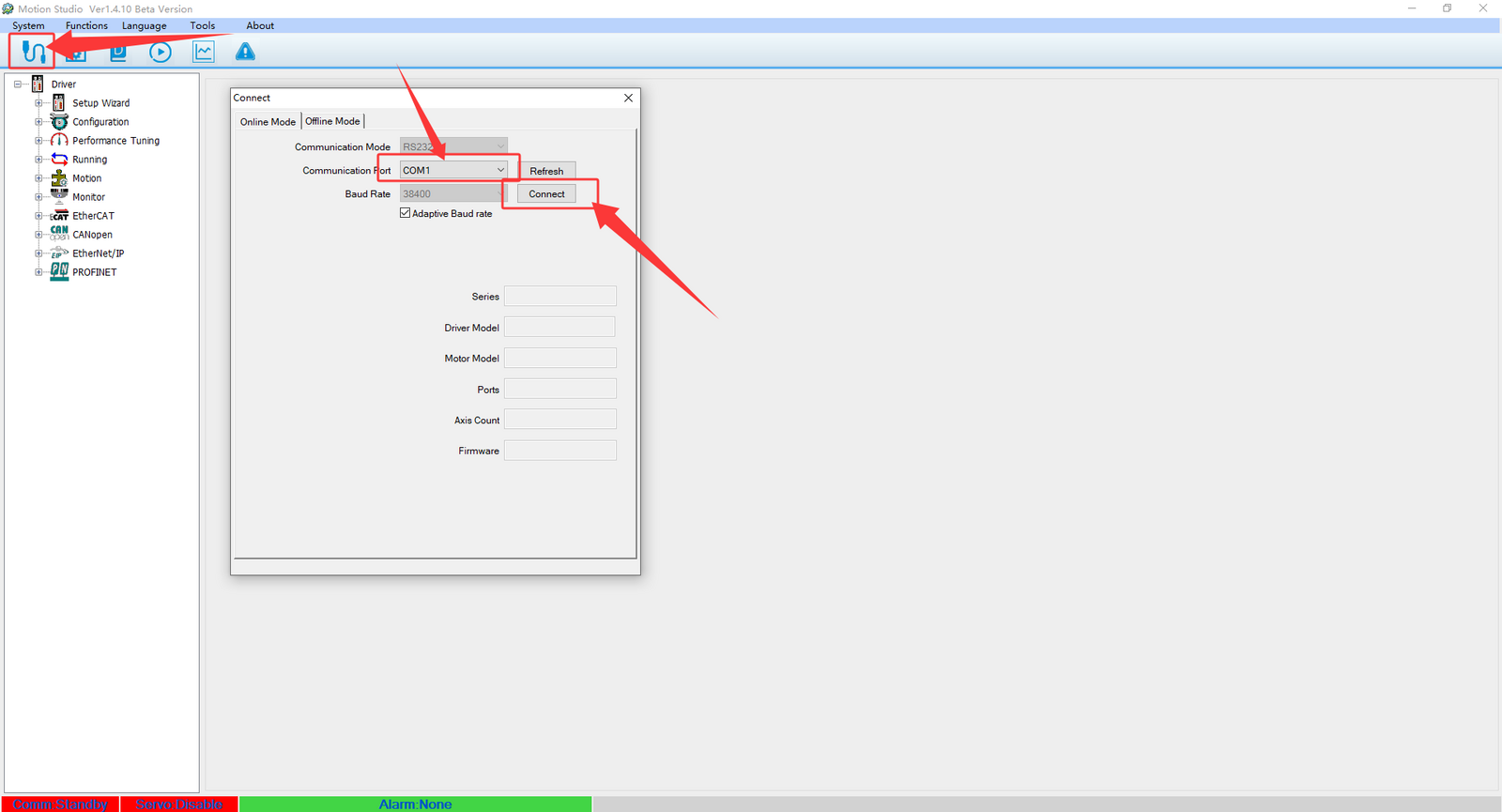
Step 2: Run Motion Studio software and follow the steps below to establish the connection:
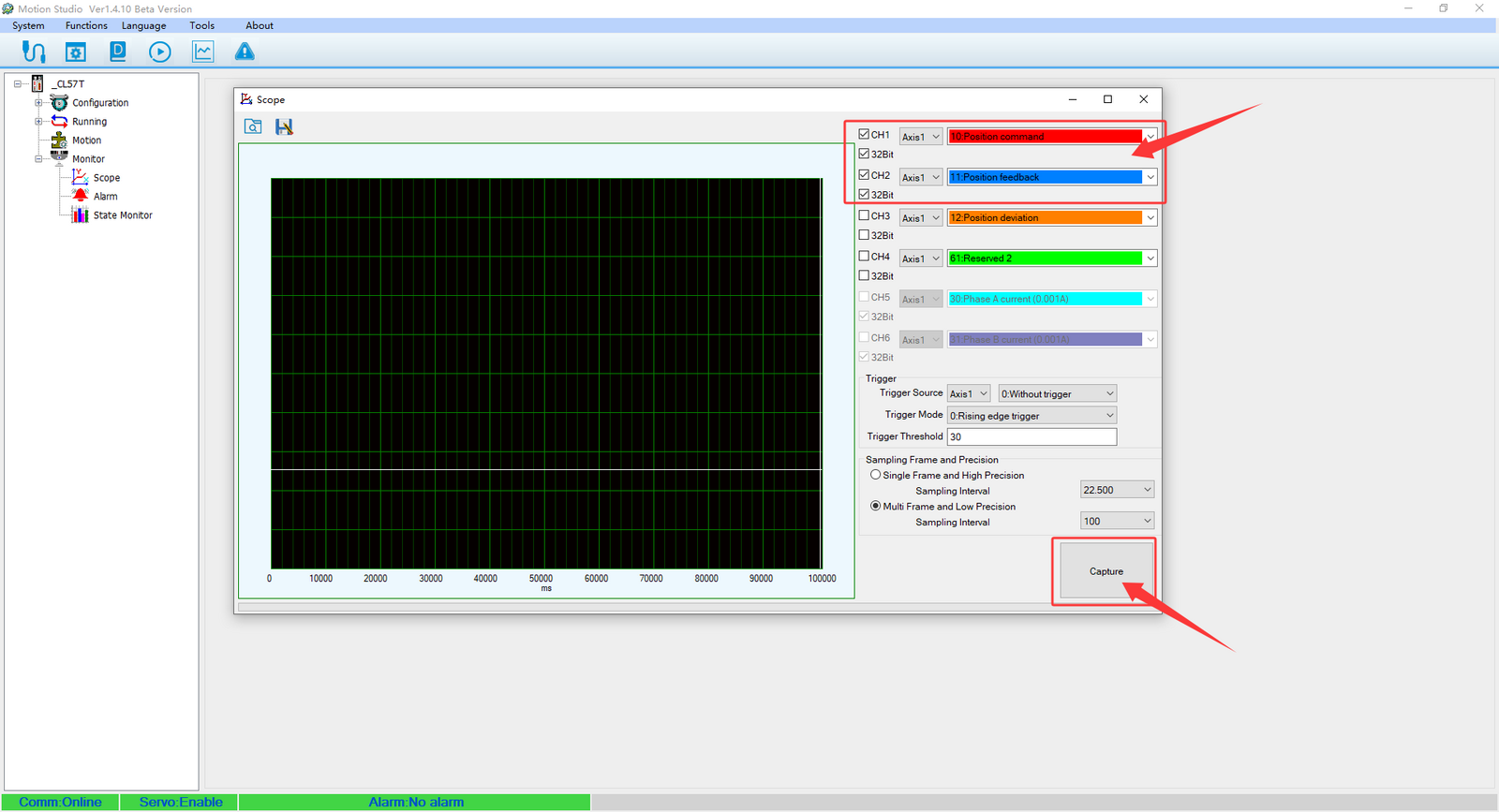
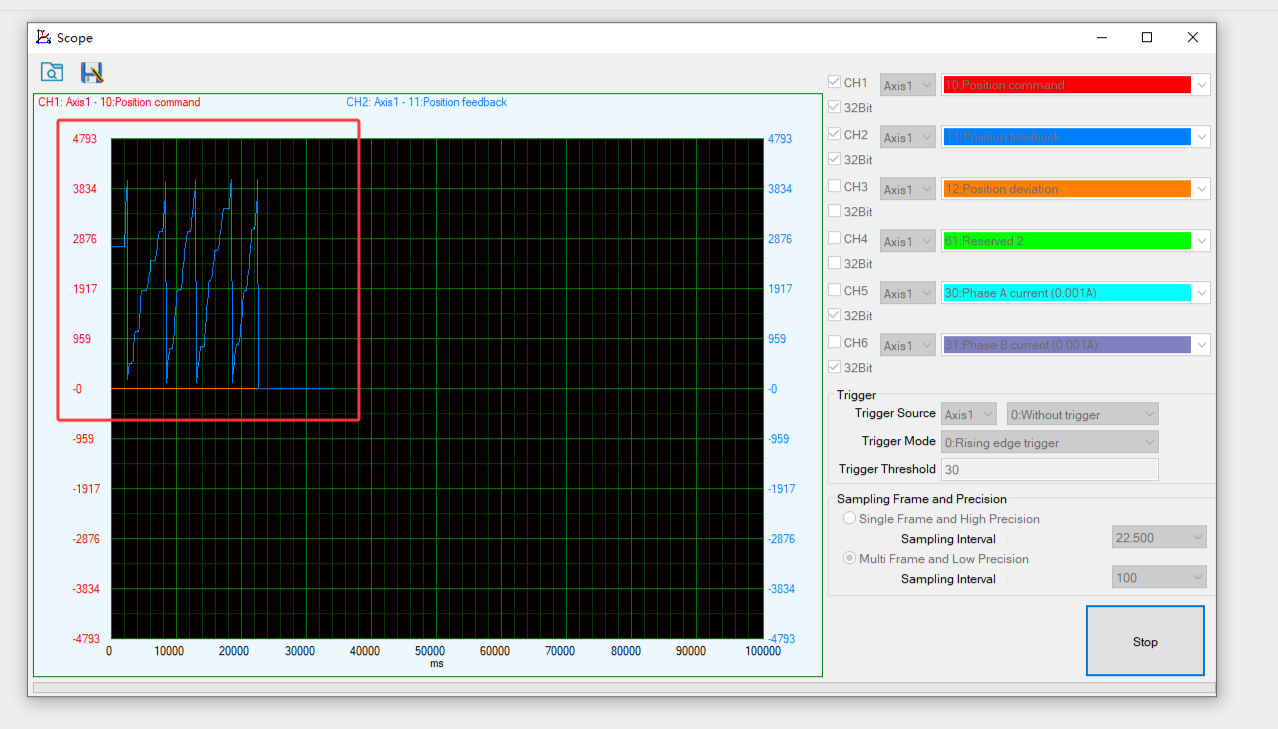
Step 3: Click "Monitor" on the left panel, then select "Scope" (oscilloscope view). Run the motor to plot a comparison curve of the position feedback value and the command position value.
- Under normal conditions, the two curves should completely overlap.
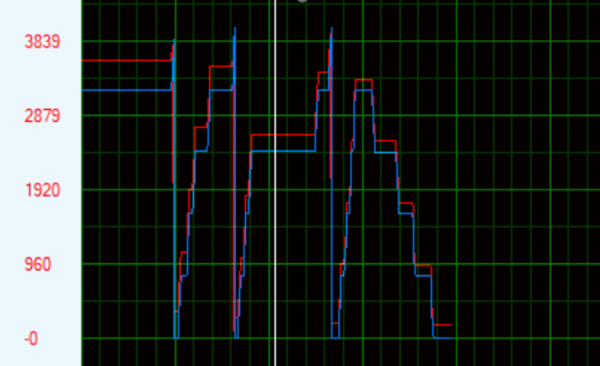
- If the curves do not overlap (as shown in Figure 2), it indicates an abnormality in the motor or encoder.
Step 4: Manual Test
- Apply 24VDC across the ENA+ and ENA- terminals to disable (de-energize) the motor, allowing free shaft rotation, while keeping the encoder cable connected.
- Manually rotate the motor shaft. The position feedback value in Motion Studio should change synchronously (as shown in the figure). This helps determine whether there is any encoder signal loss.
- If the encoder waveform is normal, without interruptions or abnormal fluctuations, the encoder can be confirmed as intact.
4. Test Result Feedback
If your closed-loop drive and motor system exhibits these issues within the warranty period, you can directly perform this test and send the test result images or videos to us for further assistance.