This guide is designed to help you understand how to connect STEPPERONLINE A6, DSY, T6 Series servo motors and Arduino.
Materials required:
● Arduino board (such as Arduino Uno) ● Split servo motor ● Power supply ● Several connecting wires
Precautions:
- Before you begin, make sure you have read and understood the data sheet for the servo motor you are using
- To prevent short circuits or other electrical failures, handle all electronic components with care
Please follow the steps below to connect the servo driver to the Arduino:
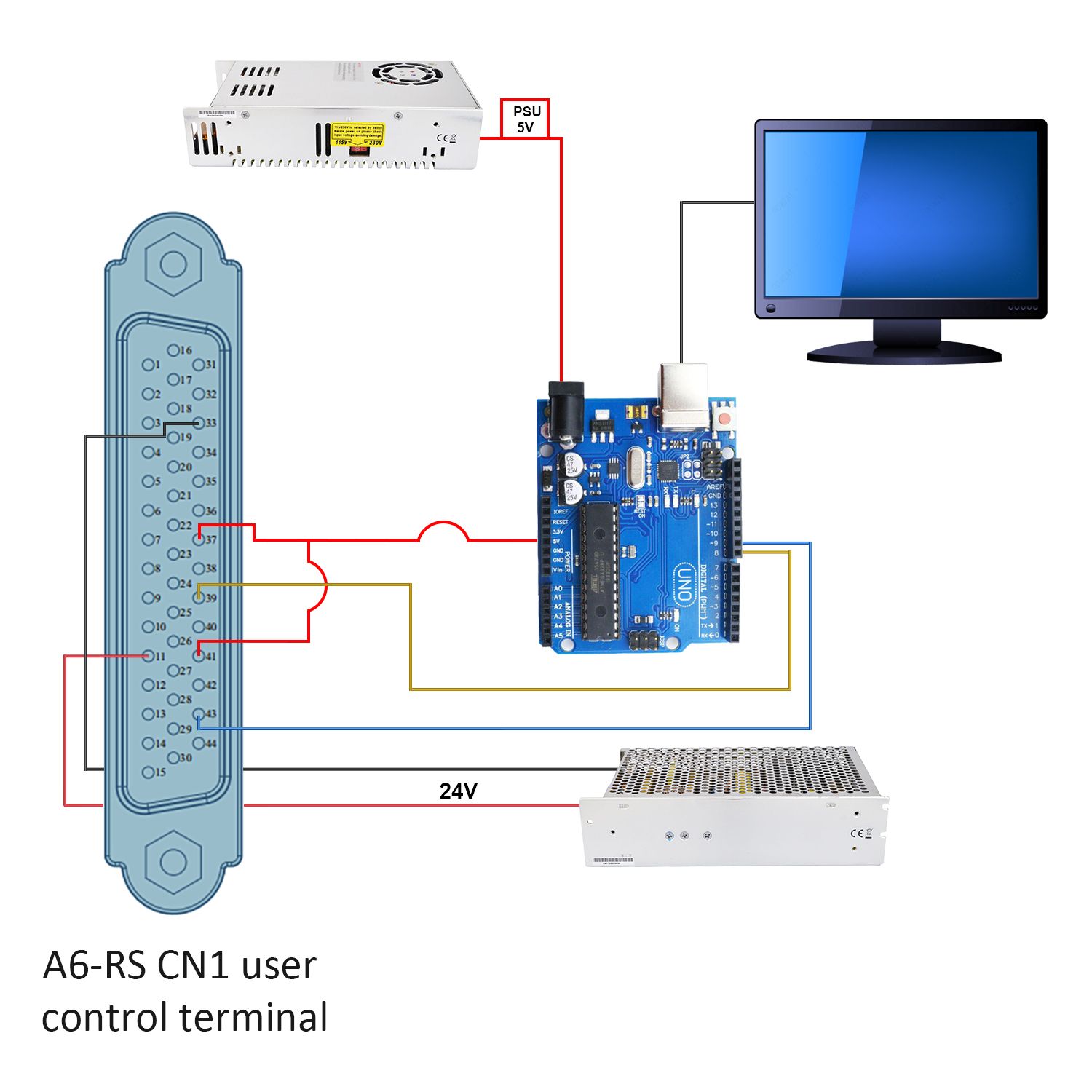
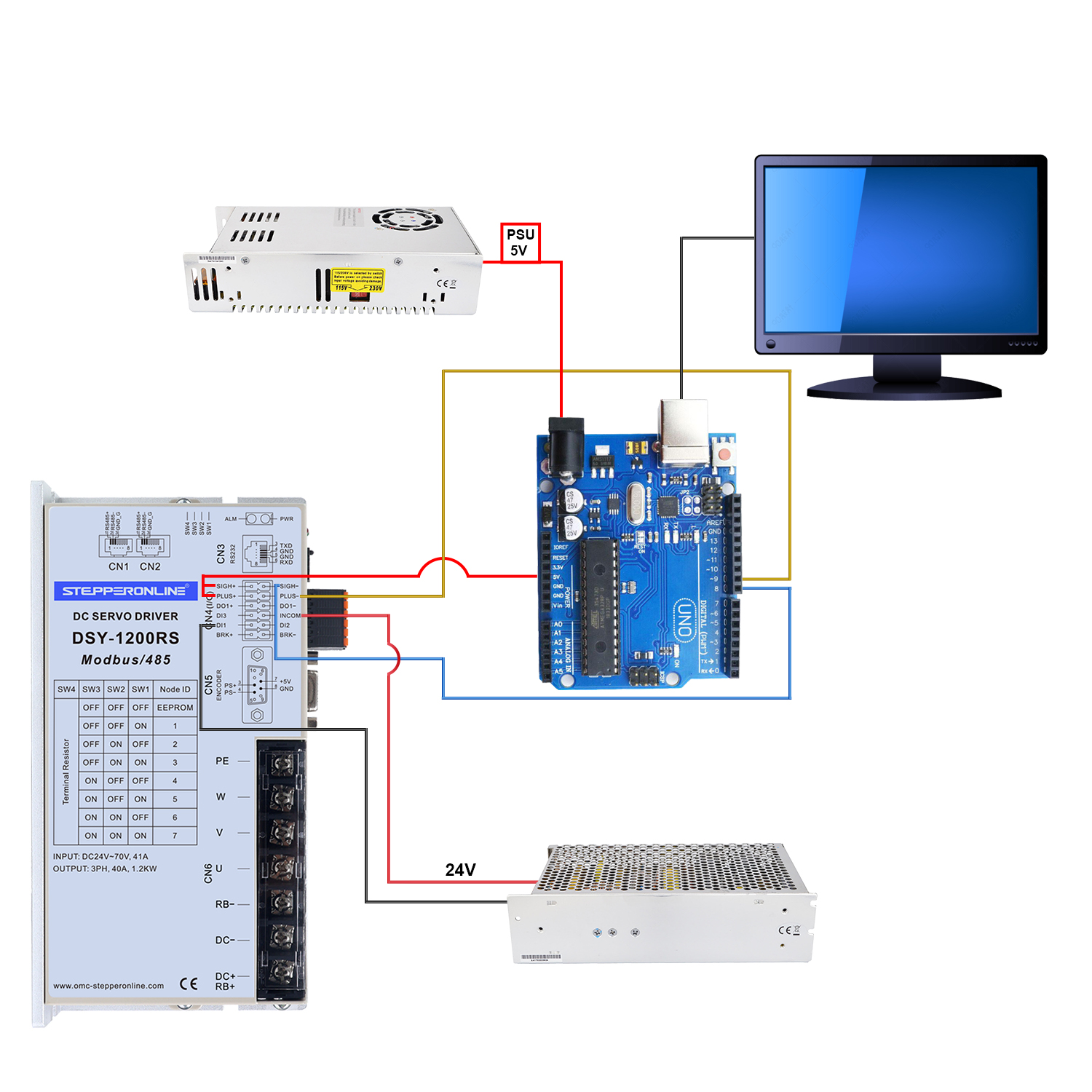
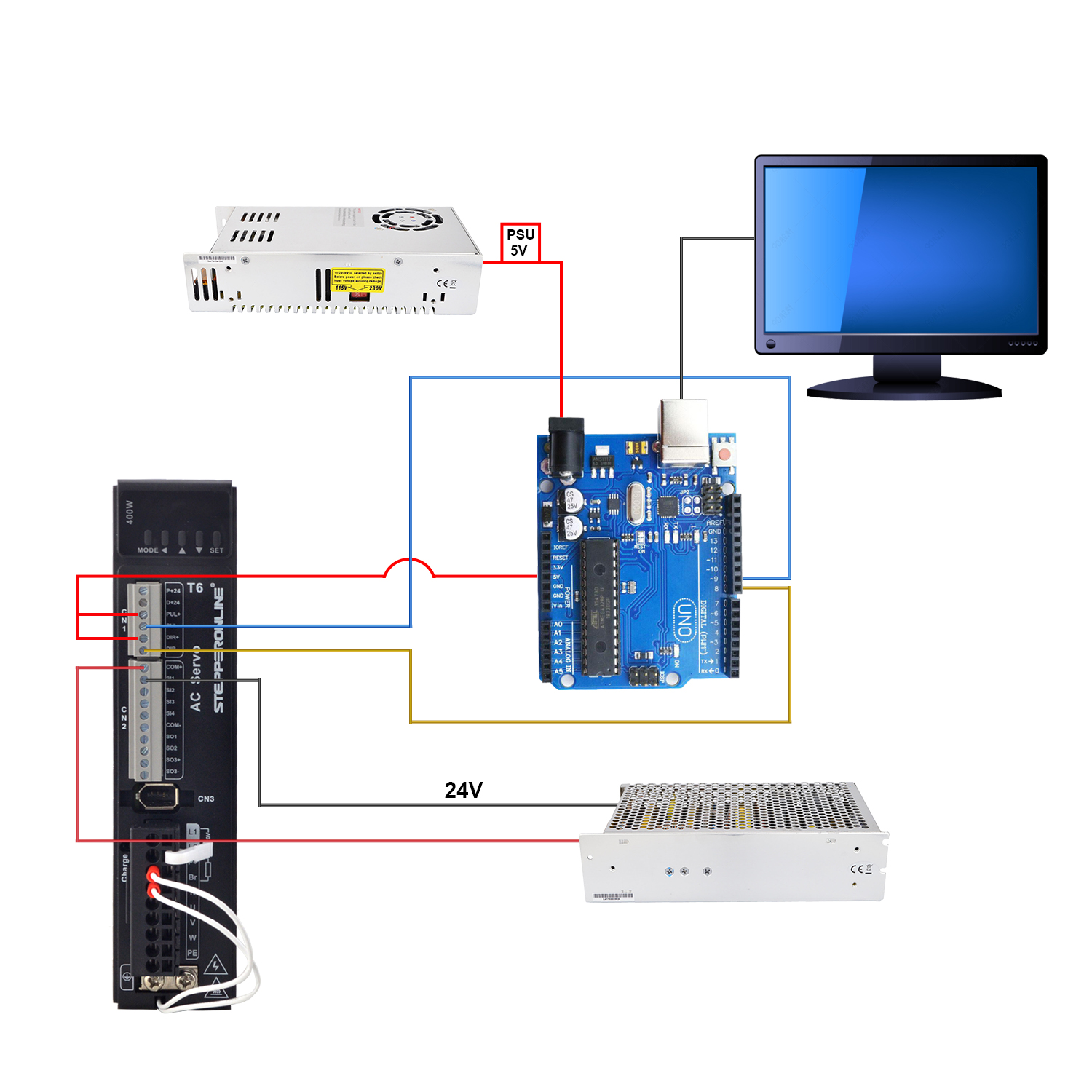
- Connect the DIR- and PUL- of the drive to the digital ports of the Arduino. For example, PIN8 and PIN9
- Connect PUL+ and DIR+ to 5V of Arduino
- Write a program on the computer by directing PIN8 and PIN9 to DIR and PUL
The following schematic diagram shows the basic connections between the Arduino, servo drive, power supply, and servo motor.
Wiring diagram:
- A6 series servo motor-Arduino
- DSY series servo motor-Arduino
- T6 series servo motor-Arduino
We provide you with the following simple demo code for reference.
int x;void setup() {pinMode(9,OUTPUT); // set Pin9 as PULpinMode(8,OUTPUT); // set Pin8 as DIR}void loop() {digitalWrite(8,HIGH); // set high level directionfor(x = 0; x < 400; x++) // repeat 400 times a revolution when setting 400 on driver{digitalWrite(9,HIGH); // Output highdelayMicroseconds(500); // set rotate speeddigitalWrite(9,LOW); // Output lowdelayMicroseconds(500); // set rotate speed}delay(1000); //pause 1 seconddigitalWrite(8,LOW); // set high level directionfor(x = 0; x < 400; x++){digitalWrite(9,HIGH);delayMicroseconds(500);digitalWrite(9,LOW);delayMicroseconds(500);}delay(1000);}