In addition to the signal input ports that control motor operation (PUL), direction (DIR), and enable/disable (ENA), stepper drivers also feature two signal output ports: ALM and BRK.
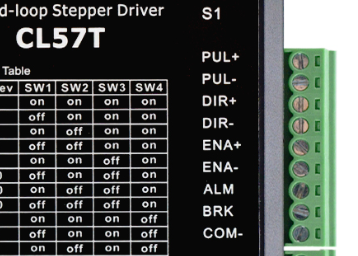
If you only need basic motor control, the ALM and BRK ports do not need to be connected. These are signal output ports only and do not control motor operation. Below is an overview of each port.
1. ALM
ALM is the alarm signal output port. When used, connect it to the signal input of the controller (e.g., a PLC). There are two wiring methods for the ALM port, as shown below:
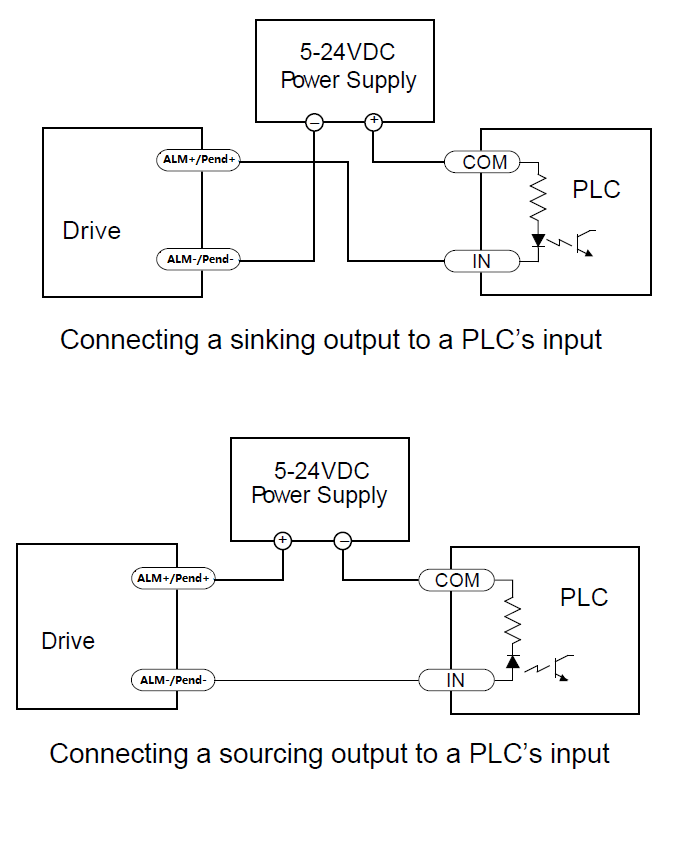
When the driver triggers an alarm, the internal switch between ALM+ and ALM- closes, sending an alarm signal to the controller.
2. BRK
BRK is the holding brake control signal output port. To use it, connect a relay and the motor's holding brake as shown below:
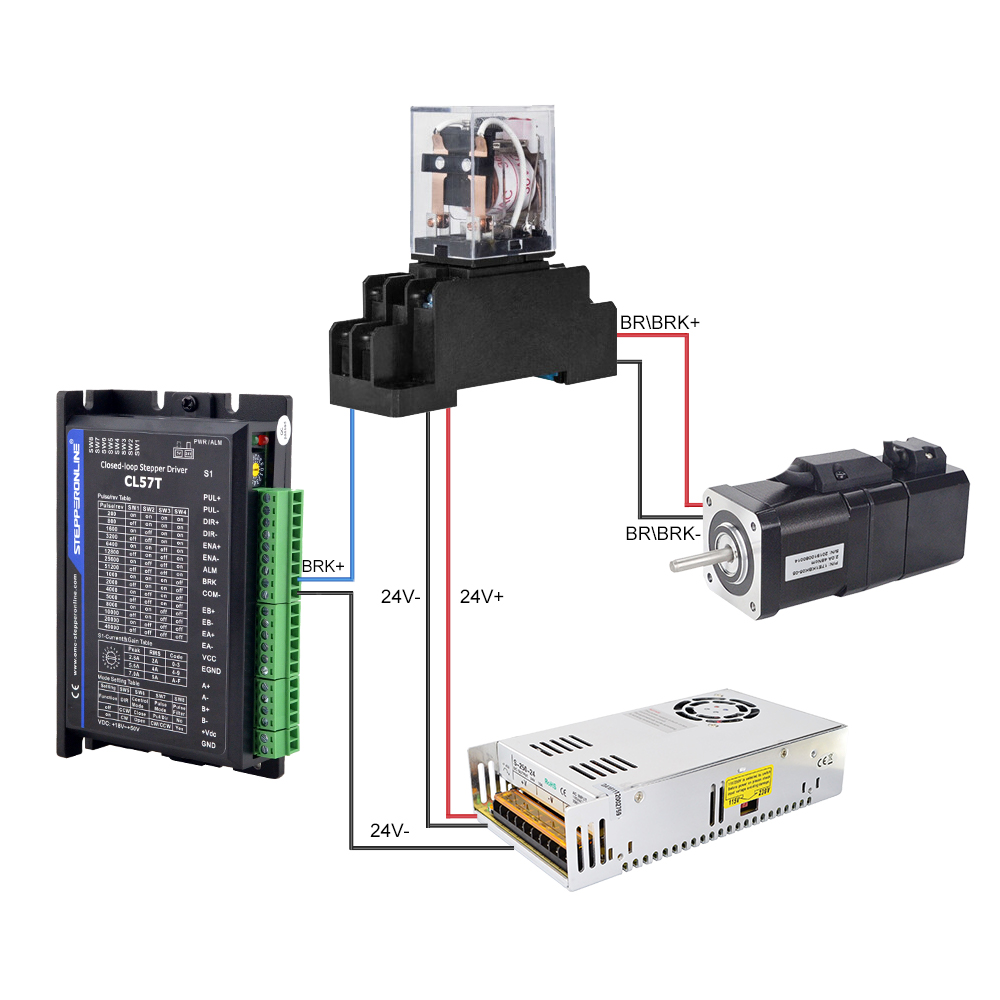
When the driver outputs the brake control signal, the relay de-energizes, engaging the holding brake and stopping the motor.
Using the driver's BRK port to control the holding brake provides a faster response compared to controlling the brake directly through a separate power supply.