First, let's briefly explain the difference between "Normally Open" and "Normally Closed":
- Normally Open (NO):
When there is no power or signal, the contacts of the switch or relay are open and current cannot flow. The contacts close and current can flow only when the device is powered on or receives a signal. For the driver's alarm output, if it is set to Normally Open, the output remains disconnected under normal operating conditions and closes only when a fault occurs.
- Normally Closed (NC):
When there is no power or signal, the contacts of the switch or relay are closed and current can flow. The contacts open and current stops flowing only when the device is powered on or receives a signal. For the driver's alarm output, if it is set to Normally Closed, the output remains connected under normal operating conditions and opens when a fault occurs.
The choice between Normally Open and Normally Closed for the driver alarm output depends primarily on system design and safety requirements. For example, some systems may require a fail-safe state when the driver loses power or the signal is lost; in such cases, Normally Closed mode is typically selected. Other systems may require the alarm output to activate only when a fault is present, in which case Normally Open mode may be selected.
To configure the alarm output on T Series drivers, follow the instructions below:
Open-Loop Drivers:
Since this type of driver does not have an RS232 software debugging port, you can use an external relay to switch the alarm output between Normally Open and Normally Closed. The relay wiring method is as follows:
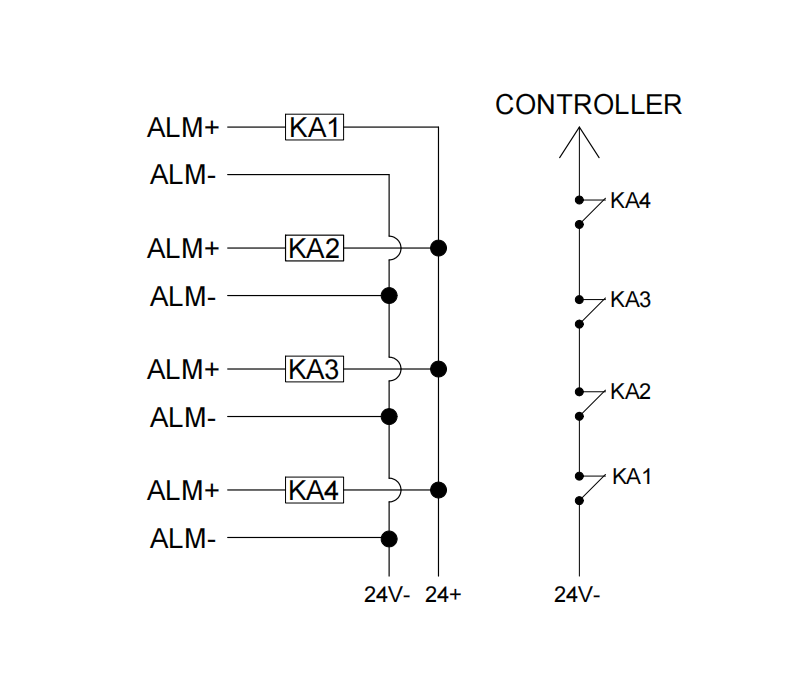
The figure above shows an example of four drivers connected in series, with the alarm output configured as Normally Open or Normally Closed. Similarly, a single driver or multiple drivers can be wired according to the diagram above.
Closed-Loop Drivers:
There are two ways to configure the alarm output on closed-loop drivers: via software or via an external relay. The relay wiring method is the same as for open-loop drivers; please refer to the figure above. The software configuration method is described below:
- Prepare the cables for connecting the driver to your PC: CABLE-PC-1 and an RS232-to-USB cable (such as our C006). Alternatively, if your PC has a native RS232 port, you can connect the CABLE-PC-1 directly.
- Download the driver configuration software: Go to the product page for your driver on our website, navigate to the Downloads section, and download the MotionStudio.zip file. Extract and install the software.
- Launch the software and follow these steps: Click Connect → Select the correct COM port → Click Connect again to establish communication.
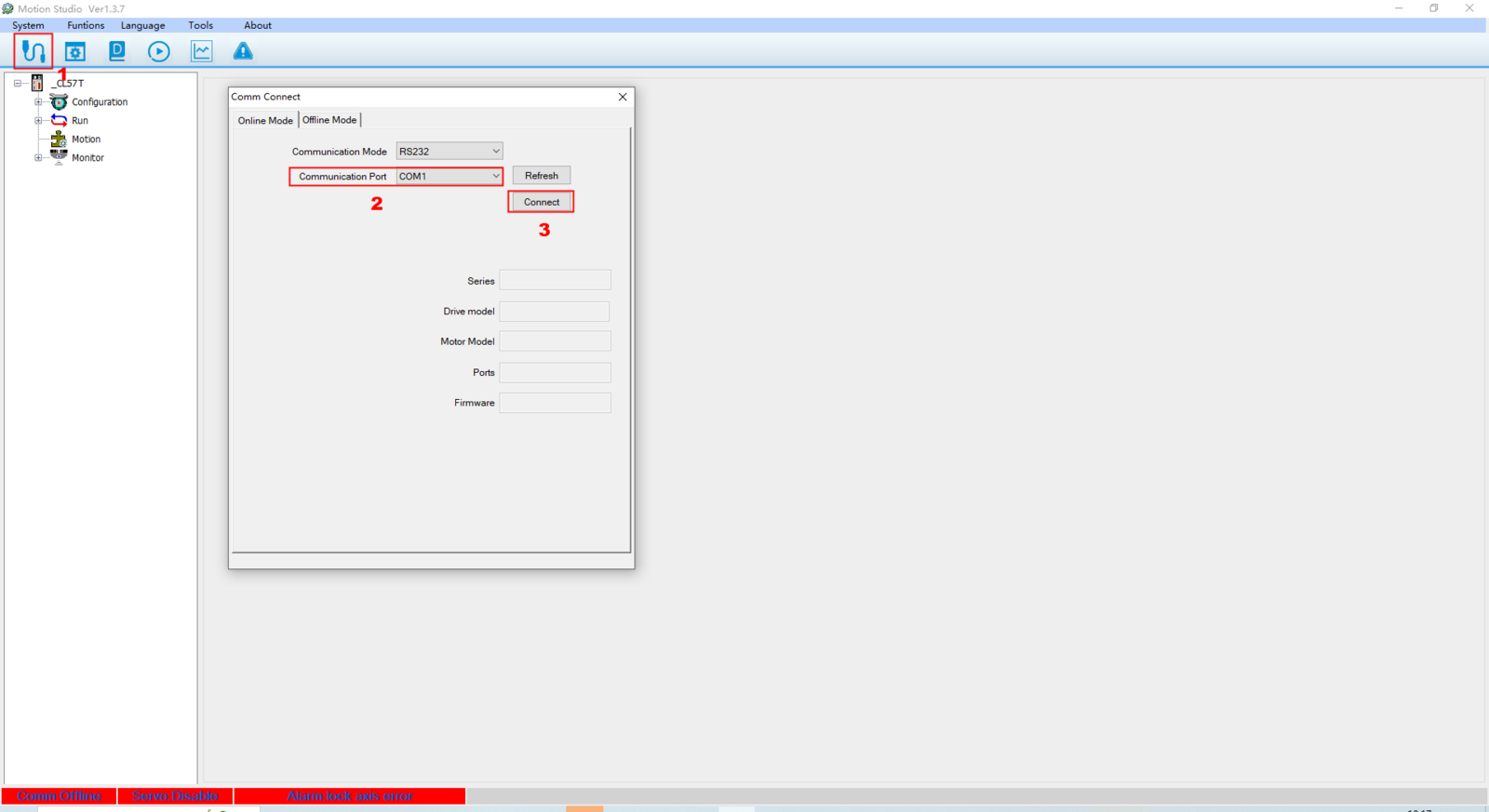
- As shown in the figure: Open the parameter settings → Locate PR4.31 (set to 1 for Normally Open or 0 for Normally Closed) → Send the parameters to the driver → Save the driver parameters.
If the parameter change does not take effect after saving, power cycle the driver.