Servo motors are the core power components of modern high-precision automation equipment and motion control systems. Their closed-loop control mechanism provides exceptional precision, responsiveness, and stability, making them indispensable in applications such as robotics, CNC machine tools, and precision manufacturing.
This article provides a step-by-step troubleshooting guide for brake release failures in A6 series servo motors.
1. Check the Wiring According to the Manual
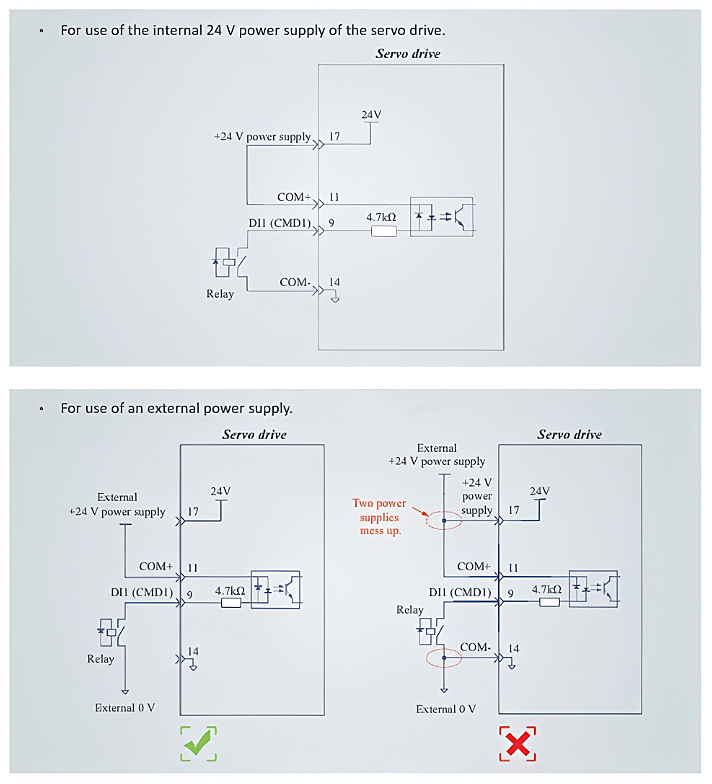
Refer to the wiring diagram below (page 50 of the user manual). If the image is not clear enough, please refer to this article: Brake Wiring Instructions for A6 Series Servo Motors
2. Test Directly with a 24V Power Supply
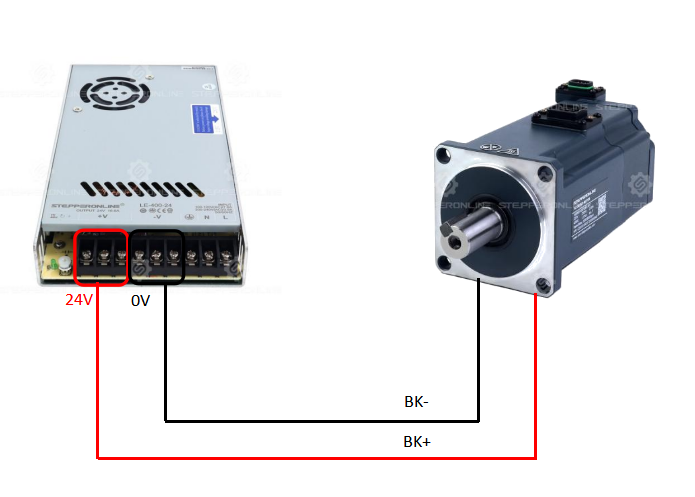
Connect the motor brake wires directly to a 24V power supply and check whether the motor shaft can be rotated by hand. This step helps determine whether the issue is hardware-related.
3. Verify the DO Port Definition
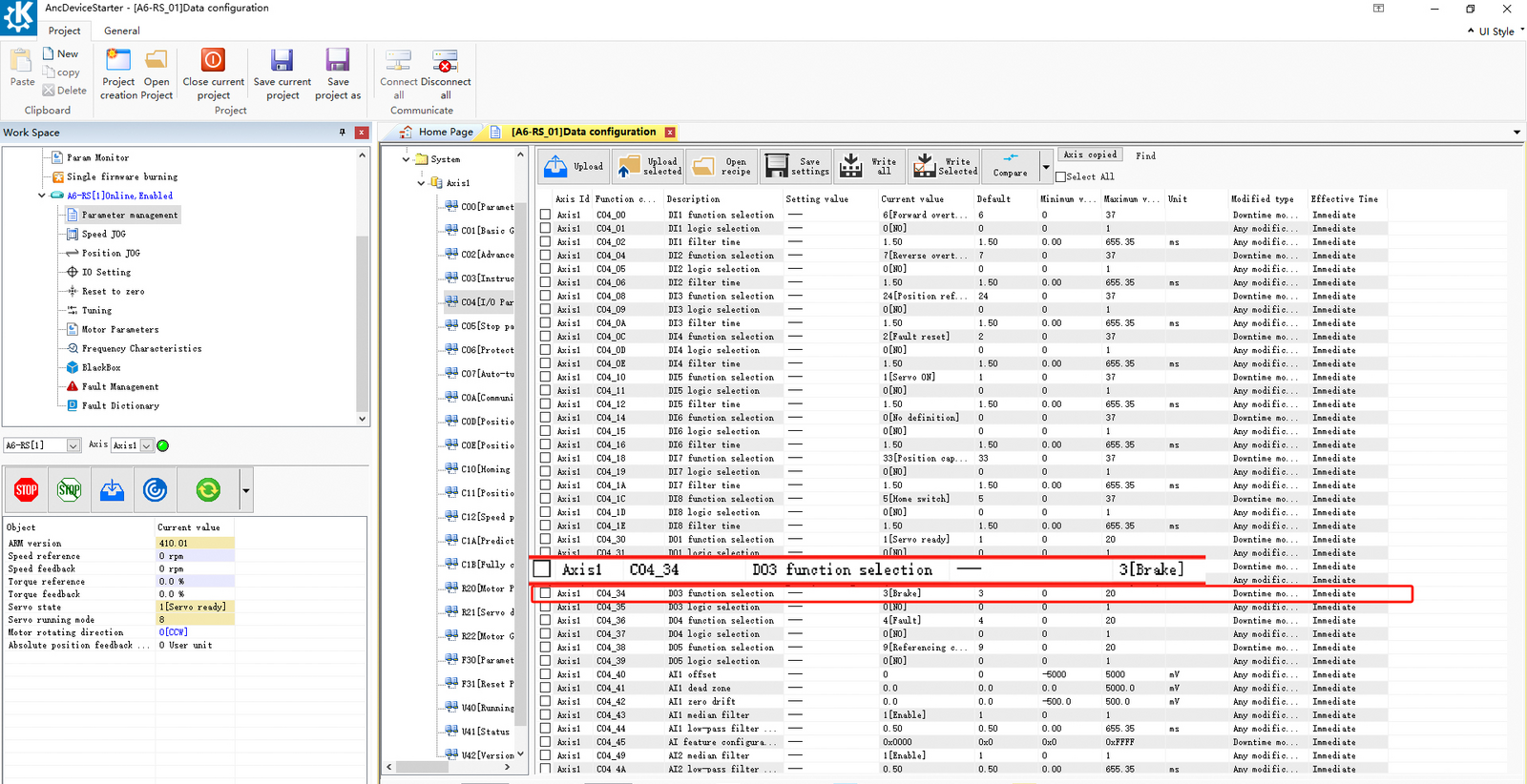
After connecting to the configuration software, open the interface shown below and check whether the DO port definition has been modified. Try assigning a different DO port to the brake function to determine whether the issue is specific to the DO3 port.
4. Check the Software I/O Settings
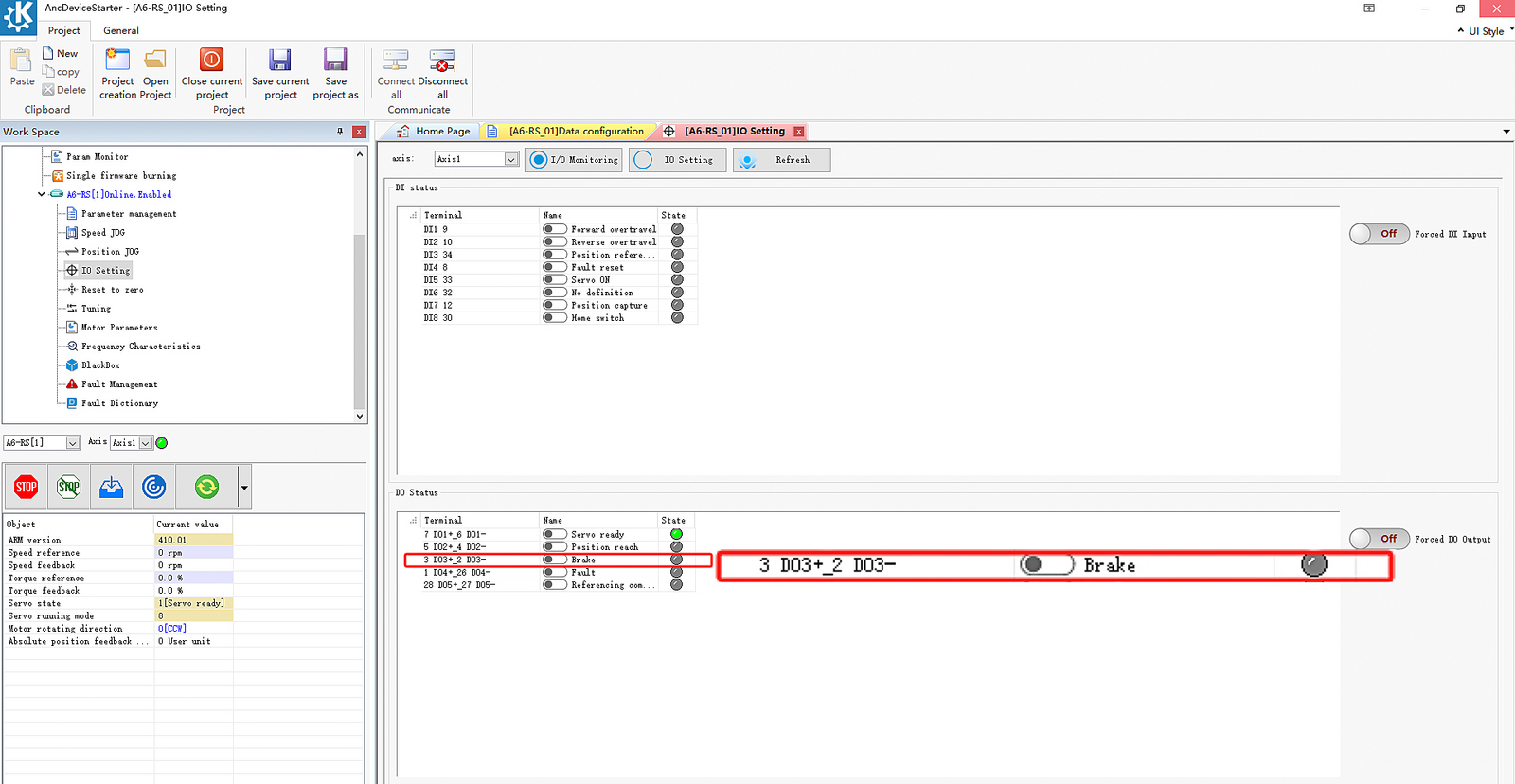
Ensure that the brake output port (DO) shows a green indicator, which signifies normal operation. If the display shows "Brake Not Released" (as illustrated below), verify the wiring or test with a different DO port assigned as the brake control output.
5. Check the Motor Enable Status
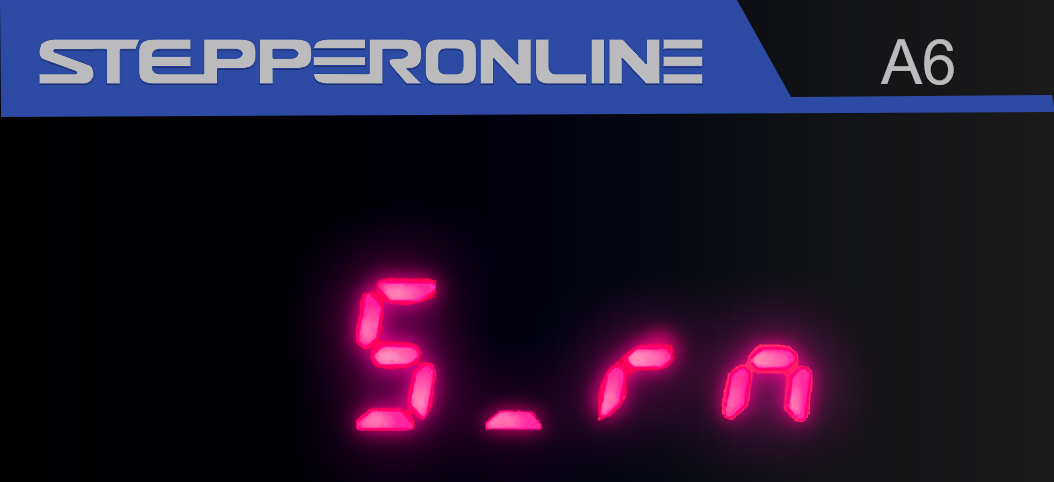
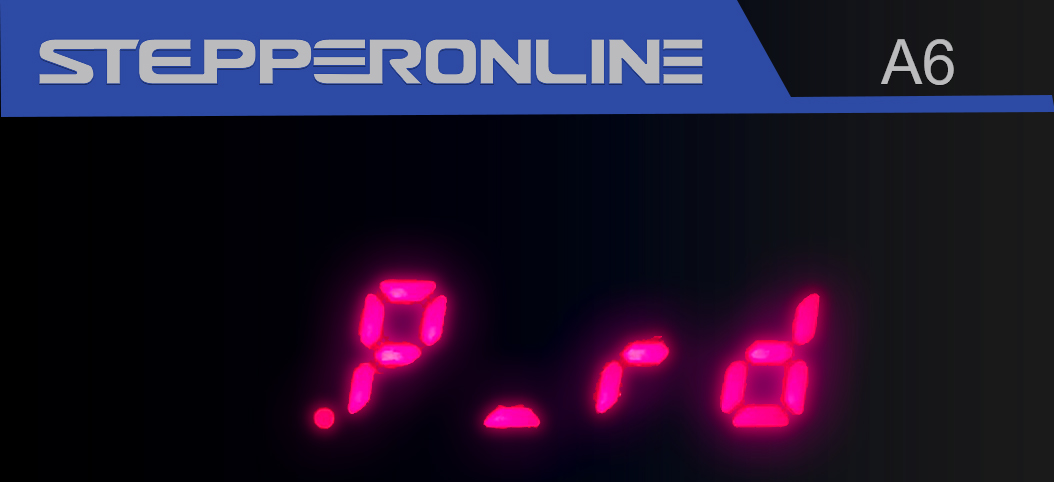
On the A6 servo drive display, the absence of the red dot in the lower-left corner indicates that the motor is enabled. (Figure 1: Enabled / Figure 2: Not Enabled)
Summary
Follow the steps above for systematic troubleshooting. If the issue persists after completing all checks, please capture clear photos or videos of the setup and contact our technical support team for further assistance.