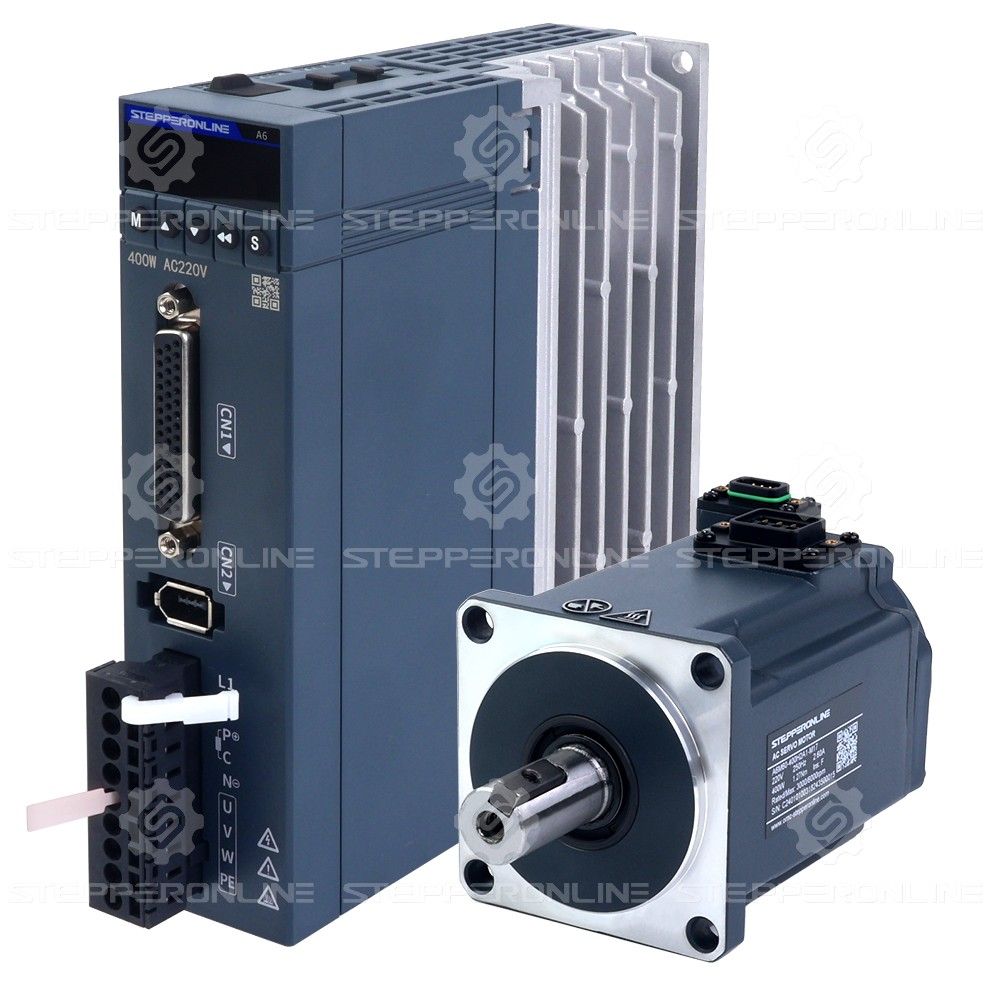
The A6-RS series drive provides 8 digital input (DI) terminals. Each DI terminal supports 37 different function definitions, greatly enhancing the flexibility of the servo system. Taking DI1 as an example, as shown in the figure below:
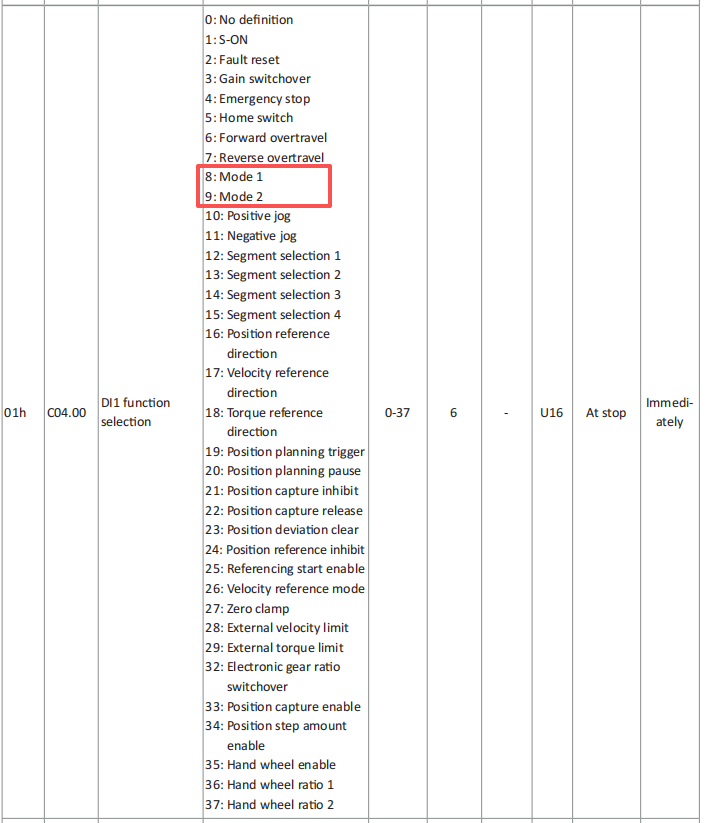
Among the available functions, only Function 8 (Mode 1) and Function 9 (Mode 2) require further explanation. Below, we will focus on how to use Mode 1 and Mode 2.
First, locate parameter C00.00 (Servo Control Mode).
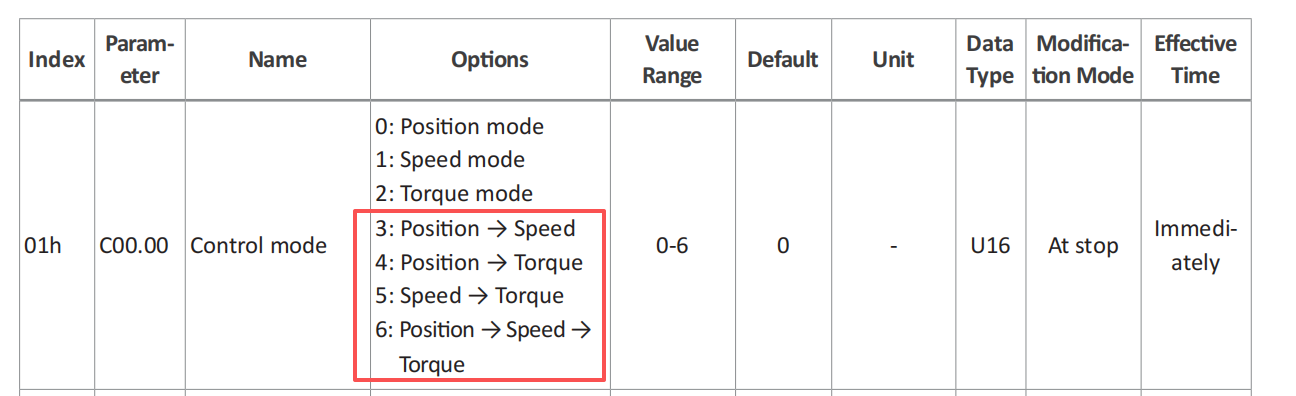
This parameter determines the control mode of the servo motor. The A6-RS series supports Position, Speed, and Torque control modes, corresponding to values 0, 1, and 2 respectively. In addition to these three single modes, the A6-RS series also supports four multi-mode settings: 3, 4, 5, and 6. These multi-mode settings allow the drive to switch control modes dynamically via DI signals without stopping the motor.
For example, if the servo motor must switch rapidly from Position mode to Speed mode after a period of operation, the conventional method is to wait for the Position mode operation to complete and then manually change C00.00 to 1. This requires stopping the motor first, making the process cumbersome and time-consuming. However, if the Position-to-Speed mode (C00.00 = 3) is selected, there is no need to modify C00.00 manually. Simply assign any DI terminal to Function 8 (Mode 1). Whenever the DI signal is activated, the servo drive switches the control mode from Position mode to Speed mode. When the DI signal is deactivated, the control mode returns to Position mode. The same logic applies when C00.00 = 4 or 5. Mode 1 selects the secondary control mode defined by the multi-mode parameter.
Does Mode 2 correspond to the third control mode in a multi-mode setup? Yes. When C00.00 = 6, the drive operates in a combined Position/Speed/Torque mode, where Position mode is the default and the other two modes are selected via DI signals. In this case, assign one DI terminal to Function 8 (Mode 1) and another DI terminal to Function 9 (Mode 2). Mode 1 selects Speed mode, and Mode 2 selects Torque mode. By activating these two DI terminals, you can switch from the default Position mode to either Speed or Torque mode.
Please observe the following precautions when using the multi-mode function:
- Do not assign the same mode-switching function (Mode 1 or Mode 2) to more than one DI terminal, as this will trigger a configuration alarm.
- Avoid frequent switching between control modes.
- When C00.00 = 6, do not activate Mode 1 and Mode 2 simultaneously.