This article demonstrates how to establish Modbus RTU communication between a Siemens S7-1200 PLC and a STEPPERONLINE A6-RS series servo drive.
Application scenario: The S7-1200 PLC acts as the Modbus RTU master, and the A6-RS servo drive acts as the slave. The PLC reads the DC bus voltage from the servo drive.
Prerequisites
Prepare the following items before you begin:
- S7-1200 PLC: CPU 1215C DC/DC/DC
- Any servo motor in the A6-RS series
- An RS-485 communication cable
Procedure
1. Set the servo drive parameters
Configure the following parameters on the A6-RS servo drive:
| Parameter | Value | Description |
|---|---|---|
| C0A.00 | 1 | Modbus slave address |
| C0A.01 | 7 | Modbus baud rate |
| C0A.02 | 0 | Modbus communication format |
2. Configure the Modbus RTU communication module

3. Enable system memory
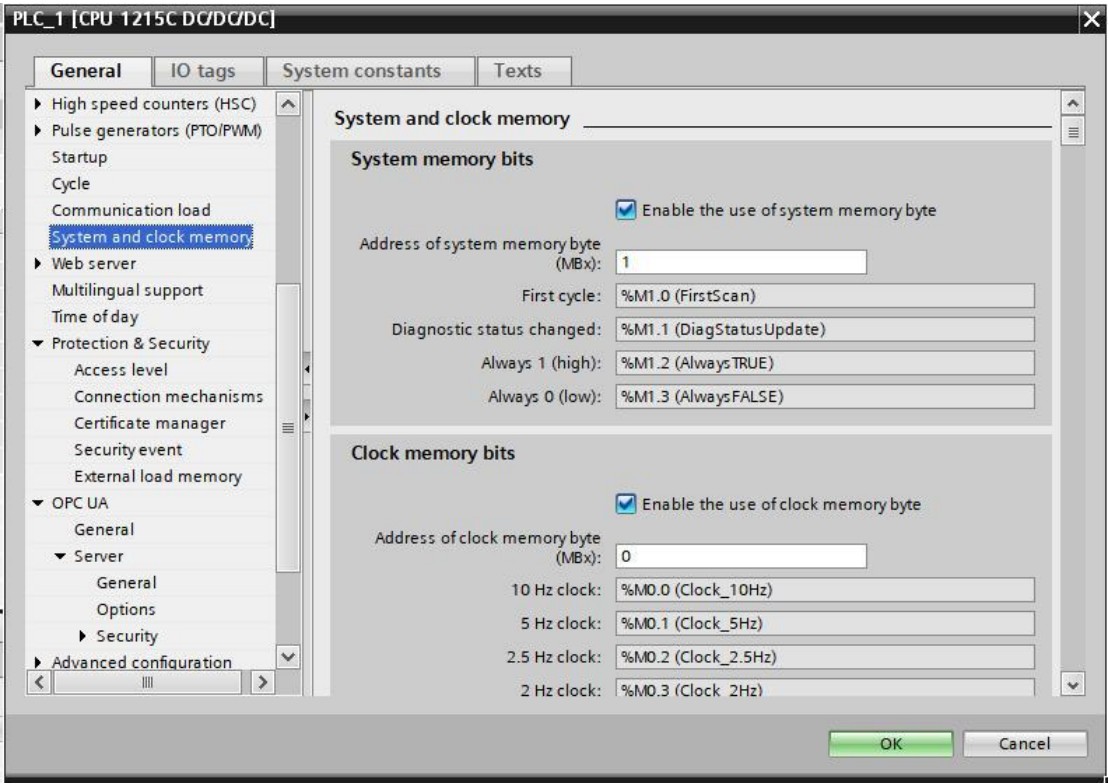
In the project tree, select PLC_1, right-click Properties, navigate to System and clock memory, and check Enable the use of system memory byte.
4. Call the MB_COMM_LOAD instruction
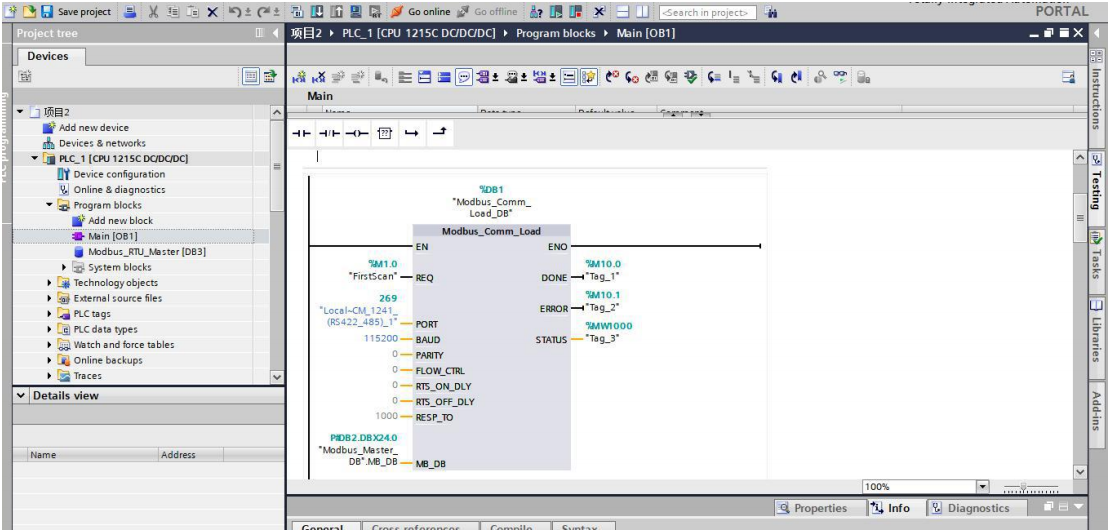
Open the Main (OB1) block. In the Instructions pane, navigate to Communication → Communication Processor → Modbus, and drag the MB_COMM_LOAD instruction into a program segment, as shown below:
5. Create data send and receive buffers
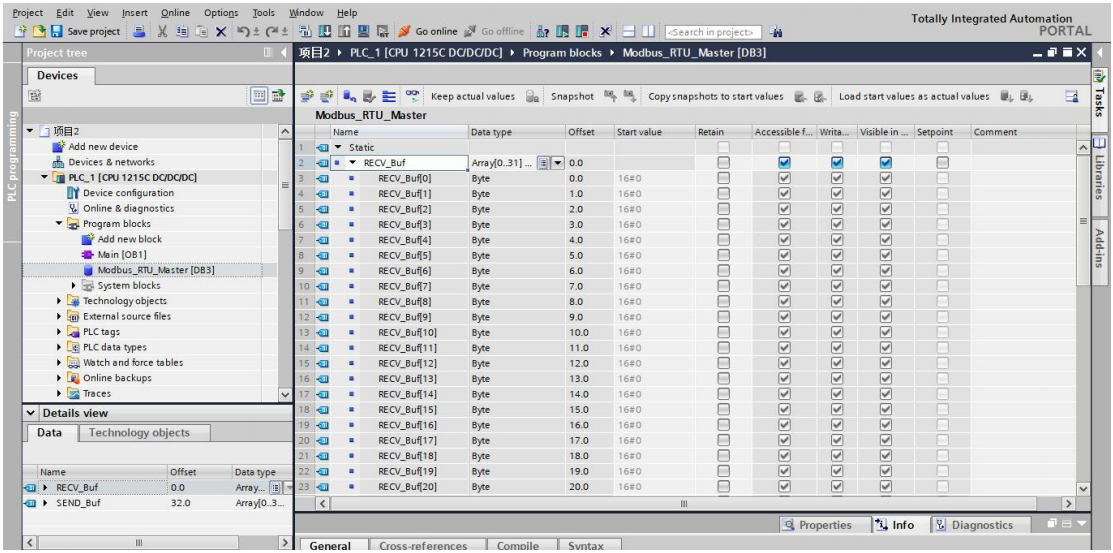
In the project tree, select Add new block → Data block (DB) → OK, as shown below.
After adding the new data block, disable the Optimized block access option and define the data send and receive buffer areas.
6. Call the MB_MASTER instruction
Open the Main (OB1) organization block. In the Instructions pane, navigate to Communication → Communication Processor → Modbus, and drag the MB_MASTER instruction into a program segment, as shown below:
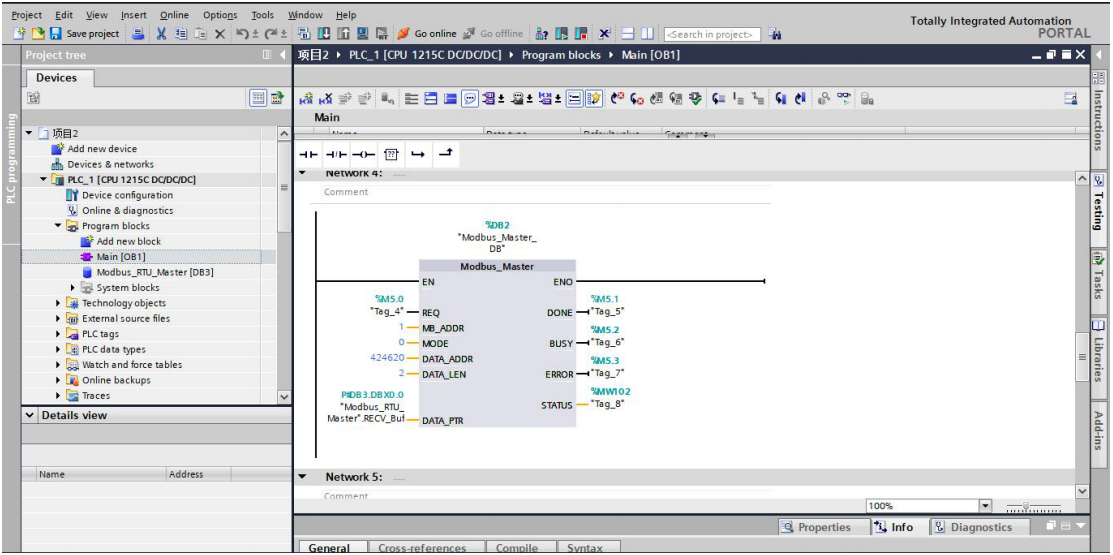
Configure the instruction parameters as follows:
- MB_ADDR: Set to 1 (the slave address configured in Step 1).
- MODE: Set to 0 (read mode).
- DATA_ADDR: Set to 16#4006 to read register U40.06 (DC bus voltage). Use the direct register address; do not add the 40001 offset typically used in Modbus addressing.
7. Run the program
Monitor the value of U40.06 in the PLC program. The received data is in hexadecimal format; convert it to decimal and compare it with the U40.06 value displayed on the A6-RS servo drive to verify correctness.