Normally, the motor requires pulse commands from an external controller to operate. If the system fails, it can be difficult to determine the source of the problem — the motor, the driver, or the controller.
This article explains how to test the driver and motor independently of the external controller to isolate the source of a fault.
Using the CL57T as an example, after connecting the driver to the motor and to a PC via RS232, perform the following steps:
- Open the MotionStudio configuration software and select the connection port.
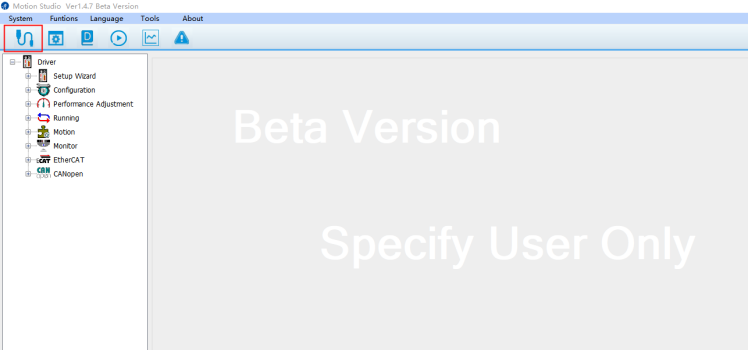
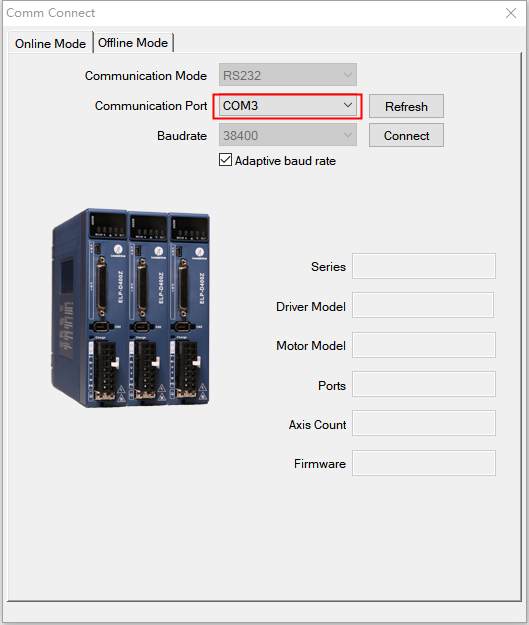
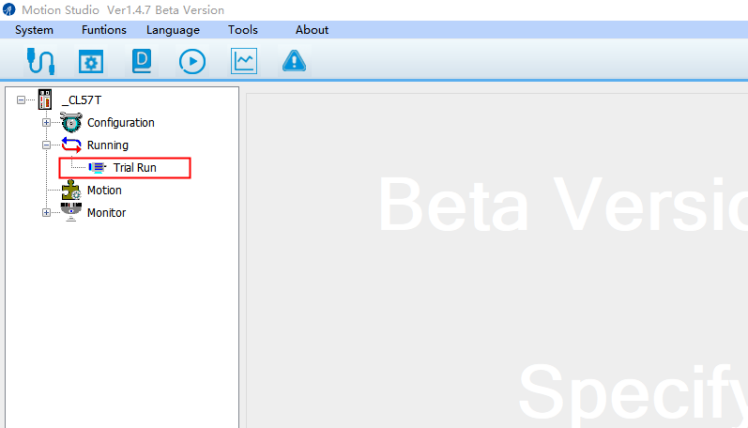
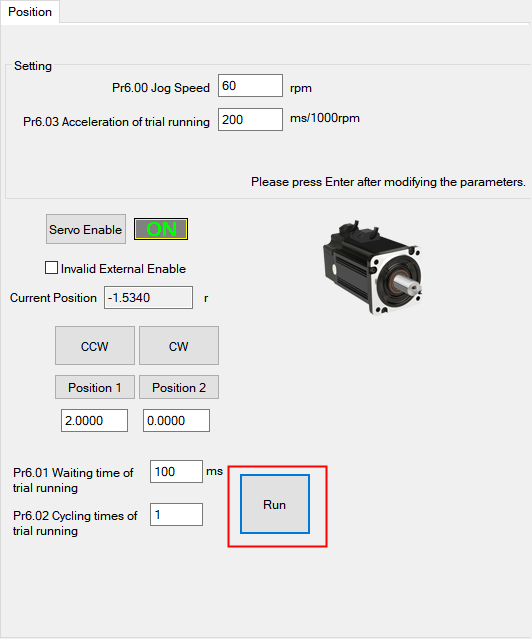
- Open the Test Run panel.
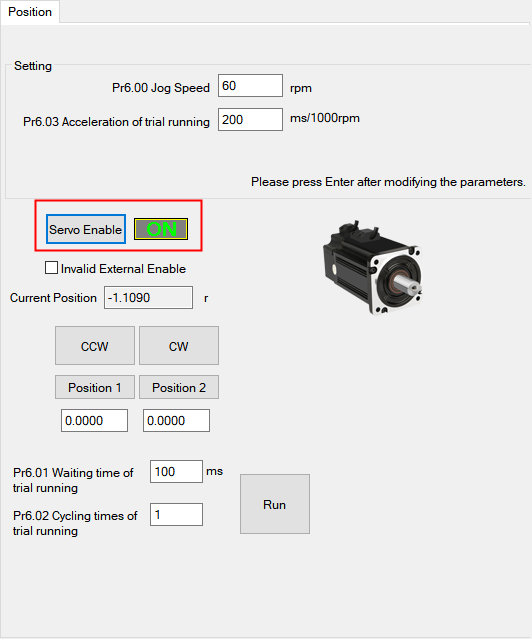
- Click "Servo Enable" and change the setting from "OFF" to "ON".
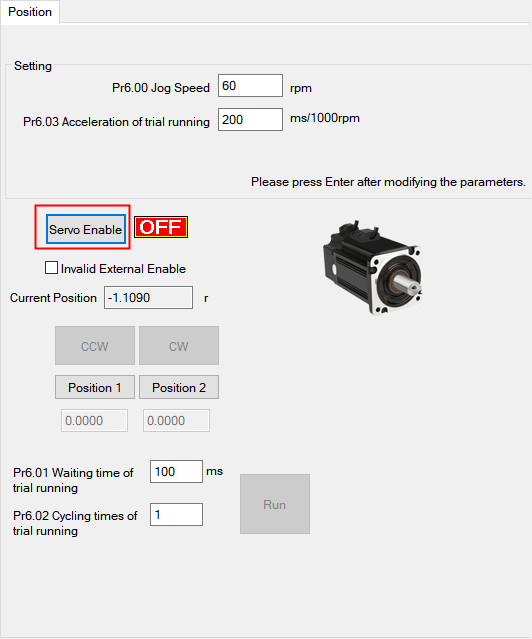
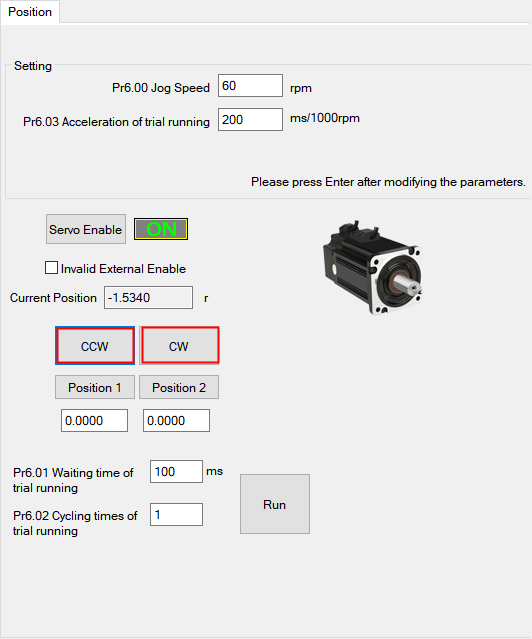
- After enabling the servo, the "CCW" and "CW" buttons become active. Click either button to jog the motor.
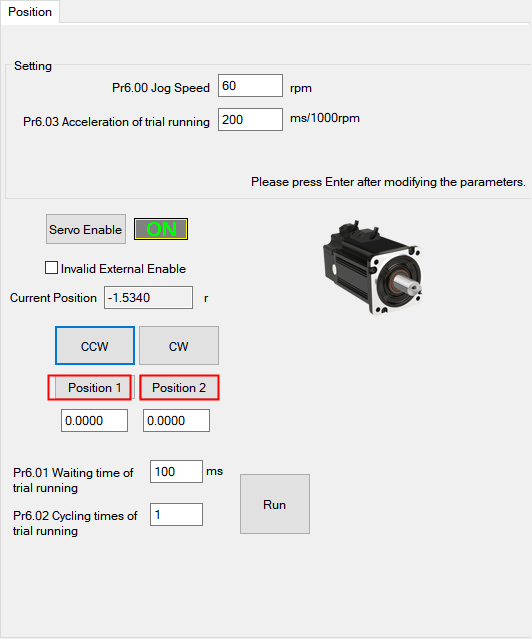
If you prefer not to jog the motor manually, you can configure "Position 1" and "Position 2" to run the motor automatically.
Note: The values of "Position 1" and "Position 2" must not be the same. After entering each value, press Enter to save.
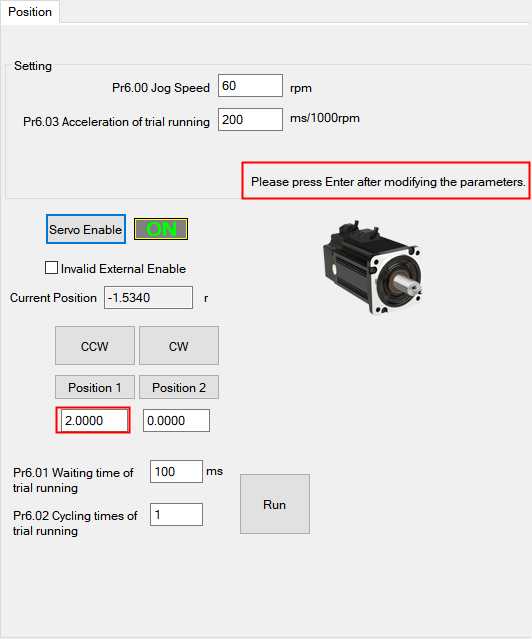
After saving, click "Run" to start the motor.
If the motor runs correctly after completing these steps, the driver and motor are functioning properly. The issue may lie with the controller, wiring, or signal configuration. Check the controller settings and connections.
You can also use this procedure to verify the product upon initial receipt.