If you are using the Modbus RTU protocol over RS-485 with RS-series stepper drivers or brushless motor drivers and encounter communication failures, follow these steps to diagnose and resolve the issue.
1. Check Hardware Connections
Example: CL57RS Stepper Driver
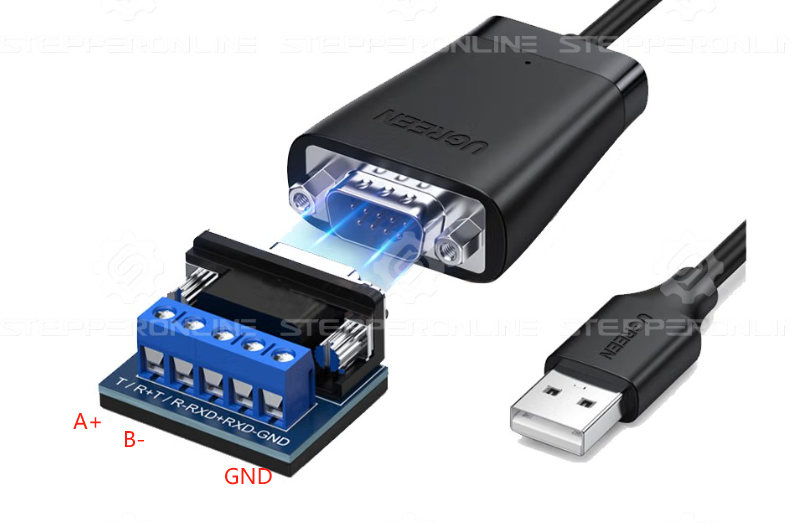
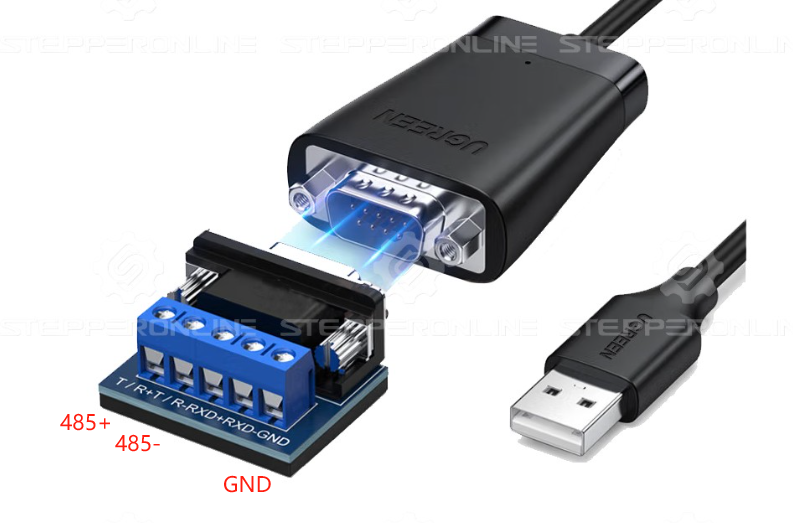
Ensure the RS-485 interface wiring is correct. Pay close attention to the A (485+) and B (485−) lines and verify which wires they correspond to in the network cable (refer to the diagram below).
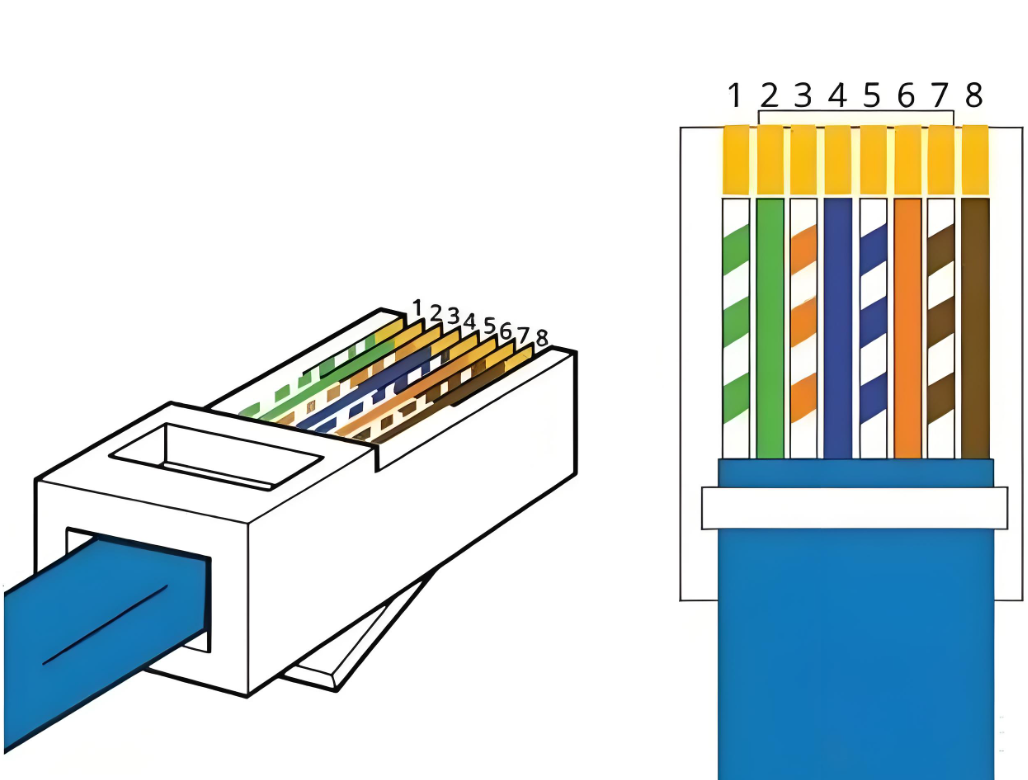
When using a network cable to connect to an RS485-USB converter, strictly follow the pinout specified in the RS-series stepper driver manual.
RS-485 Communication Interface Pinout (CL57RS):
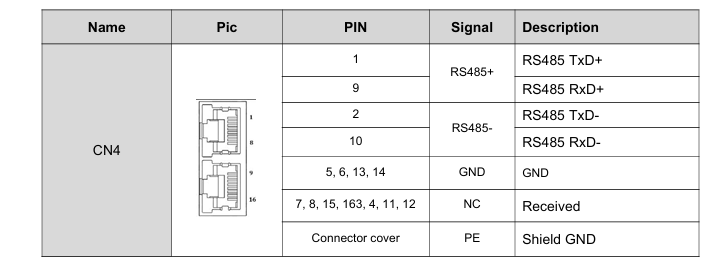
If using this RS485-USB cable, connect:
- Pin 1 → T/R+ (485+)
- Pin 2 → T/R− (485−)
- Pin 5 → GND

Example: BLD-510B Brushless Driver
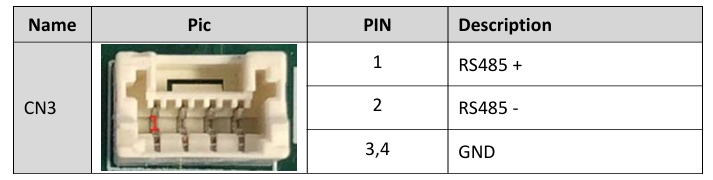
RS-485 Communication Interface Pinout (BLD-510B):
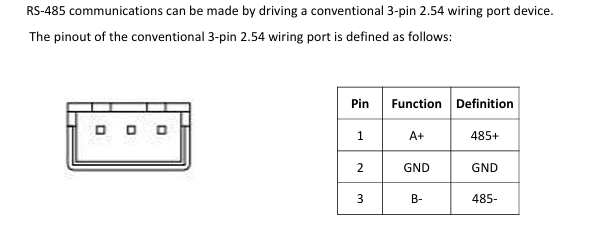
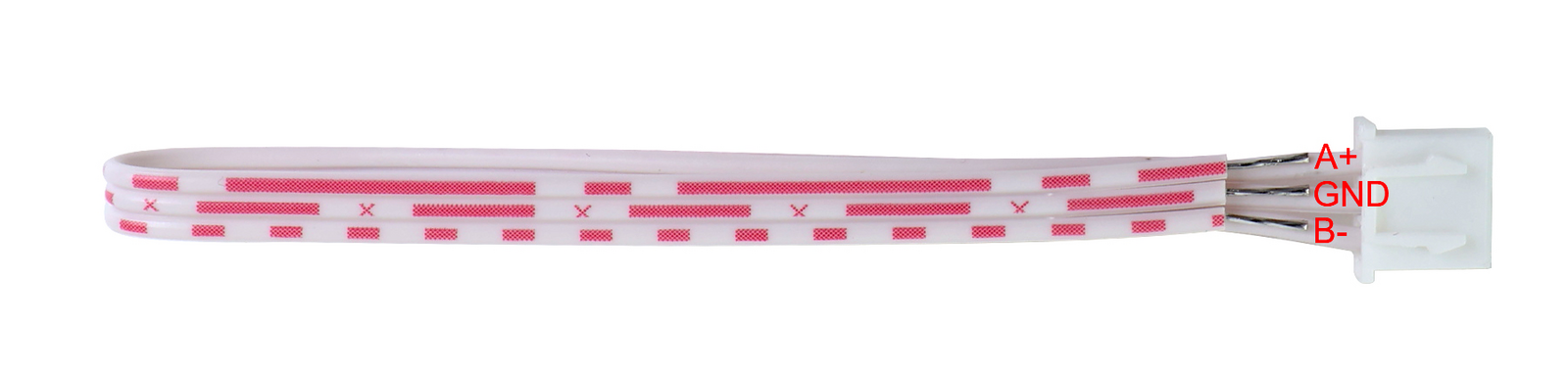
If using the same RS485-USB cable, follow the same wiring method.
Example: IDM-RS, ISV2, and ICL-RS Series
RS-485 Communication Interface Pinout (IDM-RS / ISV2 / ICL-RS):
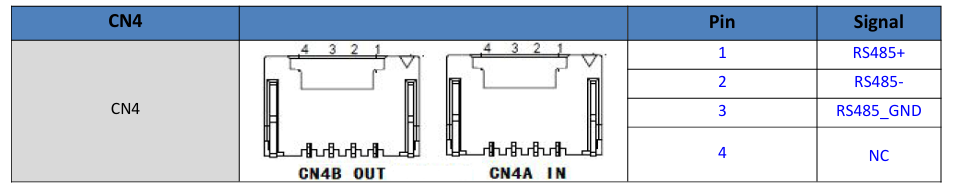
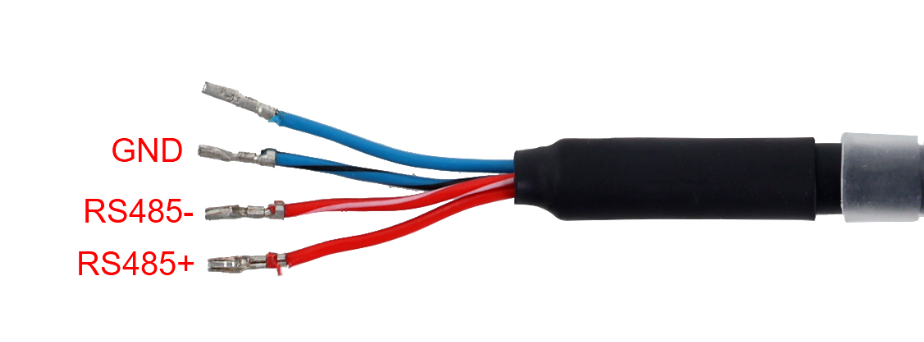
If using the same RS485-USB cable, follow the same wiring method.
2. Verify Configuration Parameters
Ensure that the baud rate, stop bits, parity, and data bits in your software match the driver's settings.
RS-Series Stepper Drivers
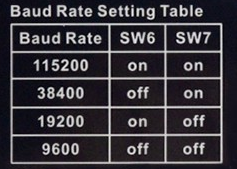
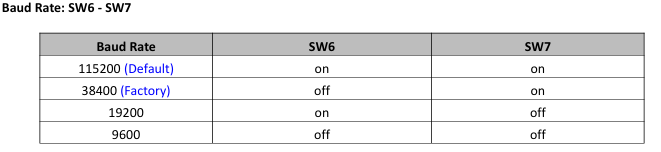
Confirm that the software's baud rate matches the driver's configured baud rate (refer to the diagrams below).

The Modbus address is set to 01 by default. If the address has been changed, ensure that your commands use the correct address.
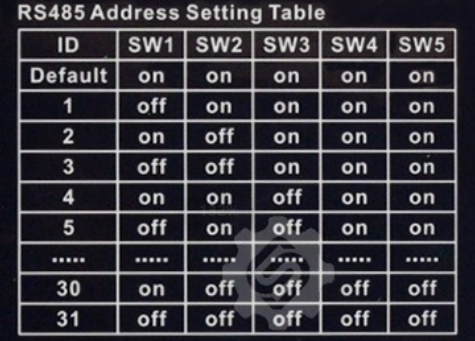
Example: 01 06 62 00 00 41 56 42 — the first byte (01) is the Modbus address.
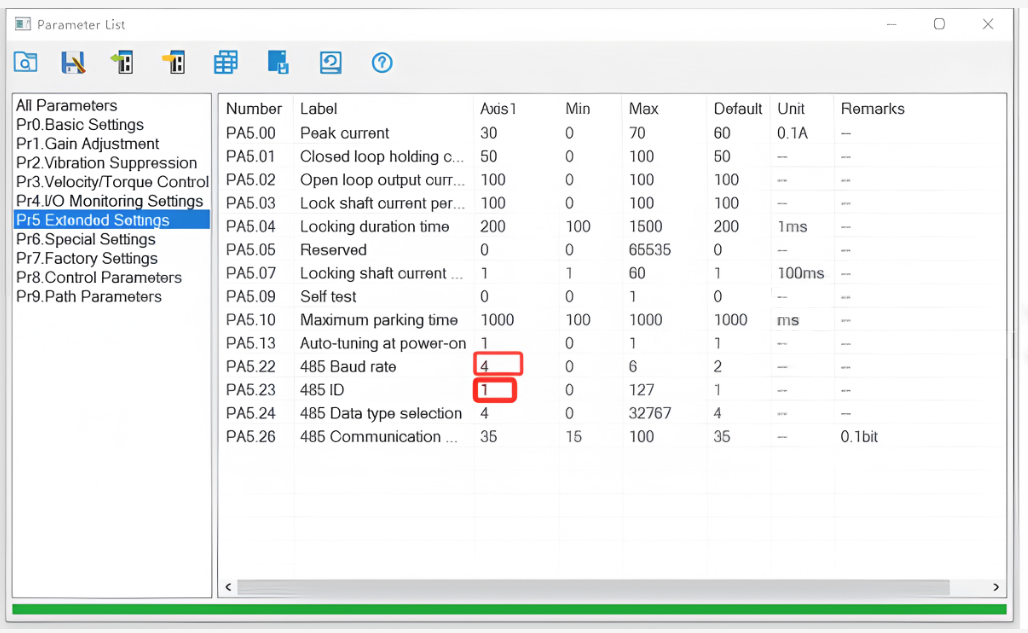
Use the provided RS-232 debugging cable to verify the baud rate and address via the configuration software.
Brushless Drivers
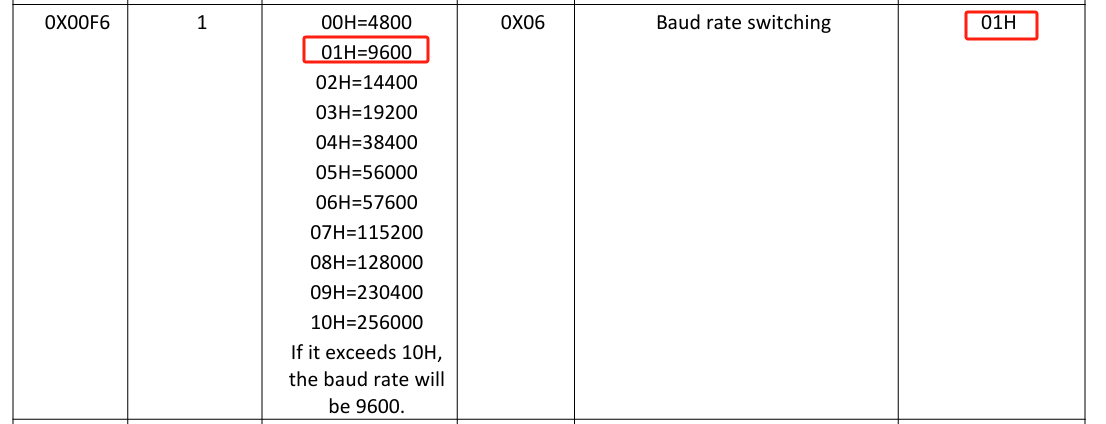
All brushless drivers default to 9600 baud. Refer to the product manual for details.
IDM-RS, ISV2, and ICL-RS Series
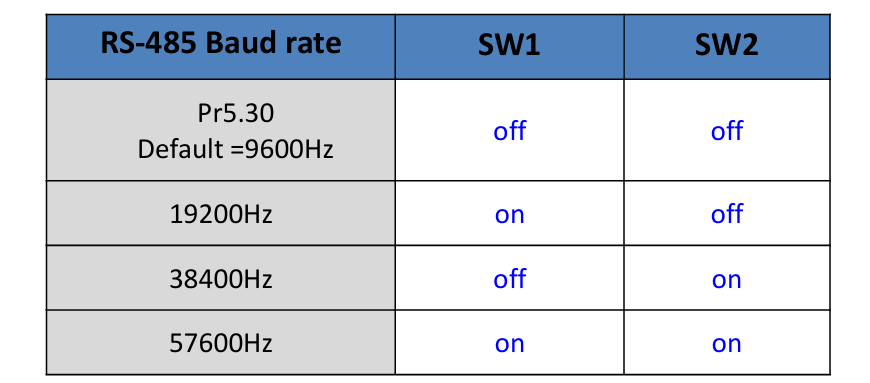
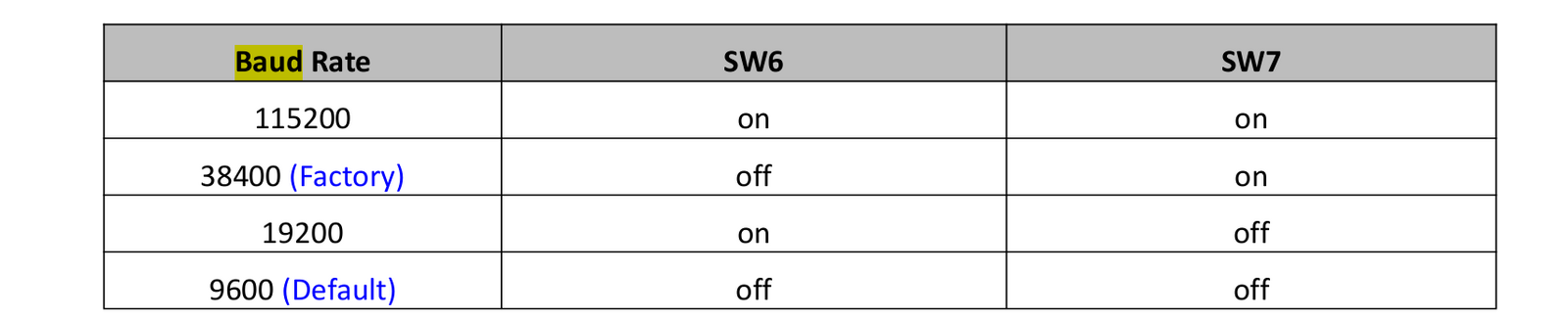
Similar to RS-series stepper drivers, communication settings can be adjusted via DIP switches. See the product manual for details.
iDM-RS
ISV2
ICL-RS
3. Verify Software Settings
Ensure that the Modbus command format is correct, including:
- Device address
- Function code
- Data field
- CRC checksum
Test communication using example commands from the manual to rule out command formatting errors.
Example Commands
RS-Series Stepper Driver:
01 06 62 00 00 01 57 B2 — Sets PR0 mode to absolute positioning.
IDM-RS / ISV2 / ICL-RS Series:
01 06 62 00 00 01 57 B2 — Sets PR0 mode to absolute positioning.
Brushless Driver:
01 06 80 00 09 02 27 9B — 2-pole-pair startup.
4. Use Modbus Debugging Tools
- Test communication using Modbus diagnostic tools such as ModScan or Modbus Poll.
- Manually send commands and check for responses to confirm successful communication.