When a stepper motor system fails to operate correctly, the fault may lie in the motor, driver, or controller. This guide explains how to use a multimeter to isolate the faulty component.
If your stepper motor does not rotate after being connected to the driver, please refer to this article first: Stepper Motor Does Not Rotate After Connecting to the Driver
After ruling out configuration or operation errors, use the following methods to test for hardware issues.
Safety Note: Ensure the system is powered off before connecting or disconnecting any motor wires. Use appropriate personal protective equipment when working with electrical systems.
Motor Testing
- Set the multimeter to resistance (Ω) mode.
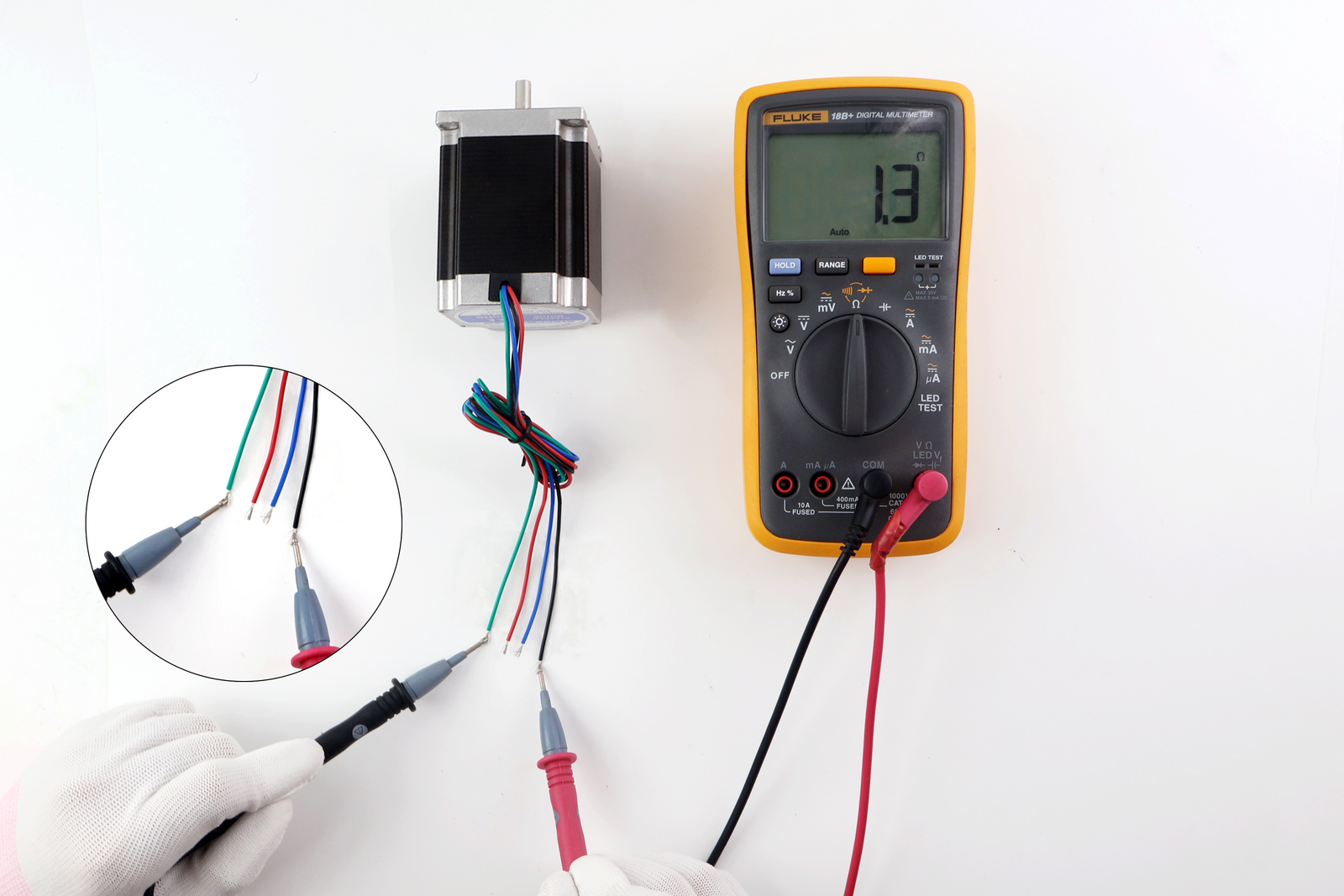
- Measure the resistance between A+ and A- (Phase A).
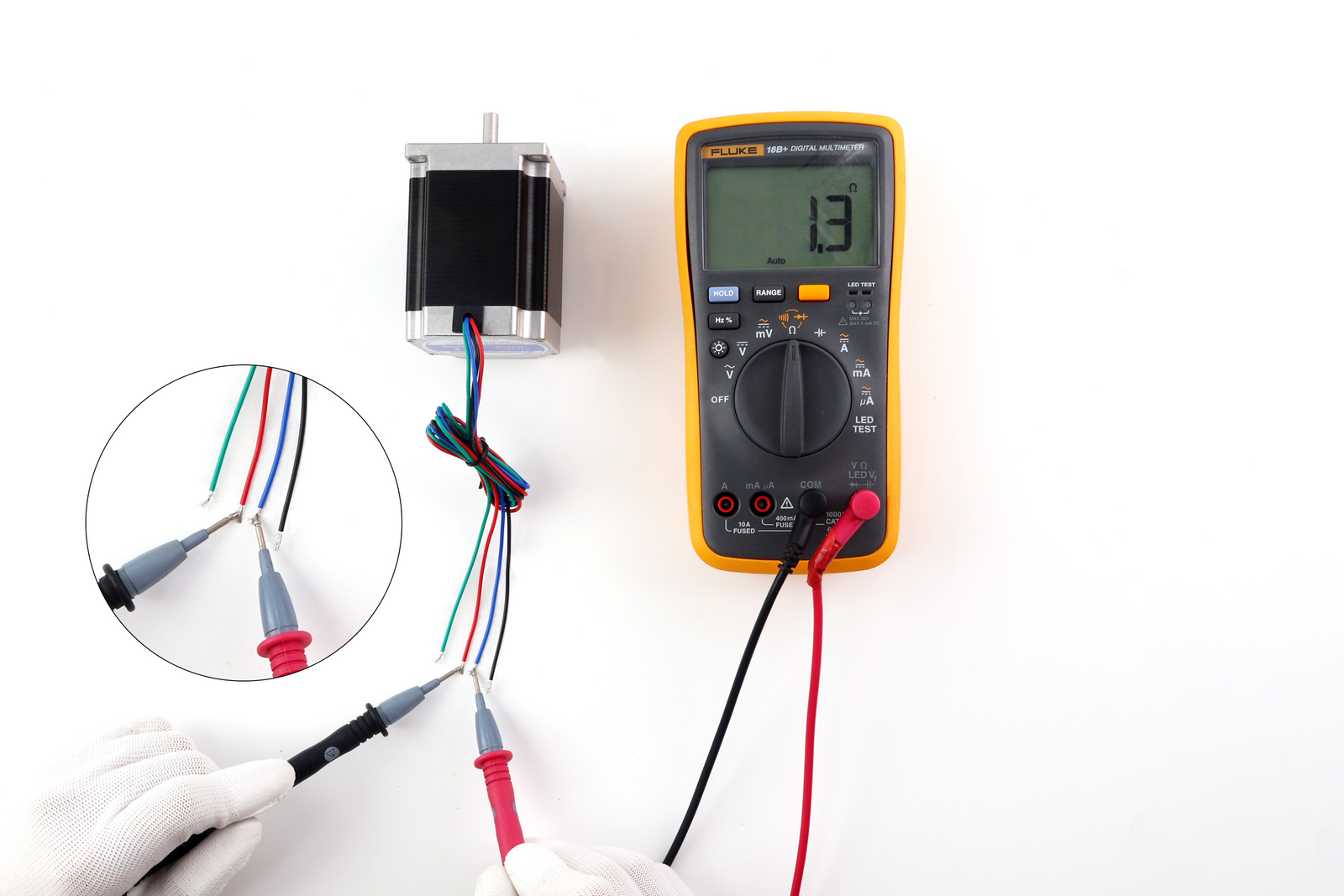
- Measure the resistance between B+ and B- (Phase B).
Compare the readings with the phase resistance specified in the motor datasheet:
- If the resistance is zero or significantly lower than the specification, it may indicate a short circuit within the winding.
- If the resistance is infinite (open circuit / no continuity), it indicates a broken winding or disconnected wire.
If a fault is detected, check whether the motor has been subjected to overcurrent, overheating, mechanical overload, or physical damage that could have caused the winding failure.
Measurement Points:
A+ and A-
B+ and B-
Driver Testing
Set the multimeter to DC voltage mode. The driver expects a 5V logic-level signal.
Note on multimeter readings: When measuring pulse signals with a multimeter in DC voltage mode, the displayed value is the average voltage, not the peak voltage. The average voltage depends on the signal amplitude and duty cycle. For more accurate diagnosis of pulse waveforms, an oscilloscope is recommended.
- Measure the signal voltage between PUL+ and PUL-:
- The PUL signal is a pulse waveform. The DC voltage reading represents the average voltage.
- For a 5V logic-level signal at a 50% duty cycle, expect a reading of approximately 2.5V.
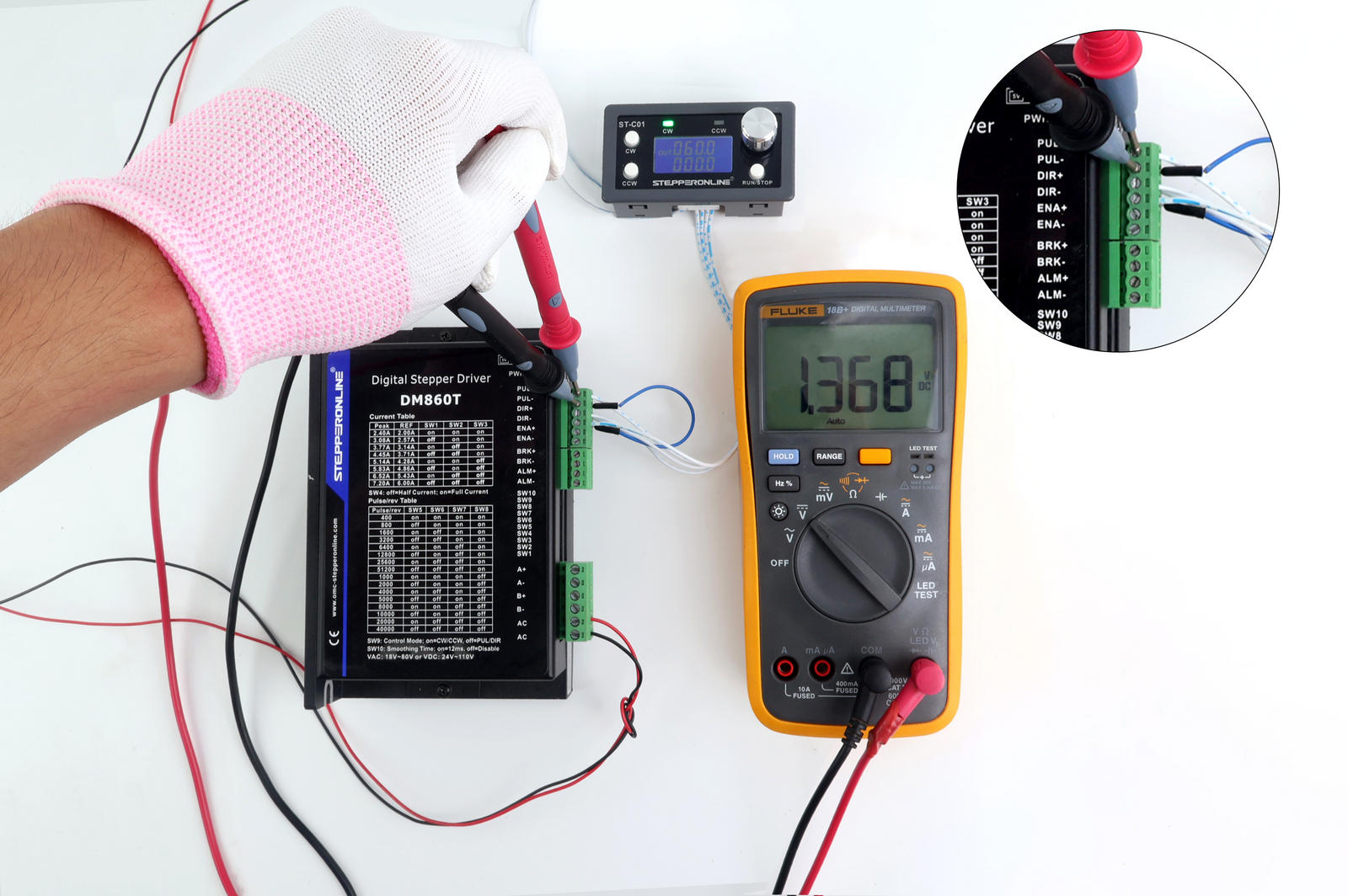
- Measure the signal voltage between DIR+ and DIR-:
- The direction signal (DIR) is a digital logic level signal (HIGH or LOW) that determines the motor's rotation direction. It is not a pulse signal and does not have a duty cycle.
- Expect a reading near 0V (LOW) or near 5V (HIGH), depending on the controller's logic level and the current direction setting.
- If the voltage is at an undefined intermediate level (e.g., ~2.5V), it may indicate a wiring issue or signal fault.
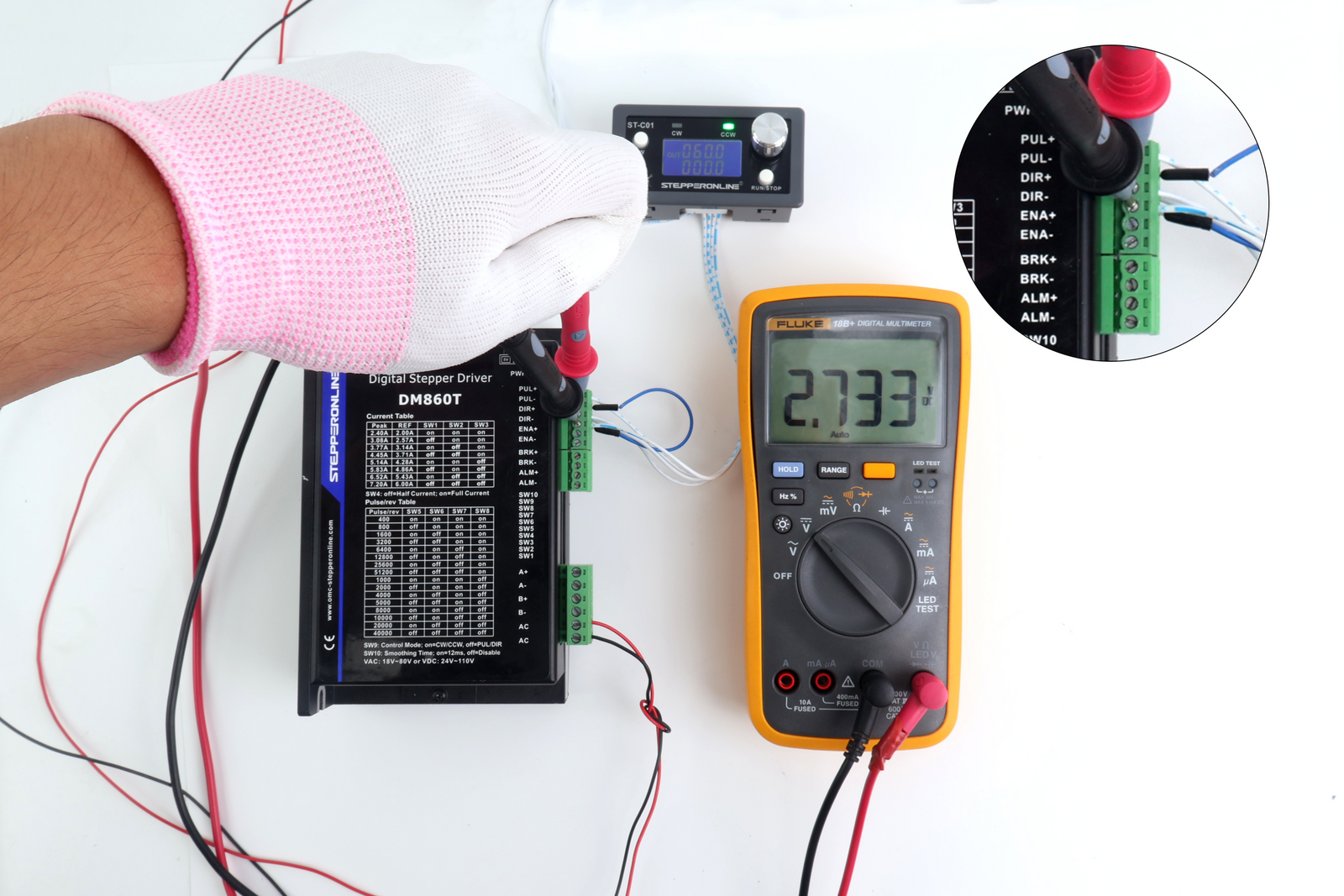
Note: The DIR signal determines the motor's rotation direction. Under normal conditions, an incorrect DIR signal will cause the motor to rotate in the wrong direction rather than stop. However, if the DIR signal is at an undefined intermediate voltage level, some drivers may behave unpredictably. If the motor is not rotating at all, focus on checking the PUL signal first.
Controller Testing
Set the multimeter to DC voltage mode.
Note: The voltage readings differ between the controller side (PUL+ to GND) and the driver side (PUL+ to PUL-) because the driver input is optically isolated. The controller-side measurement references the controller's ground, while the driver-side measurement is across the driver's isolated input terminals.
- Measure the signal voltage between PUL+ and GND:
- This is a pulse signal. The DC voltage reading represents the average voltage.
- For a 5V logic-level signal at a 50% duty cycle, expect a reading of approximately 2.5V.
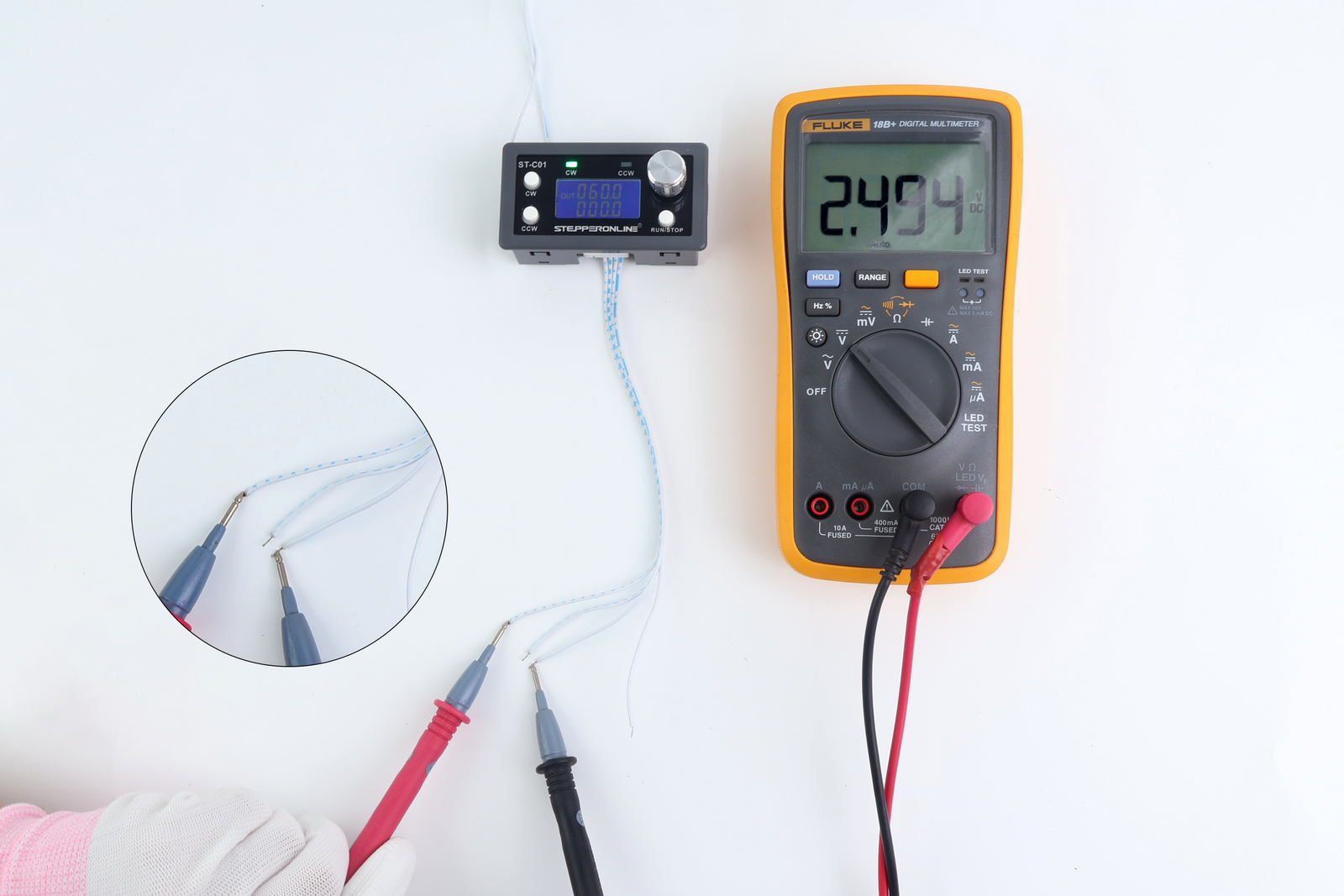
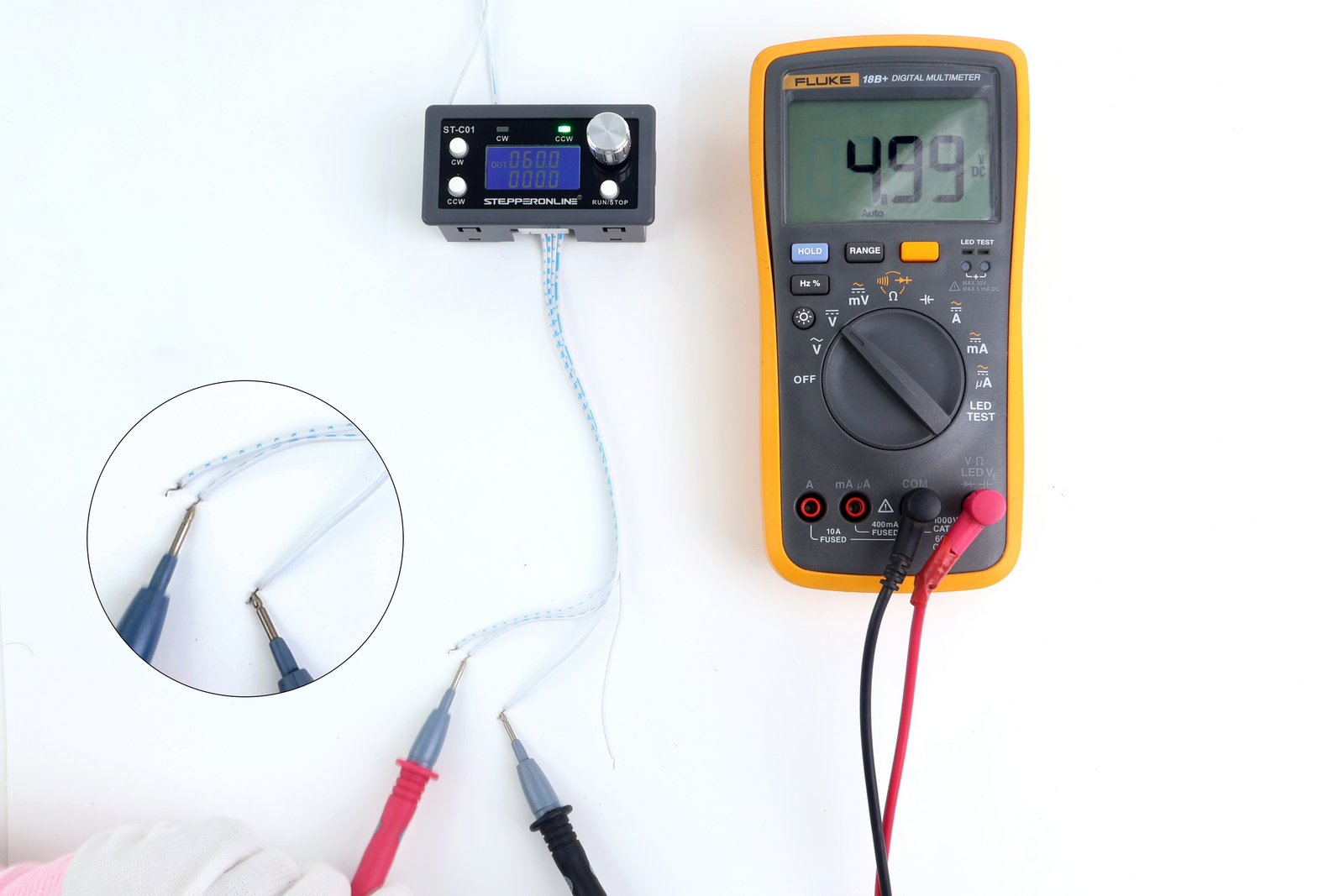
- Measure the signal voltage between DIR+ and GND:
- The DIR signal is a static digital logic level, not a pulse signal.
- Expect a reading of approximately 5V (HIGH) or 0V (LOW), depending on the current direction setting.
Summary
| Component | Measurement Points | Expected Reading | Possible Fault |
|---|---|---|---|
| Motor | A+ to A- / B+ to B- (Resistance) | Matches datasheet value | Short circuit (too low) or open circuit (infinite) |
| Driver | PUL+ to PUL- (DC Voltage) | ~2.5V at 50% duty cycle (5V logic) | No voltage or unexpected value |
| Driver | DIR+ to DIR- (DC Voltage) | ~0V or ~5V (logic level) | Intermediate voltage (~2.5V) indicates fault |
| Controller | PUL+ to GND (DC Voltage) | ~2.5V at 50% duty cycle (5V logic) | No voltage or unexpected value |
| Controller | DIR+ to GND (DC Voltage) | ~0V or ~5V (logic level) | No voltage or unexpected value |
Tip: If you have access to an oscilloscope, it is highly recommended to use it when checking pulse signals. An oscilloscope provides a direct visual representation of the signal waveform, making it much easier to verify signal integrity, amplitude, and timing compared to a multimeter.
If you are unable to identify the issue after trying the above methods, please send photos of your test results to our technical support team. We will assist you in troubleshooting the problem.