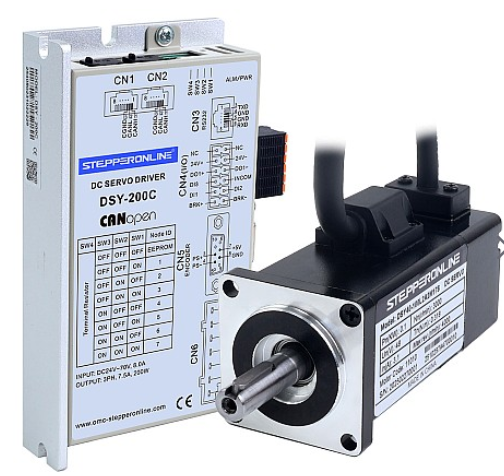
The DSY series drives feature a built-in multi-segment position function that allows the motor to move to specified positions without an external controller. This function enables the servo drive to store up to 16 segments of position commands, each with individually configurable displacement, maximum operating speed, and acceleration/deceleration time. The dwell time and transition modes between segments can also be customized as needed. However, you can also move the motor to a specified position without using this built-in function. The procedure is described below.
Procedure:
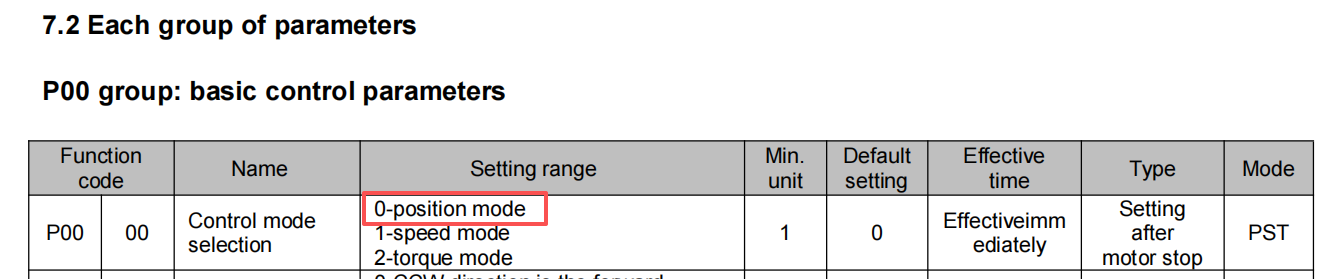
- Set the servo operation mode to position mode:
Configure the drive to operate in position control mode.
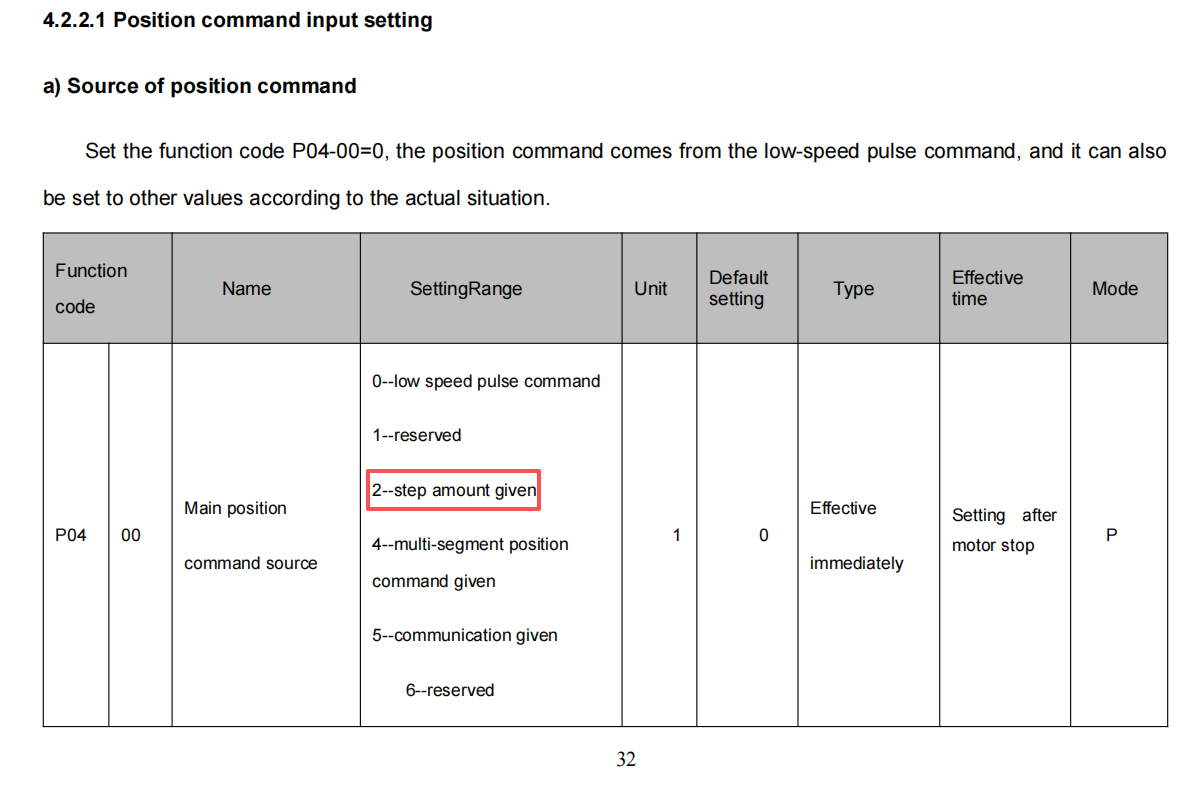
- Set P0400 = 2 to select "Position Increment" as the position command source:
This configures the drive to accept movement commands as position increments.
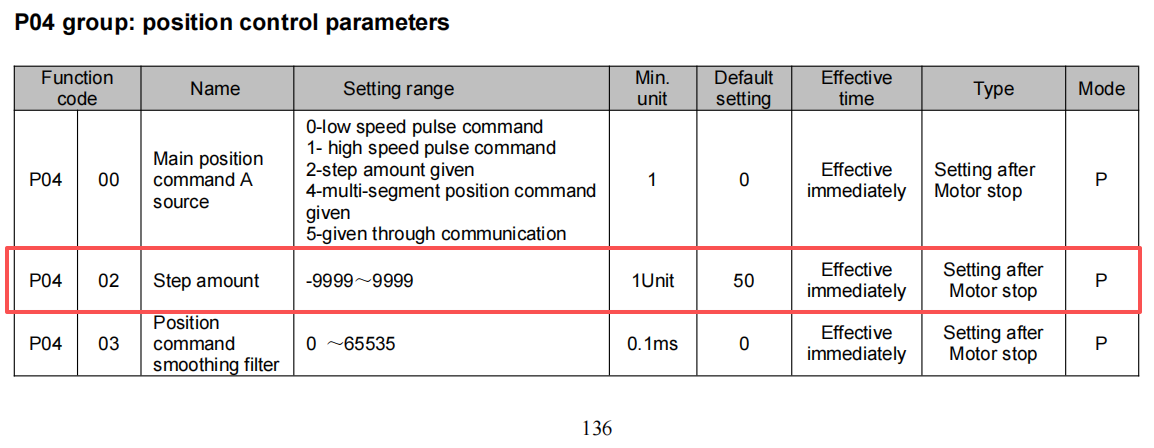
- Set P0402 to the desired movement distance:
Note: The position increment value can only be set between -9999 and 9999 pulses (equivalent to a maximum of one motor revolution). This function is typically used for fine-tuning positions within a small range.
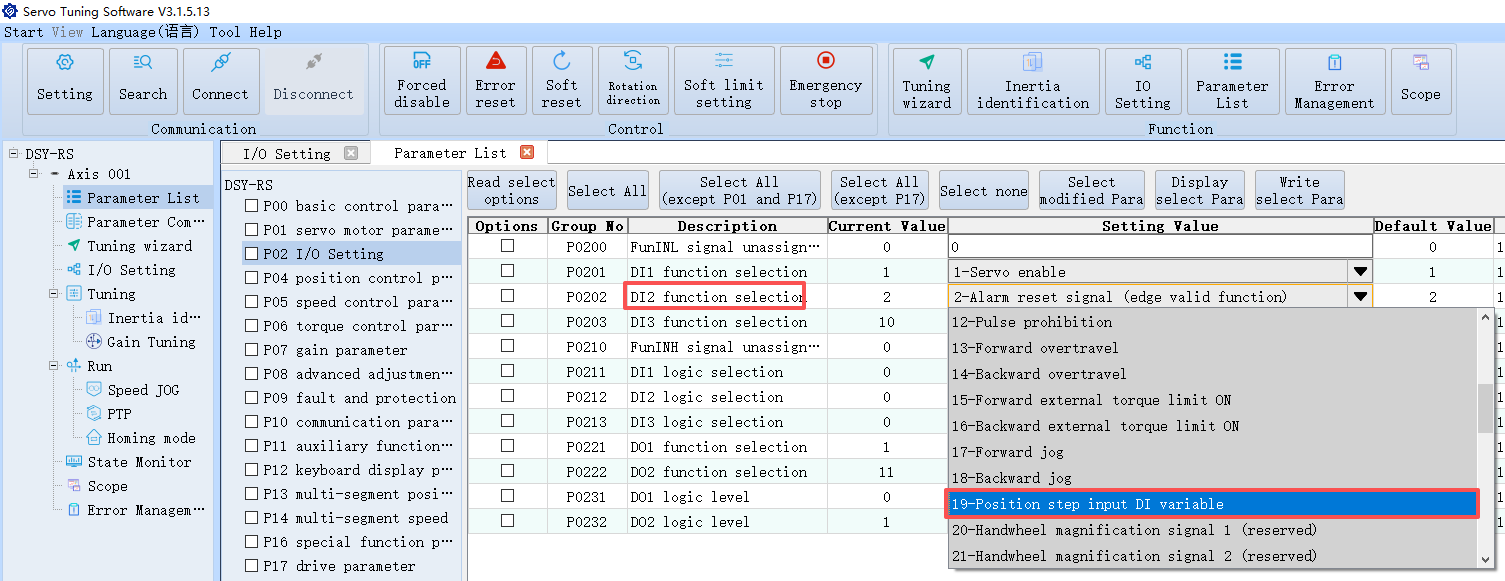
- Assign a digital input (DI) terminal function as the position increment enable signal:
DI2 is used as an example here. Note that the DI1 servo enable function will also be required in a later step.
- Set the DI logic to active-high, then apply a high-level signal to both DI1 and DI2 to trigger the servo enable and position increment enable functions:
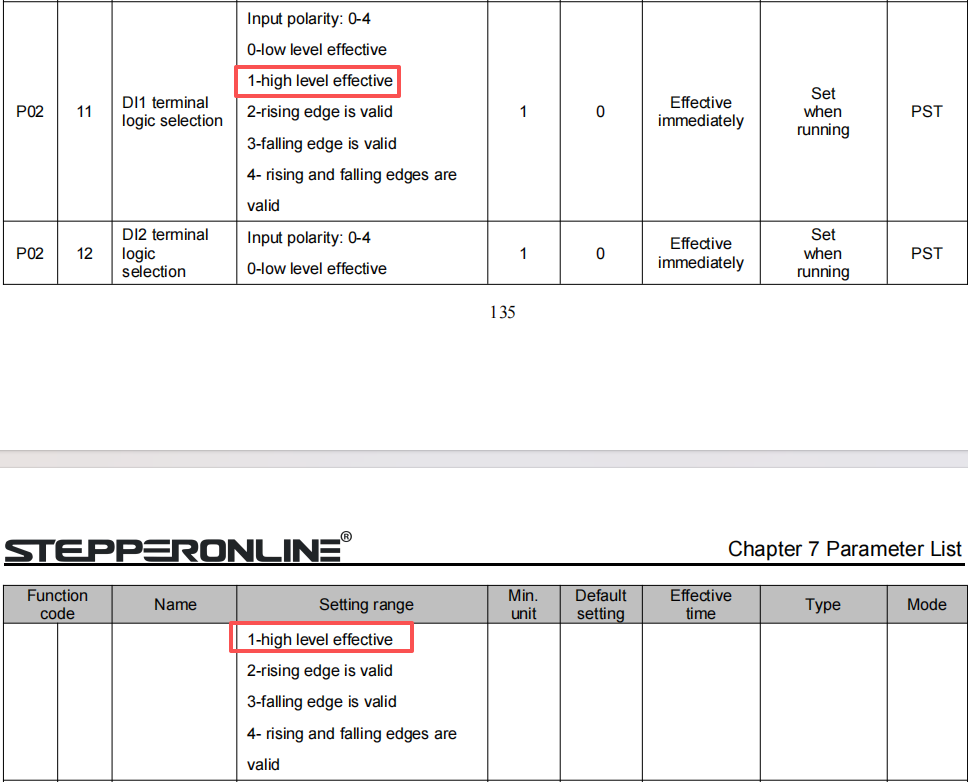
Once both DI1 and DI2 receive a high-level signal, the motor will move the specified distance according to the position increment value. The motor speed can be adjusted via P0503 (Positioning Speed). A single trigger moves the motor the set distance once; triggering again causes the motor to move the same distance again.