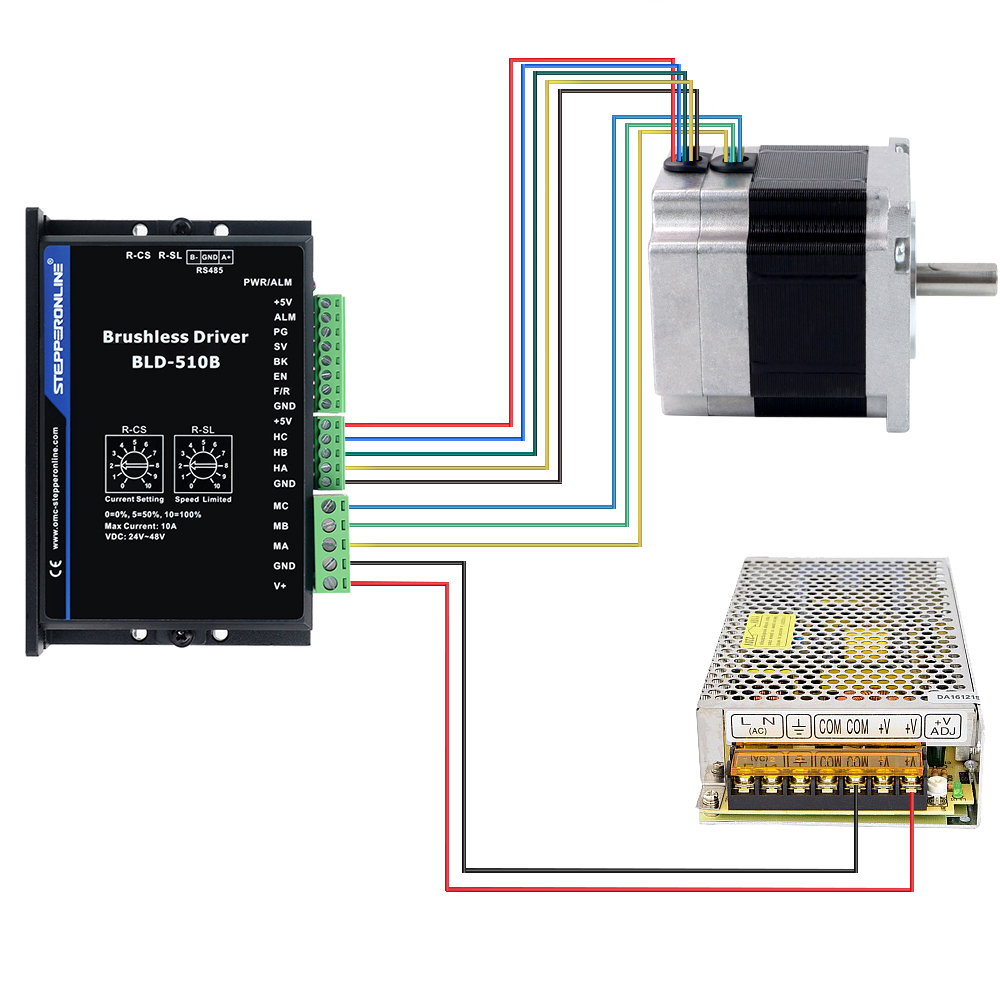
- Wiring the Brushless Driver to the Brushless Motor
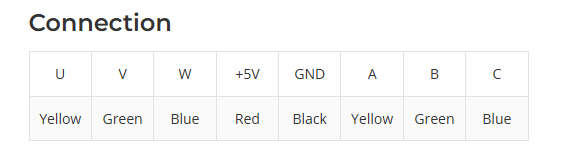
When connecting a brushless driver to a brushless motor, connect the motor power leads (U, V, W) and the Hall sensor leads (+5V, GND, A, B, C) to the corresponding motor terminals (MA, MB, MC) and sensor terminals (+5V, GND, HA, HB, HC) on the driver, as specified in the brushless motor datasheet. In most cases, if the power leads and Hall sensor leads share the same color scheme, the thicker wires are the motor power leads and the thinner wires are the Hall sensor leads.
- Wiring the Brushless Driver for Maximum Speed
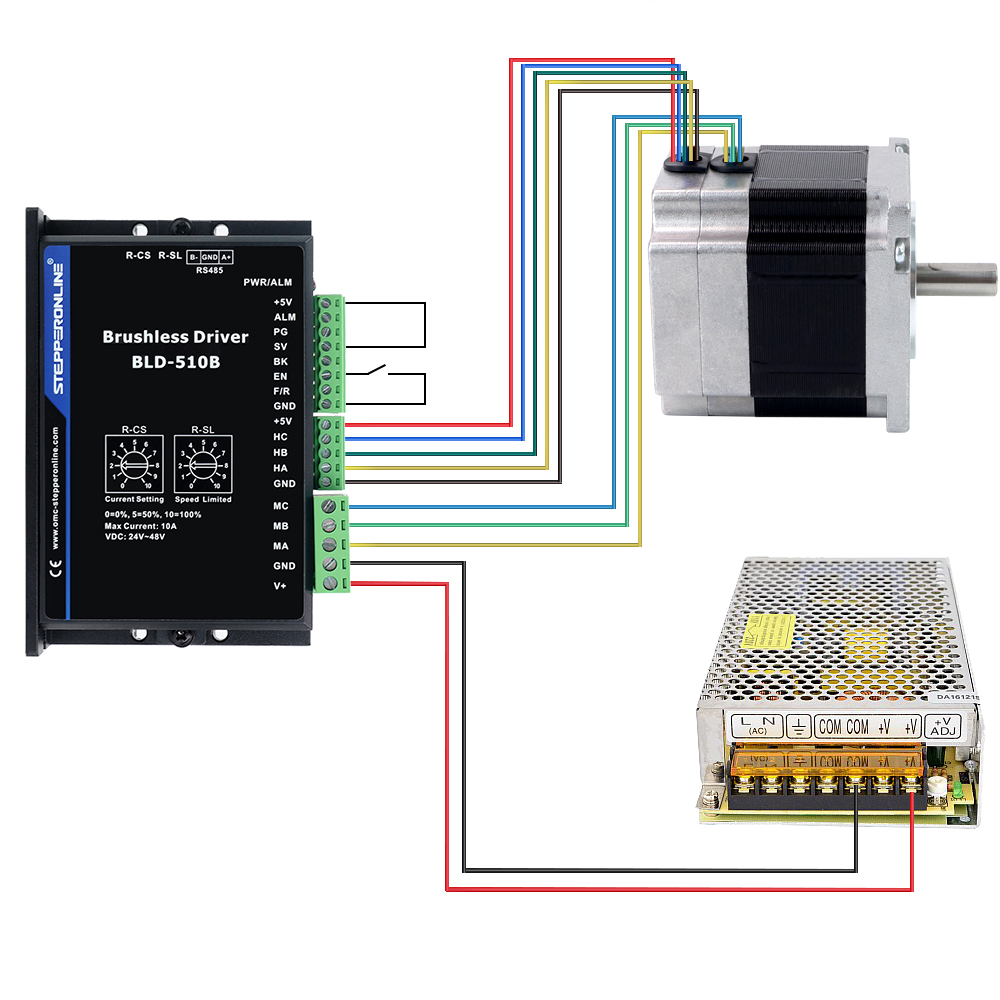
To run the motor at maximum speed, connect only the +5V and SV terminals, and place a switch between the EN and GND terminals to control motor start/stop. If you need the motor to run at a fixed speed without adjustment, follow this wiring method and use the built-in potentiometer on the driver, or connect a resistor in series between +5V and SV, to set the desired motor speed.
- Wiring a Potentiometer for Speed Adjustment
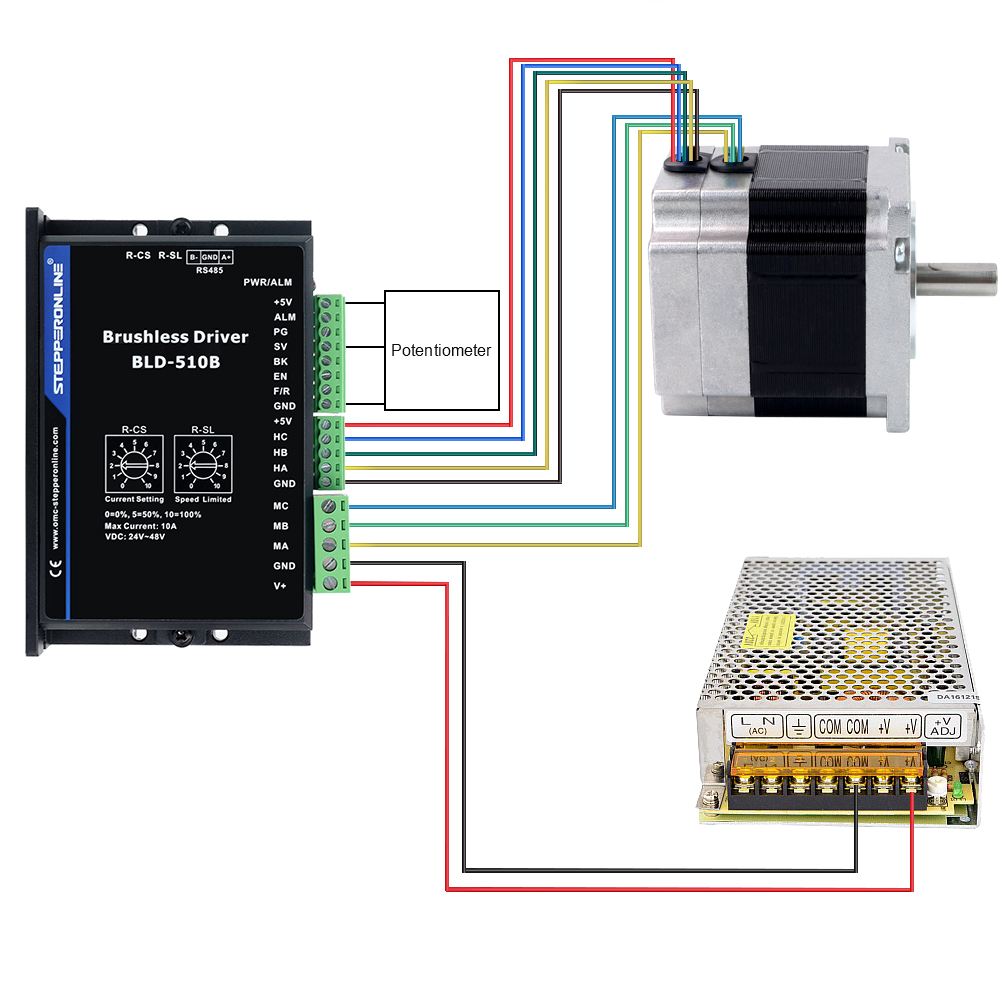
For simple speed adjustment, use a potentiometer (variable resistor) to control the motor speed. Connect the two fixed terminals of the potentiometer to the +5V and GND terminals on the driver, and connect the wiper (adjustable) terminal to the SV port on the driver.
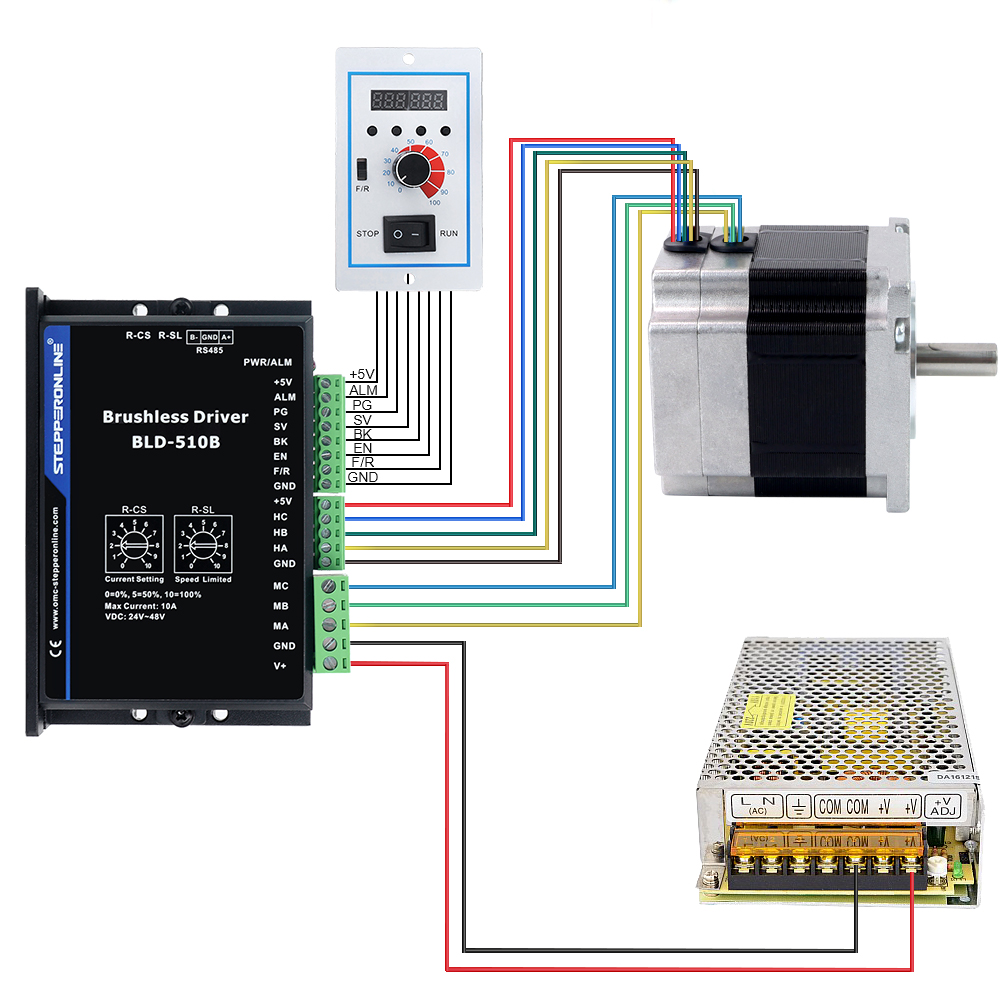
- Wiring the Brushless Driver with the DBLC-01
If you are using the DBLC-01 for speed control, simply connect the DBLC-01 cable to the corresponding port on the driver.
- Wiring the Brushless Driver with Other Controllers
In addition to the speed control methods described above, our brushless drivers also support other speed control methods, such as analog voltage speed control and PWM speed control. When wiring, connect the controller signal line to the SV port on the driver.